
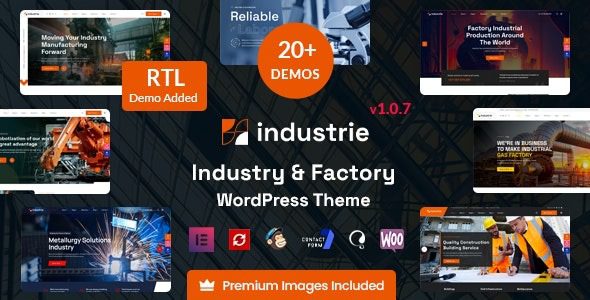
Industrie Factory and Industrial WordPress Theme Introduction
The Industrie Factory and Industrial WordPress Theme is a versatile business theme designed for industries such as manufacturing, energy, and more. It includes over 20 carefully crafted demo templates suitable for factories, metallurgy, construction, laboratories, renewable energy, oil and gas, robotics, and any commercial website. With 100% responsive design, it has been tested on all popular mobile devices to ensure an optimal browsing experience. Featuring built-in team pages, blogs, project showcases, and testimonials, it is an excellent choice for presenting your business online.
Core Features of the Industrie Theme
The Industrie Factory and Industrial WordPress Theme offers a rich set of features, including a drag-and-drop page builder, multiple header styles, color customization options, and WooCommerce integration. It supports one-click demo content import, allowing you to quickly build a professional website. The theme code is optimized for fast loading speeds and is compatible with major SEO plugins to help improve search engine rankings.
How to Install and Use the Industrie Theme
Installing the Industrie theme is simple: first upload and activate the theme, then install the required plugins (including built-in and recommended online plugins). Next, import a demo template to get started. If the import process takes too long, refresh the page and try again, or check the recommended plugins before retrying. No activation steps are needed—just import directly.
Use Cases for the Industrie Theme
The Industrie theme is especially suitable for industrial companies, manufacturing enterprises, construction firms, energy suppliers, laboratories, and robotics companies. Its professional and modern design effectively showcases corporate strengths and project cases. With a variety of demo templates, you can quickly find a layout that matches your business, saving design time.
Why Choose the Industrie Theme?
By choosing the Industrie Factory and Industrial WordPress Theme, you gain a comprehensive and easily customizable website solution. It supports the Elementor page builder, allowing you to edit pages via drag-and-drop without coding knowledge. Additionally, the theme is regularly updated to ensure compatibility with the latest WordPress version and security. For more resources, refer to related resource site.
Frequently Asked Questions
How to install the Industrie theme?
Installation steps: upload the theme file and activate it, then install the required plugins, and finally import a demo template. For detailed instructions, please refer to the official documentation.
Which industries is the Industrie theme suitable for?
This theme is designed for industrial, manufacturing, construction, energy, laboratory, and other enterprises, and is also suitable for any commercial website.
Is the Industrie theme compatible with the latest WordPress version?
Yes, the theme is regularly updated to maintain compatibility. For specific compatible versions, please refer to the official changelog.
Does the Industrie theme support responsive design?
Yes, the theme features 100% responsive design, displaying well on all devices.

