
PremiumPress Directory Theme: A Detailed Guide to the Professional Business Directory WordPress Theme
PremiumPress Directory Theme is a WordPress theme designed specifically for building business directories, classified information navigation sites, and local life portals. It integrates a complete directory system with the Elementor visual builder, supports multi-vendor onboarding, paid packages, and map-linked filtering, helping you quickly build a professional business directory platform similar to Yelp. Whether for local service searches or cross-border industrial and trade business listings, this theme provides a stable and efficient solution.
Core Features of PremiumPress Directory Theme
The theme offers comprehensive business categorization and paid package management, including categories such as dining and food, everyday services, medical and health, legal and financial, and automotive services. Businesses can independently update their business hours, upload photo galleries, respond to reviews, and purchase VIP featured packages online through a dedicated front-end control panel. The system supports payment gateways such as PayPal and Stripe, enabling automatic charging and listing activation, greatly simplifying commercial operations.
Multi-level Categories and Map Integration
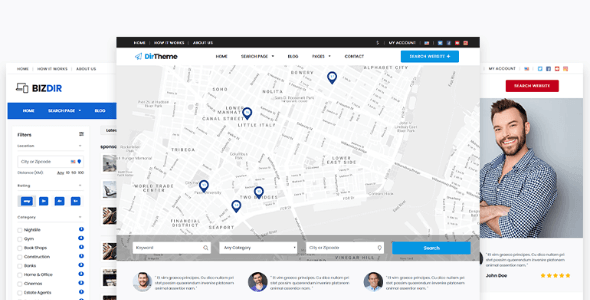
PremiumPress Directory Theme supports multi-level city/region categories and custom attribute fields, and integrates Google Maps pin-linked filtering, allowing users to quickly locate nearby businesses on the map. At the same time, the business listings and map are seamlessly linked, with smooth touch interactions on mobile devices, enhancing the user experience.
Why Choose PremiumPress Directory Theme
Compared with traditional general-purpose templates, PremiumPress Directory Theme provides a more professional directory display system and commercialization capabilities. Its lightweight code follows Core Web Vitals standards, ensuring fast page loading. For developers who need deep customization, WordPress resource site provides a wealth of related tutorials and plugin recommendations. In addition, the official page (PremiumPress official website) provides detailed documentation and technical support.
Frequently Asked Questions
How do I install PremiumPress Directory Theme?
In the WordPress admin panel, click "Appearance" -> "Themes" -> "Add New", upload the theme zip package, and activate it. It is recommended to import the official demo data after installation for quick configuration.
Which payment gateways does the theme support?
It has built-in support for PayPal and Stripe. Please refer to the official documentation for specific configuration.
Is it compatible with the latest version of WordPress?
The theme is compatible with WordPress 5.8 and above and is continuously updated to ensure compatibility.
How do I set up multi-level categories and maps?
Enable the Google Maps API in the theme settings and create multi-level categories. Please refer to the official documentation for specific steps.


Comments (0)