

Astra Premium Starter Templates (also known as Astra Premium Sites) is a highly regarded premium template library plugin in the WordPress ecosystem, designed specifically for Astra theme users. With it, you don't need to design a website from scratch — simply import one of hundreds of professionally designed website templates with a single click, covering business, blog, e-commerce, portfolio, and many other categories. This article will provide a detailed introduction to the latest version v4.7.3 of the Astra Premium Starter Templates plugin, along with installation and usage tips to help you quickly build a stunning WordPress website.
Core Features of the Astra Premium Starter Templates Plugin
The Astra Premium Starter Templates plugin is beloved by website owners because it dramatically lowers the barrier to website creation. Its core features include:
- Massive Template Library: Built-in hundreds of carefully designed website templates covering multiple industries and styles to meet diverse needs.
- One-Click Import: After selecting a template, you can import all content — pages, settings, menus, widgets, and more — with just one click, saving time and effort.
- Perfect Compatibility with Page Builders: Supports popular page builders such as Elementor, Beaver Builder, and Gutenberg, giving you full customization freedom.
- High-Performance Optimization: Template code is optimized for fast loading and SEO-friendliness, with a size under 50KB and no jQuery dependency.
- Flexible Customization Options: Offers transparent headers, sticky headers, mobile-specific menus, header/footer options, color typography, and a wealth of other customization features.
Astra Premium Starter Templates Installation and Activation Guide
Installing the Astra Premium Starter Templates plugin is very simple, but you need to pay attention to the activation order. Here are the detailed steps:
- In your WordPress admin dashboard, go to "Plugins" > "Add New," search for "Astra Premium Starter Templates," and install it.
- After installation, click the "Activate" button. Be sure to refresh the page after activation, and the plugin will automatically obtain its license.
- If you're using an older version, please note: some versions from v4.1.6 and earlier may not work properly. We recommend using the latest version v4.7.3.
Once activated, you can browse and import templates from the "Import Templates" page in the Astra theme. If you encounter errors during import, try again a few times or check your server configuration.
Practical Tips for Importing Templates with Astra Premium Starter Templates
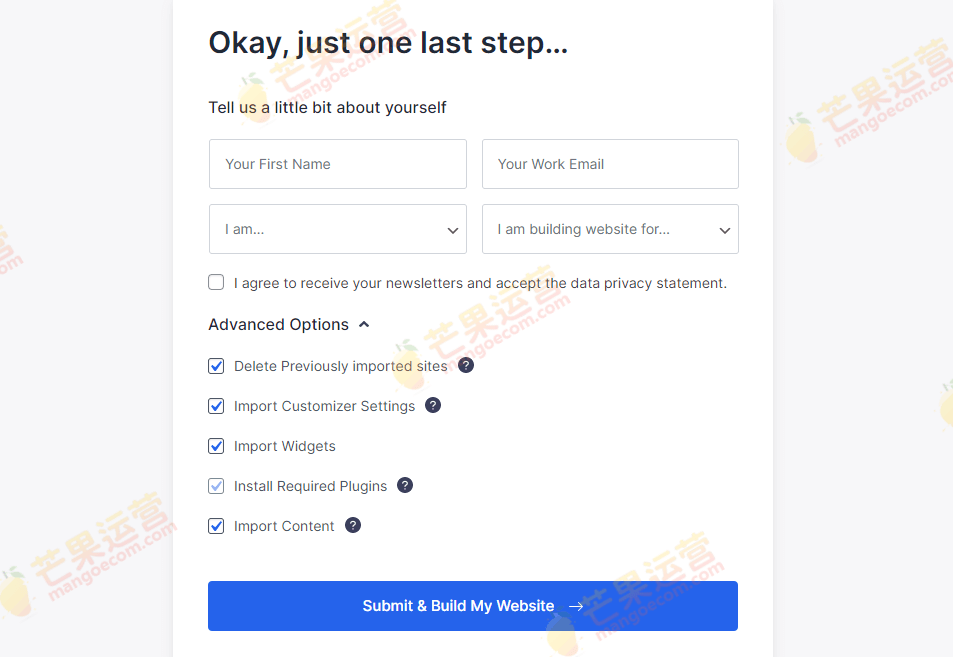
Based on our testing, we recommend installing the Astra theme online first, then installing and activating the Astra Premium Starter Templates plugin, and finally importing premium templates directly. This approach minimizes compatibility issues. If errors occur during import, retrying a few times usually leads to success. After a successful import, the front-end display will look like the following:

Astra Premium Starter Templates FAQ
How do I install the Astra Premium Starter Templates plugin?
Search for and install the plugin from the "Plugins" menu in your WordPress admin dashboard, then refresh the page after activation to obtain the license. If you're using an older version, upgrade to the latest version to ensure full functionality.
Which page builders does Astra Premium Starter Templates support?
The plugin is compatible with popular page builders such as Elementor, Beaver Builder, and Gutenberg, so you can choose based on your preference.
What should I do if I encounter errors while importing templates?
If errors occur during the import process, try again a few times or check whether your server environment meets the requirements. In most cases, retrying will result in a successful import.
How often is the plugin updated?
The plugin is updated periodically to fix bugs and add new templates. We recommend keeping an eye on the official changelog and upgrading to the latest version promptly for the best experience.
