
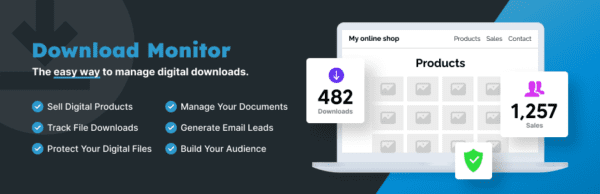
Download Monitor WordPress plugin is a powerful file download management tool that allows you to easily upload and manage downloadable files on your WordPress website, with support for multi-version control. With Download Monitor, you can seamlessly insert download links into posts or pages, track every download activity in detail, and even sell digital products. Whether it's ebooks, software, music, or documents, this plugin helps you efficiently manage download content.
Download Monitor v5.1.16, as the latest version, brings performance optimizations and bug fixes, ensuring compatibility with the latest WordPress version. The plugin offers an intuitive backend interface, allowing administrators to quickly add files, set download permissions, and view statistical reports. Additionally, it integrates payment gateways, making it convenient to sell download content directly via PayPal or Stripe.
With Download Monitor, you can create download categories and tags, making it easy for users to browse by topic. Each file can have multiple versions, such as providing different installation packages for various operating systems. The plugin also supports advanced features like download speed limiting, daily download count limits, and IP blocking, effectively preventing hotlinking and abuse.
Key Features of Download Monitor
Download Monitor offers a rich set of features to meet various download management needs, from personal blogs to corporate websites. Here are some core features:
- File Management: Upload, delete, and edit files, supporting local files, remote URLs, or Amazon S3 storage.
- Download Tracking: Record detailed information for each download, including time, IP address, user agent, etc., and export to CSV.
- Shortcode Integration: Insert download links or file lists on any page or post using shortcodes.
- Permission Control: Protect download content based on user roles, login status, or password.
- Multi-Version Support: Provide different versions (e.g., v1.0, v2.0) for the same product, allowing users to automatically get the latest version.
- Email Notifications: Admins can receive notifications when files are downloaded.
How to Manage Downloads with Download Monitor
After installing and activating Download Monitor, you will see a "Downloads" menu in the WordPress backend. Click "Add New" to add a new download item. First, enter a title and description, then upload a file or fill in a remote URL. You can set version numbers, download count limits, access permissions, etc. Finally, copy the generated shortcode and paste it into any page or post.
To optimize user experience, it is recommended to set clear categories and tags for each download item. For example, a software resource site can categorize by "Tools," "Games," "Office," etc., and add tags like "Free" or "Paid." Additionally, using Download Monitor's statistics feature, you can analyze which files are most popular, allowing you to adjust your content strategy.
If you need to combine download functionality with a membership system, Download Monitor supports integration with multiple membership plugins (such as WooCommerce, Paid Memberships Pro) to enable paid downloads. For more advanced usage, refer to related tutorials on WordPress resource sites.
Installing and Localizing Download Monitor
Installing Download Monitor is very simple: search for "Download Monitor" in the WordPress plugin repository, click install, and activate. If you need a localized version, you can download language pack files or use plugins like Loco Translate for translation. The community currently provides a Chinese language pack covering most interface text.
For developers, Download Monitor offers a wealth of hooks and filters for customizing functionality. For example, you can modify download counting logic via hooks or add custom fields. The official documentation details the usage of each hook; please refer to the official developer documentation for specifics.
Frequently Asked Questions
How to install the Download Monitor plugin?
Log in to the WordPress backend, go to "Plugins" > "Add New," search for "Download Monitor," click "Install Now," and activate. Alternatively, download the ZIP package and install it via upload.
What file types does Download Monitor support?
Download Monitor supports all file types, including PDF, ZIP, MP3, MP4, etc. For large files, it is recommended to use remote URLs or Amazon S3 storage.
Is Download Monitor compatible with Chinese?
Yes, the plugin includes a Chinese language pack. You can switch the site language to Chinese in the settings. Some untranslated strings can be translated yourself using Loco Translate.
Can Download Monitor be used to sell digital products?
Yes. Download Monitor integrates PayPal and Stripe payment gateways. You can set a price when adding a download to enable paid downloads. It also supports integration with e-commerce plugins like WooCommerce.
How often is Download Monitor updated?
The plugin is regularly updated to fix bugs and maintain compatibility with the latest WordPress version. It is recommended to enable automatic updates to get the latest features and security patches.


Comments (2)