
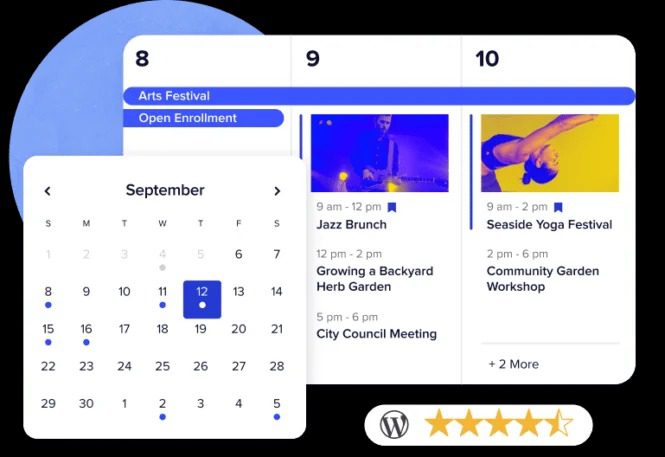
Event Tickets Plus WordPress Plugin: A Complete Solution for On-Site Ticketing
Event Tickets Plus is a WordPress ticketing plugin built specifically for The Events Calendar Pro, allowing you to create, manage, and sell event tickets directly within your own WordPress website without relying on any third-party ticketing platform. Each ticket can be configured independently with its own price, stock quantity, SKU code, and precise sales start and end time ranges. For site owners who need to host online or offline events, this plugin puts full ticketing control back in your hands.
With Event Tickets Plus, you can collect attendee information when users register to purchase tickets, use it to personalize the event experience, and generate analytical reports on audience composition and sales performance. Whether it's a small workshop, a concert, an online course, or a large conference, this tool covers the entire workflow from ticket listing to sellout.
Event Tickets Plus Core Features at a Glance
Flexible Ticket Management
Each ticket supports independent pricing, inventory tracking, and SKU management. You can set up multiple ticket types for the same event, such as early bird, general admission, and VIP tickets, each with its own designated sales time window. All operations are completed within the WordPress dashboard, with no need to jump to an external system.
Attendee Information Collection
Custom form fields can be added during the ticket purchase process to collect information such as name, contact details, and dietary preferences. This data not only helps you prepare for attendee reception before the event, but can also be exported for follow-up email marketing and audience analysis.
Works for Both Online and Offline Events
Event Tickets Plus supports both physical and virtual events. You can create tickets for live streams and webinars, and automatically send participation links via email. For offline events, the plugin also provides basic support for check-in and ticket validation.
Automated Ticketing Workflow
From ticket listing and order generation to inventory deduction, the entire process can be automated. You only need to set the rules, and the system will automatically process orders during the sales period, reducing manual intervention. For more WordPress event management tips, you can refer to the relevant tutorials on Bobo Hello Resource Site.
Event Tickets Plus Installation and Usage Guide
Before installing Event Tickets Plus, please make sure your WordPress site already has The Events Calendar or The Events Calendar Pro installed and activated. The plugin itself needs to work in conjunction with the event calendar system and cannot function fully on its own.
The installation steps are roughly as follows: In the WordPress admin, go to the "Plugins" page, upload the plugin zip file, and activate it. After activation, you will see a ticket settings panel on the event editing page, where you can start adding ticket types, setting prices, and managing inventory. Based on actual testing, the plugin can be used directly after installation and activation, with no additional activation steps required. For specific configuration options, please refer to the official documentation.
If you need to learn the basic setup methods for The Events Calendar, you can check the Event Tickets Plus official page for the latest information.
Event Tickets Plus Use Cases
This plugin is suitable for the following types of websites and businesses:
- Communities or organizations that regularly host offline events and need online ticketing and check-in management
- Educational sites offering paid online courses or webinars
- Event organizers of music festivals, exhibitions, lectures, and other events requiring multi-ticket-type management
- Independent sites looking to escape third-party ticketing platform fees and retain control over user data
For site owners who need to manage multiple events and multiple ticket prices simultaneously, Event Tickets Plus provides a centralized backend management interface that can significantly reduce the time cost of switching between different platforms.
Frequently Asked Questions
Does Event Tickets Plus require The Events Calendar to work?
Yes. Event Tickets Plus is an extension plugin for The Events Calendar and requires The Events Calendar or The Events Calendar Pro to be installed and activated first in order to work properly. Installing Event Tickets Plus alone will not allow you to create and manage event tickets.
What payment methods does Event Tickets Plus support?
Event Tickets Plus does not directly process payments itself, but rather completes transactions through WooCommerce or other compatible e-commerce plugins. You can use any payment gateway supported by WooCommerce, including PayPal, Stripe, and various local payment methods. For specific supported options, please refer to the official documentation.
Does Event Tickets Plus support collecting attendee information?
Yes. You can add custom fields to the ticket purchase process to collect attendee names, email addresses, phone numbers, and other necessary information. This data is saved along with the order and can be exported from the backend for event management and subsequent analysis.
How often is Event Tickets Plus updated?
Event Tickets Plus is continuously maintained by The Events Calendar team and typically releases new versions regularly in line with WordPress version updates and its own feature iterations. It is recommended to follow the official changelog for the latest compatibility information and feature improvements.
Can Event Tickets Plus be used for online event ticketing?
Yes. The plugin supports creating tickets for online events and can automatically send participation links or access credentials after purchase. Whether it's a live stream, recorded course, or online meeting, Event Tickets Plus can handle ticketing and participant management.

