
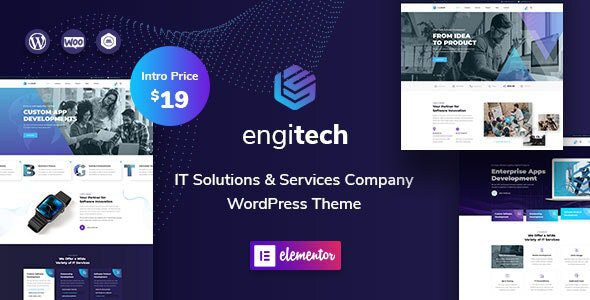
Engitech v1.9.1: A WordPress Theme Built for IT Solutions
Engitech is a powerful business WordPress theme designed for startups, apps, and IT service companies. As a professional IT solutions and services WordPress theme, it comes pre-loaded with the drag-and-drop page builder Elementor, allowing you to easily design your website without coding. Built with the latest web technologies (Bootstrap framework, Sass, icon fonts, etc.), Engitech prioritizes code quality to ensure flawless performance across all browsers and devices. Whether you're showcasing tech products, offering IT services, or building a corporate website, Engitech provides an efficient and visually appealing solution.
Core Features and Benefits of the Engitech Theme
1. Fully Compatible with Elementor Page Builder
Engitech deeply integrates with Elementor, enabling you to freely customize page layouts through an intuitive drag-and-drop interface without touching code. It includes numerous pre-built templates and modules to accelerate the website building process.
2. Responsive and Cross-Browser Compatible
Built on the Bootstrap framework, Engitech ensures your website displays perfectly on mobile phones, tablets, and desktop devices, and is compatible with major browsers like Chrome, Firefox, and Safari.
3. Rich Demo Templates
The theme includes multiple carefully designed demo templates covering scenarios like IT services, tech startups, and app promotion. You can quickly get started with a one-click import. By importing demo content, you can quickly understand Engitech's layout and features, then personalize them according to your needs.
4. SEO Optimized and Performance Focused
Engitech features clean code and supports Schema markup, aiding search engine crawling and ranking. Additionally, the theme is optimized for speed, ensuring fast loading times and enhancing user experience.
How to Install the Engitech WordPress Theme
Installing the Engitech theme is straightforward. First, download the theme package and unzip it. Then, in your WordPress admin panel, navigate to "Appearance" > "Themes" > "Add New", upload the theme zip file, and activate it. After activation, you will be prompted to install necessary plugins (like Elementor); follow the prompts to complete the installation. Finally, go to "Appearance" > "Import Demo Data", select your preferred demo template, and import it with one click to start editing content. If you encounter issues during installation, refer to the official documentation or community forums.
What Use Cases is Engitech Suitable For?
Engitech is particularly suitable for websites such as: IT consulting firms, software developers, tech startups, app promotion pages, SaaS providers, and any site needing to showcase technical solutions. Its professional design style and flexible functional modules effectively convey your corporate brand image. Additionally, learn more about WordPress theme options to help you find the best website building tool.
Official Resources and Purchase Link
The official purchase location for the Engitech theme is: Engitech Theme on ThemeForest. You can get the latest version, view detailed documentation, and read user reviews there.
Frequently Asked Questions
How do I install the Engitech theme?
The installation process includes uploading the theme file, installing required plugins (like Elementor), and importing demo data. Please refer to the official installation guide for detailed steps.
Which page builders does Engitech support?
Engitech is primarily deeply integrated with the Elementor page builder, but it is also compatible with the WordPress block editor (Gutenberg).
Is the Engitech theme compatible with the latest WordPress version?
Engitech is regularly updated to maintain compatibility with the latest WordPress versions. It is recommended to check the changelog after purchase.
How often is the Engitech theme updated?
The official team provides maintenance updates based on WordPress version releases and user feedback. Please refer to the official documentation for the specific update frequency.


Comments (0)