
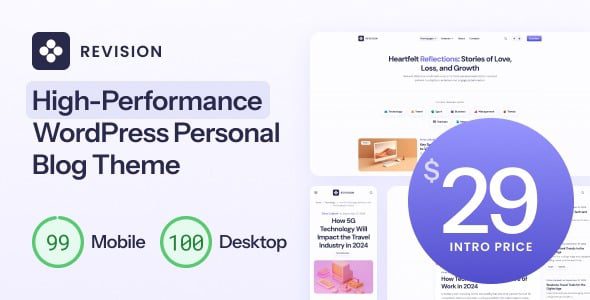
Revision v1.0.9 is a meticulously crafted minimalist and ultra-fast WordPress theme for personal blogs, designed specifically for bloggers who prioritize speed and simplicity. It focuses on delivering an exceptional reading experience while maintaining blazing-fast loading performance, ensuring your blog excels both in search engines and in front of users. As an optimized personal blog WordPress theme, Revision showcases rich features in its demo, but you will still need to manually configure some elements based on your needs, such as social links and widgets.
Core Features of the Revision Theme
The Revision theme is built around speed and minimalist design, making it suitable for various personal blogs, photography journals, or lightweight content websites. It is compatible with major browsers and optimized for mobile devices, ensuring your blog loads quickly on any device. Additionally, the theme supports custom colors, fonts, and layouts, allowing you to easily create a unique blog appearance.
Blazing Performance and Lightweight Code
The Revision theme uses a lightweight code structure, minimizes HTTP requests, and supports lazy loading for images, significantly improving page load speeds. For SEO-focused bloggers, fast loading is a key factor in boosting rankings. Rest assured, this theme will not slow down your website.
How to Install and Configure the Revision Theme
Installing the Revision v1.0.9 theme is very simple. First, upload the theme file in the WordPress backend and activate it. Then, you need to import the demo template to achieve a look similar to the demo site. After importing, manually adjust settings such as social links, widgets, and menus to match your brand. For more details, refer to the related tutorial for assistance.
Use Cases for the Revision Theme
This theme is particularly suitable for personal bloggers, freelance writers, photographers, and anyone looking to present content in a clean way. It also works well as a foundation for micro-business sites or portfolio websites. If you are searching for a personal blog WordPress theme that is not flashy but fully functional, Revision is an excellent choice.
Frequently Asked Questions
How to install the Revision theme?
In the WordPress backend, go to "Appearance" -> "Themes," upload the Revision theme ZIP file, and activate it. Then, you can import demo data through the theme options and manually configure social links and widgets.
Which browsers does the Revision theme support?
The Revision theme is compatible with all modern browsers, including Chrome, Firefox, Safari, and Edge. It also features a responsive design optimized for mobile devices.
How often is the Revision theme updated?
For specific update frequency, please refer to the official documentation. Typically, the theme author performs regular maintenance and feature improvements based on WordPress version updates and user feedback.
Can the Revision theme be used for commercial websites?
Yes, the Revision theme can be used for personal or commercial projects, but please ensure you have the appropriate license. Refer to the official documentation for specific terms.


Comments (0)