
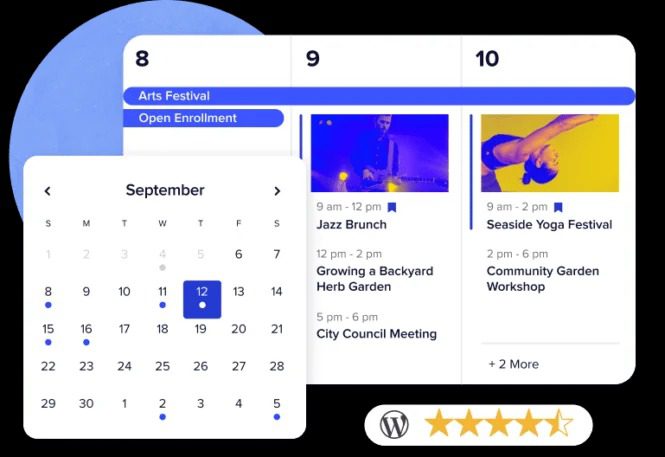
Event Tickets Plus WordPress Plugin: A Complete Solution for On-Site Ticket Sales
Event Tickets Plus is an event ticketing WordPress plugin built specifically for The Events Calendar Pro. It allows you to add any number of tickets to a specific event and complete sales entirely within your own WordPress site. Each ticket can be individually configured with its own price, inventory, SKU, and precise start and end times for sales. You can also collect attendee information during registration to personalize the experience and generate insightful audience reports.
Rather than relying on third-party ticketing platforms, Event Tickets Plus puts ticketing control back in your hands: create tickets directly from the WordPress dashboard, with no redirects to external websites and no additional ticketing processing fees. Whether for in-person or online events, it enables automated ticketing workflows.
Key Features of Event Tickets Plus
Flexible Ticket Management
Each ticket has independent pricing, independent inventory, an independent SKU, and supports configurable sales start and end times. You can configure multiple ticket types for the same event—such as early-bird tickets, general admission tickets, and VIP tickets—to meet the purchasing needs of different audiences.
Attendee Information Collection
During the ticket purchase or registration process, you can customize the fields you collect to capture information such as names and contact details. This makes on-site verification easier and provides a data foundation for subsequent audience analysis and marketing.
Closed-Loop On-Site Sales
All transactions are completed within your WordPress site, reducing drop-off caused by redirects while giving you full control over orders and customer data. Combined with The Events Calendar Pro, event display and ticket sales form an integrated experience.
Use Cases for Event Tickets Plus
This plugin is suitable for organizers of in-person meetups, concerts, lectures, and training courses, as well as teams running online webinars and live-streamed events. As long as your events are managed through The Events Calendar, you can use Event Tickets Plus to quickly launch a ticketing page. If you are still building an events website, you can refer to the relevant tutorials and tool recommendations on the WordPress resource site to further improve your site's functionality.
The official product page provides detailed feature descriptions and documentation. You can visit the Event Tickets Plus official page for the latest information.
Installation and Activation Instructions
After uploading the plugin to the WordPress plugin directory and activating it, you will see the ticket settings module on the event editing page. Based on actual testing, it can be used directly after installation and activation, with no additional activation steps required. Before officially selling tickets, it is recommended to run through the complete purchase process in a test environment to confirm that the payment gateway, inventory, and confirmation emails all work properly. For specific configuration details, please refer to the official documentation.
Frequently Asked Questions
How do I install Event Tickets Plus?
In the WordPress admin, go to the "Plugins" page, upload the plugin ZIP file, and activate it. After activation, ticket management options will appear in The Events Calendar event editing interface, where you can configure ticket types and prices as prompted. For specific steps, please refer to the official documentation.
What use cases does Event Tickets Plus support?
It is suitable for ticketing both in-person and online events, including conferences, performances, courses, and live streams. You can set multiple ticket types for each event and collect attendee information during registration.
Is Event Tickets Plus compatible with The Events Calendar Pro?
Event Tickets Plus is an extension plugin designed specifically for The Events Calendar ecosystem, and when used together with The Events Calendar Pro, it enables a complete event display and ticketing workflow. For specific version compatibility, please refer to the official documentation.
How often is Event Tickets Plus updated?
The plugin is continuously maintained by the official team and is updated alongside version iterations of The Events Calendar ecosystem. It is recommended to follow the official release notes for the latest version information.

