
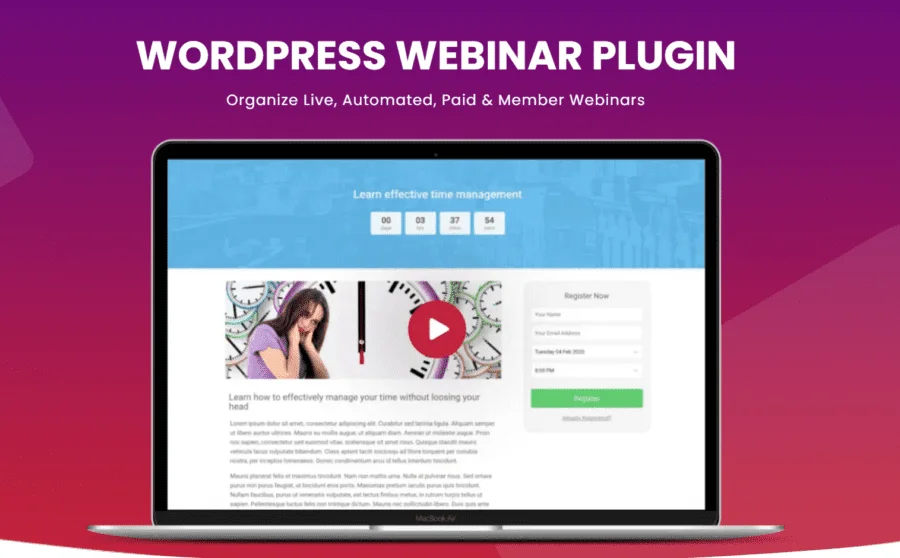
WebinarPress Pro: A Comprehensive Analysis of the Professional WordPress Webinar Plugin
WebinarPress Pro is a powerful WordPress webinar plugin that allows you to host live and automated webinars directly on your own website, providing a fully customizable attendee experience without requiring any technical skills. Whether it's a product launch, online training, or industry sharing, WebinarPress Pro helps you easily build a professional live interactive platform.
The plugin supports powerful live streaming via YouTube Live, and is also compatible with any pre-recorded videos from YouTube, Vimeo, or hosted on your own server. This means you can flexibly choose between live or on-demand modes based on your actual needs, meeting webinar requirements across different scenarios.
Core Features and Interactive Advantages of WebinarPress Pro
With WebinarPress Pro, you can let attendees ask and answer questions during webinars through video or Q&A features, achieving true real-time interaction. This two-way communication mechanism significantly boosts engagement and conversion rates, making it especially suitable for marketing campaigns and educational training scenarios.
The plugin provides fully responsive pages, so visitors can join webinars from any mobile device or tablet without worrying about device compatibility issues. Additionally, you can collect attendees' names and email addresses and import them into your third-party email provider for easy follow-up and marketing automation.
Fully customizable email reminders ensure your attendees won't miss the webinar. The optional replay feature provides a second chance for those who missed the scheduled time, maximizing the value and reach of your content. If you're looking for more quality WordPress resources, you can visit bobohello.com to get related themes and plugins.
Automation and Customization Capabilities of WebinarPress Pro
WebinarPress Pro supports automated webinars — you can set up videos and interactive segments in advance and let the system run automatically at the designated time. This automated mode is particularly suitable for recurring training courses or product demonstrations, greatly saving labor costs. At the same time, the plugin's page styles, email templates, and registration forms can all be deeply customized to match your brand style, ensuring consistency with your website's overall design.
Compatibility and Extensibility of WebinarPress Pro
The plugin is highly compatible with mainstream WordPress themes and page builders, supporting YouTube, Vimeo, and self-hosted video sources. You can also integrate it with commonly used email marketing tools to achieve automatic synchronization of attendee data. Official link: WebinarPress Official Website.
Frequently Asked Questions
How do I install WebinarPress Pro?
In the WordPress admin panel, go to "Plugins" -> "Add New", upload the WebinarPress Pro installation package and activate it. For detailed steps, please refer to the official documentation.
What video sources does WebinarPress Pro support?
It supports YouTube Live streaming, as well as pre-recorded videos from YouTube, Vimeo, or hosted on your own server.
Is WebinarPress Pro compatible with mobile devices?
Yes, the plugin provides fully responsive pages, so visitors can join webinars from any mobile device or tablet.
How often is WebinarPress Pro updated?
For specific update frequency, please refer to the official documentation or plugin page description. Typically, the developer releases feature improvements and security updates on a regular basis.


Comments (0)