
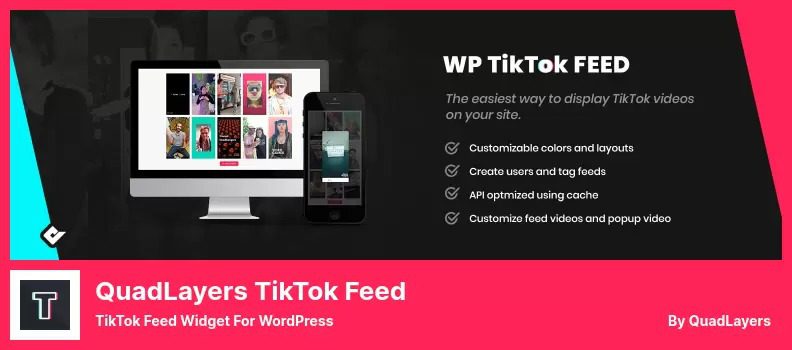
TikTok Feed PRO: A Complete Introduction to the WordPress Video Feed Synchronization Plugin
TikTok Feed PRO is a TikTok video feed synchronization plugin designed specifically for WordPress, aimed at helping website administrators easily embed TikTok account content into their websites and achieve seamless integration between social media and websites. The plugin simplifies the integration process, reduces website update time, and ensures synchronization with the social media platform showing the best growth metrics. Whether for a personal blog or a business website, TikTok Feed PRO lets you display TikTok videos in the most user-friendly way, boosting user engagement and content freshness.
An Overview of TikTok Feed PRO's Core Features
TikTok Feed PRO offers a series of powerful features that give you the flexibility to display TikTok content:
- Multiple user accounts: Allows you to include unlimited user accounts and display different feeds on the same page or across the entire website.
- Video pop-up: Lets you display videos from the feed in a pop-up gallery, allowing users to enjoy your content without leaving the website.
- Video display layouts: Display feeds in gallery or masonry layouts to suit different website design needs.
- Video type selection: Choose the type of video to display in the gallery (static image, animated gift, or full video).
- Video mask customization: Customize the color of video masks and the data displayed in comments and likes.
- Pop-up information control: Decide what information to display: comments, likes, and usernames.
- Data caching: Use an automated process to cache data received from TikTok to minimize requests and reduce loading time, keeping your website fast and responsive.
Together, these features make TikTok Feed PRO one of the best plugins for displaying TikTok feeds on your website. If you also need other social media integration tools, you can check out more plugin recommendations on our WordPress resource site.
How to Install and Use TikTok Feed PRO
Installing TikTok Feed PRO is very simple. First, in the WordPress admin panel, go to "Plugins" -> "Add New", upload the plugin ZIP file, and activate it. After activation, you need to enter any email address and key to activate it (based on the process of the tested version v4.3.5). Once activated, you can add TikTok user accounts in the plugin settings and configure feed display options such as layout, video type, and pop-up settings. The plugin automatically caches data to optimize performance. The specific installation steps may vary slightly depending on version updates, so it is recommended to refer to the official documentation.
If you encounter problems during installation or use, you can visit the official plugin page for more information: WP TikTok Feed official page.
Why Choose the TikTok Feed PRO Plugin
TikTok Feed PRO not only simplifies the integration of TikTok content on WordPress but also ensures website performance is not affected through its caching mechanism. Its flexible display options and customization features allow you to adjust the video presentation to match your brand style and enhance the user experience. For website owners looking to capitalize on TikTok's growth momentum, this plugin is an efficient tool. By synchronizing TikTok videos to your website, you can increase content diversity, extend user dwell time, and potentially improve conversion rates.
Frequently Asked Questions
How do I install TikTok Feed PRO?
In the WordPress admin panel, go to "Plugins" -> "Add New", upload the plugin ZIP file, and activate it. Then enter any email address and key to activate it. Please refer to the official documentation for specific steps.
What use cases does TikTok Feed PRO support?
It is suitable for scenarios where you need to display a TikTok video feed on your website, such as blogs, corporate websites, e-commerce websites, etc. It can display videos from multiple user accounts and supports pop-up viewing.
Is TikTok Feed PRO compatible with the latest version of WordPress?
The plugin is updated regularly to maintain compatibility. Please refer to the official documentation or plugin page for specific compatible versions.
How often is TikTok Feed PRO updated?
The update frequency depends on the developer's release schedule. It is recommended to follow the official page for the latest version information.

