
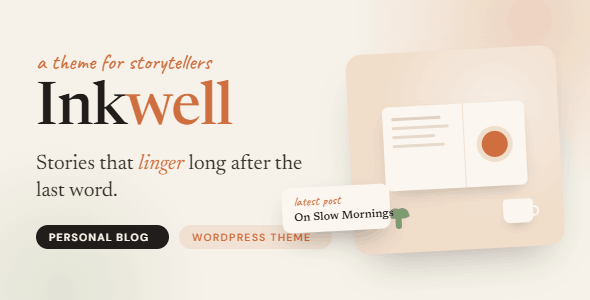
Inkwell is a modern and elegant personal blog WordPress theme, specifically designed for bloggers, writers, storytellers, and content creators. With its clean design, responsive layout, and convenient customization options, Inkwell helps you share your thoughts, experiences, and creative works in a stylish and engaging way. The theme is built with performance and readability in mind, offering multiple blog layouts, SEO-friendly code, fast loading speeds, and seamless compatibility with popular WordPress plugins. Whether you are running a personal journal, lifestyle blog, travel diary, or professional publication, Inkwell provides everything you need to create a compelling online presence.
If you are looking for a WordPress theme that stands out while delivering an excellent reading experience, Inkwell is definitely worth considering. It is not just a good-looking theme but also a powerful platform for showcasing content. With Inkwell, you can easily create a professional-looking blog and focus on producing high-quality content.
Key Features of the Inkwell Personal Blog WordPress Theme
The Inkwell theme integrates numerous practical features designed to enhance the visual appeal and user experience of your blog. Here are some key features:
Multiple Blog Layouts and Customization Options
Inkwell offers a variety of blog layouts, including standard list, grid, and magazine styles, allowing you to switch flexibly based on content type and personal preference. The Theme Customizer lets you adjust colors, fonts, layouts, and more without writing any code, enabling personalized design. Additionally, it supports custom widget areas and menus to meet different needs.
Responsive and Mobile-Friendly Design
Inkwell adopts a responsive design to ensure perfect display on all devices, including desktops, tablets, and phones. Whether readers browse on their phones or you edit on a tablet, you can enjoy a smooth experience. This is crucial for improving search engine rankings and user satisfaction.
SEO Optimization and Fast Loading
The theme code follows best SEO practices, including clear heading structures, semantic HTML, and fast loading speeds. Inkwell is optimized for performance, reducing HTTP requests and supporting caching and CDN integration. This helps search engines better crawl and index your site, thereby improving search rankings.
How to Install the Inkwell WordPress Theme
Installing the Inkwell theme is very simple. You can download the theme package from the official ThemeForest page, then upload and activate it via the WordPress admin panel under "Appearance" -> "Themes" -> "Add New Theme" -> "Upload Theme". After activation, you can import demo data as needed or start customizing directly. For more details, please refer to the official documentation.
If you are looking for other excellent WordPress resources, check out related theme recommendations, which include more carefully selected themes and plugins.
Frequently Asked Questions
Does the Inkwell theme support Chinese display?
Yes, the Inkwell theme fully supports Chinese and other languages because its code follows WordPress internationalization standards. You just need to install the corresponding language pack or use a translation plugin.
Which plugins is the Inkwell theme compatible with?
Inkwell is compatible with most popular WordPress plugins, including Yoast SEO, Elementor (page builder), Jetpack, Contact Form 7, and more. Please refer to the official documentation for a specific compatibility list.
Is the Inkwell theme regularly updated?
Yes, the developer regularly releases updates to fix bugs, improve performance, and ensure compatibility with the latest WordPress version. You can download updates via ThemeForest.
What types of blogs is the Inkwell theme suitable for?
Inkwell is suitable for personal blogs, lifestyle blogs, travel diaries, food blogs, photography blogs, and any website that needs to highlight the content reading experience. Its clean and elegant design is ideal for creators who value aesthetics.
How can I get technical support for the Inkwell theme?
After purchasing the theme, you can get help through the ThemeForest comment system or the support channels provided by the developer. It is recommended to consult the theme documentation before asking questions.


Comments (0)