
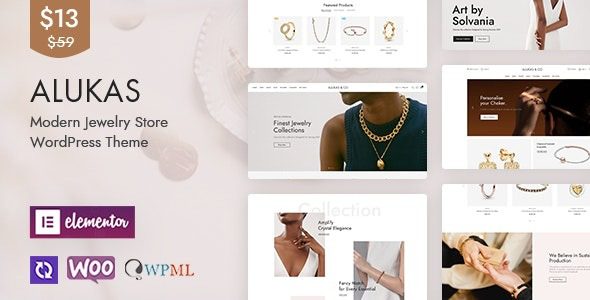
Alukas is a modern WordPress theme specifically designed for jewelry stores, built with the Elementor page builder and WooCommerce integration, offering over 9 pre-built homepages. Whether for a fashion store, electronics shop, or furniture store, Alukas adapts perfectly. This theme features a fully responsive design, supports one-click demo import, and includes e-commerce functionalities such as product filtering, Ajax search, and quick purchase. This article will detail the features, installation methods, and common issues of the Alukas theme.
Core Features and Advantages of the Alukas Theme
The Alukas theme is renowned for its powerful functionality and flexibility. It offers over 450 admin panel options, allowing users to customize header styles, page layouts, and typography without coding. Additionally, the theme supports Ajax add-to-cart and mini cart features, enhancing the user experience. For online stores seeking a professional appearance, Alukas is an ideal choice.
Installing and Activating the Alukas Theme
Installing the Alukas theme is very simple. First, download the theme file and upload it via the WordPress backend. After activation, you can quickly import sample data using the one-click demo import feature. It is recommended to first install version v2.0.5 for activation and template import, then upgrade to the latest version. Note: Version v2.0.8 is not activated, but functionality works normally after upgrading.
If you need more WordPress resources, you can visit related resource sites for assistance.
Applicable Scenarios for the Alukas Theme
Alukas is particularly suitable for jewelry stores, fashion stores, clothing shops, furniture stores, cosmetics shops, and accessory stores. Its modern design and rich e-commerce features meet various online retail needs. The theme's responsive design ensures an excellent browsing experience on mobile devices as well.
Frequently Asked Questions
How to install the Alukas theme?
Upload the theme file via the WordPress backend under "Appearance" -> "Themes" -> "Add New Theme," then activate it. It is recommended to use version v2.0.5 for initial setup.
Which plugins does the Alukas theme support?
Alukas is perfectly compatible with the Elementor page builder and WooCommerce plugin, while also supporting various third-party plugins. For specific compatibility, please refer to the official documentation.
How often is the Alukas theme updated?
The developer regularly releases updates to fix bugs and add new features. It is advisable to follow the official changelog.
Does the Alukas theme support multiple languages?
The Alukas theme supports major multilingual plugins like WPML and Polylang, making it easy to create a multilingual store.


Comments (0)