
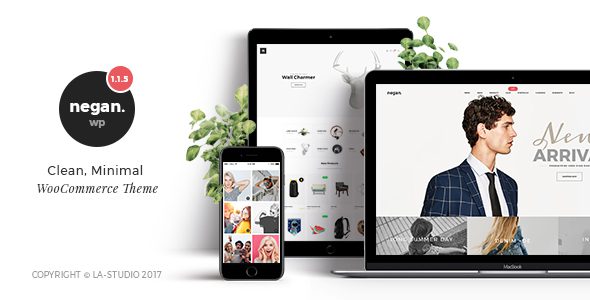
Negan WooCommerce Theme: Ultimate Minimalist Experience for Your Online Store
In today's highly competitive e-commerce market, choosing the right WooCommerce theme is crucial. Negan v.1.9.0 is a clean, minimalist WooCommerce theme designed for merchants seeking both efficiency and aesthetics. This article provides an in-depth analysis of Negan theme's core features, installation methods, and usage tips to help you quickly build a professional and visually appealing online store.
Key Features of the Negan Theme
The Negan theme offers a rich variety of layout options and highly customizable features that make your store stand out. Here are its main highlights:
- 15 Unique Demos: Each demo is meticulously designed, can be used independently or freely mixed and matched, giving you complete creative freedom.
- 7+ Header Layouts: Flexible header designs that adapt to different brand styles.
- Ultimate Footer Layout: Powerful footer configurations that enhance user experience.
- 4+ Blog Layouts: Masonry, grid, slider, and more styles to meet content display needs.
- 4+ Portfolio Layouts: Showcase your projects or products with strong visual impact.
- 2 Portfolio Single Layouts: More professional detail presentation.
- 3 Product Page Layouts: Optimized shopping experience to boost conversion rates.
- Retina Ready: High-definition display, compatible with all devices.
Negan Theme Installation and Usage Guide
Installing the Negan theme is very simple, even for beginners. First, upload the theme file in the WordPress admin panel and activate it. Then, install the plugins bundled with the theme, and install additional extensions online as needed. Finally, import the demo data to quickly set up your store. For detailed steps, refer to the official documentation or watch related video tutorials.
Why Choose the Negan Theme?
The Negan theme is not only minimalist in appearance but also excels in performance optimization. It is compatible with major browsers, loads quickly, and is SEO-friendly, helping to improve search rankings. Additionally, the theme supports multiple languages, making it convenient for international operations. If you're looking for a reliable and flexible WooCommerce theme, related theme recommendations might give you more inspiration.
For more detailed information about the Negan theme or to purchase a licensed copy, please visit the official product page.
Frequently Asked Questions
How do I install the Negan theme?
In the WordPress admin panel, go to "Appearance" -> "Themes," click "Add New" -> "Upload Theme," select the theme zip file, and install and activate it. Then install the required plugins and import the demo data.
What scenarios is the Negan theme suitable for?
The Negan theme is suitable for various e-commerce websites, especially online stores that pursue a minimalist style and focus on product display. It is also ideal for creative studios, personal brands, and more.
Which WordPress versions are compatible with the Negan theme?
The Negan theme is compatible with mainstream WordPress versions. It is recommended to keep your WordPress core updated to the latest version. For specific compatibility, please refer to the official documentation.
How often is the Negan theme updated?
The update frequency depends on the developer, but new versions are typically released periodically to fix bugs and add new features. Please keep an eye on the official changelog.


Comments (0)