
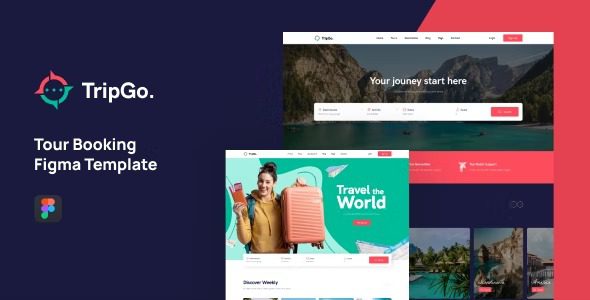
Introduction to Tripgo Tour Booking WordPress Theme Full Version
Tripgo is a tour booking WordPress theme designed specifically for travel agencies, tour booking companies, or tour operators. It offers stunning designs and features to help you launch a travel website quickly. The Tripgo tour booking WordPress theme comes with three unique homepage demo layouts, along with a complete set of inner page designs including tour listings, tour details, tour destinations, and travel blogs. Additionally, it integrates a fast and comprehensive booking management system — the BRW Booking Rental plugin, providing powerful support for your business.
Whether you are a startup travel agency or an established tour operator, Tripgo offers professional solutions for you. The theme's responsive design ensures your website displays perfectly on various devices, enhancing user experience. It also supports multiple currencies and languages, making it convenient to expand into international markets.
If you are looking for a powerful yet easy-to-use tour booking WordPress theme, Tripgo is undoubtedly the ideal choice. It not only looks great but is also simple to operate, allowing even those without programming experience to get started easily. To learn more, visit the official product page.
Key Features and Advantages of the Tripgo Theme
The Tripgo tour booking WordPress theme offers a wealth of features to meet all the needs of the travel industry. Its built-in booking system allows customers to easily book tour packages online, with support for real-time inventory management and order processing. It also integrates multiple payment gateways to ensure secure and convenient transactions.
Furthermore, the theme includes a powerful admin dashboard where you can easily manage tour products, pricing, discounts, and promotional campaigns. Its drag-and-drop page builder lets you create custom pages without writing code, greatly improving work efficiency.
For search engine optimization, Tripgo has been thoughtfully designed. It follows best SEO practices to help your website achieve better rankings in search engines. You can also easily set SEO titles, descriptions, and keywords through the theme options, further enhancing your website's visibility.
Tripgo Travel Theme Demos and Customization Options
Tripgo offers three unique homepage demo layouts that you can choose from and import based on your brand style. Each demo is carefully designed to showcase different layouts and color schemes, ensuring your website stands out. You can also adjust colors, fonts, and layouts in real time using the theme customizer to create a one-of-a-kind travel website.
Additionally, Tripgo supports the WooCommerce plugin, allowing you to sell travel products, tickets, or related merchandise. It is also compatible with various popular plugins such as Elementor, WPML, and more, providing you with greater expansion possibilities.
In terms of performance, Tripgo is optimized for fast loading speeds and can handle large volumes of traffic. It features a responsive design that ensures a smooth browsing experience on mobile phones, tablets, and desktop devices.
How to Install and Activate the Tripgo Theme
Installing the Tripgo tour booking WordPress theme is very simple. First, download the theme package, then in the WordPress admin panel go to "Appearance" -> "Themes" and click "Add New" -> "Upload Theme," select the package, and install it. After installation, activate the theme and install the required plugins as prompted. Finally, import your preferred demo template to quickly create your travel website. The entire process requires no activation, saving you time and effort.
If you encounter any issues during installation, you can refer to the official documentation or contact technical support. Additionally, you can seek help in relevant communities or forums where many users share their experiences.
To further optimize your website, you may consider using related plugins to enhance functionality. For example, installing a caching plugin can improve loading speed, and installing a security plugin can protect your website from threats. You can visit related resource sites for more suggestions and tools.
Frequently Asked Questions
How do I update the Tripgo theme?
You will receive update notifications in the WordPress admin panel and can follow the prompts for one-click updates. Alternatively, you can download the latest version from the official source and manually upload it to replace the old version. It is recommended to back up your website data before updating, just in case.
Is Tripgo compatible with other plugins?
Tripgo is compatible with most mainstream WordPress plugins, such as WooCommerce, Elementor, WPML, and more. However, to ensure optimal performance, it is recommended to use the plugins officially recommended.
Can I create a multilingual website with Tripgo?
Yes, Tripgo supports multilingual plugins like WPML, allowing you to easily create a multilingual travel website to attract global customers.
How can I get support if I encounter technical issues?
You can visit the official support forum or submit a ticket, and the official team will respond promptly. Additionally, many third-party websites offer tutorials and solutions — please refer to the official documentation for specifics.


Comments (0)