
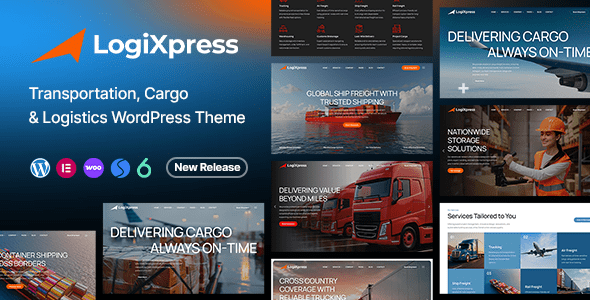
LogiXpress is a premium WordPress theme designed specifically for transportation, freight forwarding, courier, and logistics companies. It features a modern, professional design and is built using the latest coding standards by a ThemeForest author with over 10 years of experience. LogiXpress offers stunning layouts and functional elements tailored to the logistics industry, helping you effortlessly build a powerful corporate online presence.
Core Features of the LogiXpress WordPress Theme
As a professional logistics theme, LogiXpress's core features include responsive design, a drag-and-drop page builder, a rich set of logistics icons and elements, multilingual support, and an SEO-optimized code structure. These features make LogiXpress not only visually impressive but also fully capable of meeting the needs of logistics businesses.
Why Choose LogiXpress as Your Logistics Website Solution?
In the highly competitive logistics industry, a professional and feature-rich website is key to winning customer trust. LogiXpress provides multiple homepage layouts and built-in logistics service display modules, allowing you to quickly showcase your service scope, shipping routes, and team strengths. Additionally, it supports online quoting and shipment tracking features to enhance the user experience.
If you're looking for more resources and tips on WordPress themes, you can visit Related Resources for more information.
LogiXpress Installation and Configuration Guide
Installing the LogiXpress theme is very simple. First, upload the theme file and activate it in the WordPress admin panel under "Appearance" -> "Themes." Then, follow the installation wizard's prompts to import demo data, and you can quickly build a website similar to the demo site. The entire process requires no coding, making it ideal for non-technical users.
LogiXpress Compatibility and Performance Optimization
LogiXpress is compatible with major browsers and seamlessly integrates with popular plugins such as WooCommerce and Elementor. The theme code is optimized for fast loading times, which helps improve search engine rankings. Additionally, the theme supports RTL languages, making it convenient for users in regions like the Middle East.
Frequently Asked Questions
How do I install the LogiXpress theme?
In the WordPress admin panel, go to "Appearance" -> "Themes," click "Add New Theme," upload the LogiXpress zip file, and then activate it. After activation, it's recommended to import the demo data to quickly set up your website.
What types of websites is LogiXpress suitable for?
LogiXpress is designed for transportation, freight forwarding, courier, and logistics companies, and is also suitable for related industries such as warehousing and supply chain management.
Which WordPress versions is LogiXpress compatible with?
LogiXpress is compatible with current mainstream WordPress versions. For specific compatibility details, please refer to the official documentation.
How often is LogiXpress updated?
The update frequency depends on the developer's release schedule. Updates are typically released promptly after major WordPress version updates or when security vulnerabilities are discovered. Please keep an eye on the official changelog.


Comments (0)