
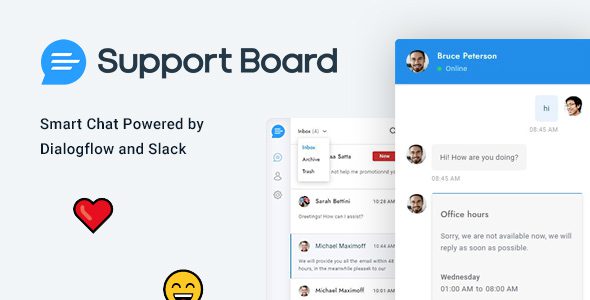
Chat – Support Board WordPress Online Customer Service Chat Plugin Overview
Chat – Support Board is a professional WordPress online customer service chat plugin that helps automate customer communication, integrates AI-driven chatbots, and seamlessly connects with the most commonly used platforms like Slack and Dialogflow. This plugin supports multi-channel message management, allowing you to reply to customers directly within your familiar work environment, significantly boosting efficiency. Whether for e-commerce websites or enterprise sites, Support Board provides real-time, efficient customer service solutions.
By using the Support Board WordPress plugin, you can save time and enhance customer satisfaction. The plugin features a powerful built-in AI bot that can automatically answer common questions, reducing the burden on human agents. Additionally, it supports rich messages and file transfers, making conversations more engaging and intuitive.
Support Board Core Features and Advantages
AI-Powered Chatbot
Support Board integrates with Dialogflow, allowing you to easily create intelligent conversation flows for automated replies. The bot can recognize user intent, provide accurate answers, and even transfer to a human agent when necessary.
Multi-Platform Integration
Beyond the WordPress dashboard, you can receive and reply to customer messages on platforms like Slack, Telegram, and WhatsApp. All conversations are synchronized, ensuring you never miss an inquiry.
Rich Addons Extensions
This version includes multiple Addons, such as email notifications, custom fields, and analytics, which you can enable flexibly based on your needs. They are ready to use after installation without complex configuration.
Support Board Installation and Usage
Installing the Support Board WordPress plugin is very simple: upload the plugin package and activate it, and you will see the chat interface in the dashboard. Some Addons need to be enabled separately, but the core features work out of the box. For specific installation steps, please refer to the plugin's built-in documentation or visit related resource sites for more tutorials.
After activation, you can adjust options like chat window style, offline messages, and auto-replies in the settings. The plugin supports multiple languages, including a Chinese interface, making it convenient for domestic users. For more advanced features, it is recommended to refer to the official documentation for configuration.
Frequently Asked Questions
How to install the Chat – Support Board plugin?
Upload the plugin zip file to the WordPress plugin directory and activate it. Some Addons need to be enabled in the plugin settings. Please refer to the official documentation for details.
Which platforms does Support Board support for integration?
It supports Slack, Telegram, WhatsApp, Dialogflow, and more. You can configure API keys for each platform in the settings.
Does the plugin include a Chinese language pack?
This version has been localized, with both the backend interface and frontend chat window supporting Chinese. If there are translation issues, you can adjust the language files yourself.
How often is Support Board updated?
The developer releases regular updates to fix bugs and add new features. It is recommended to follow the official changelog.
Is technical support provided?
This resource is a cracked version and does not include official technical support. For installation and usage issues, please refer to the community or official documentation.


Comments (1)