
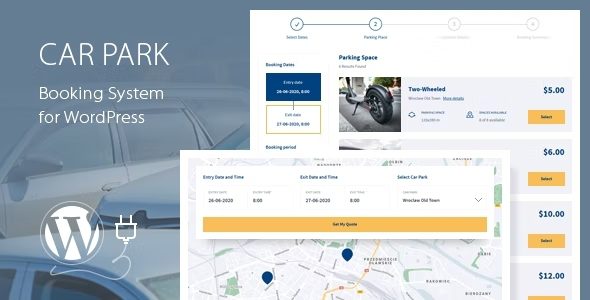
Car Park Booking System for WordPress is a powerful booking plugin designed specifically for parking lot businesses, helping you easily implement online parking space reservations and management. This plugin provides a complete booking process, including online payments, email and SMS notifications, WooCommerce integration, and Google service support, making it an essential tool for operating parking lots.
Car Park Booking System Core Features Explained
Car Park Booking System for WordPress offers a simple and efficient step-by-step booking process, allowing users to quickly select parking spaces, dates, and times, and complete reservations through multiple payment methods. The system automatically sends confirmation notifications and supports custom email and SMS templates. Administrators can view and manage all booking records through an intuitive backend panel.
Integration with WooCommerce and Google Services
This plugin seamlessly integrates with WooCommerce, making it easy to leverage its powerful shopping cart and payment features. It also supports Google Calendar synchronization, allowing users to add booking information directly to their personal calendars. Additionally, it offers Google Maps integration to help users locate parking lot positions.
Why Choose Car Park Booking System?
Compared to other similar plugins, Car Park Booking System offers greater flexibility and customizability. You can set different rates, time slots, and parking space types based on your business needs. The plugin also supports multiple languages and currencies, making it suitable for global parking operations.
If you are looking for a reliable WordPress booking solution, visit related resources for more information.
Installation and Usage Guide
Installing Car Park Booking System is very simple: upload the plugin, activate it, and configure the basic settings. The official documentation provides detailed step-by-step instructions, including how to create parking spaces, set pricing rules, and enable payment gateways. Please refer to the official documentation for specifics.
Frequently Asked Questions
How do I install Car Park Booking System?
Click "Add New" on the WordPress backend plugins page, upload the plugin ZIP file, and activate it. Then go to the settings page to configure it.
What payment methods does this plugin support?
It supports mainstream payment gateways such as PayPal and Stripe, depending on your configuration. After WooCommerce integration, more payment options are available.
Does it support multiple languages?
Yes, the plugin has built-in multilingual support and is compatible with translation plugins like WPML.
How often is the plugin updated?
The developer regularly releases updates to fix bugs and add new features. Specific changelogs can be viewed on the official page.
Is there a Chinese localization version?
The plugin itself supports multiple languages, but the official version does not provide a complete Chinese translation. You can use tools like Loco Translate to translate it yourself.


Comments (1)