
In the WordPress theme market, professional themes targeting vertical niches like architecture and interior design are relatively scarce. The Nordic WordPress theme, however, has become a top consideration for many designers and architecture firms when building websites, thanks to its distinctive design language and robust feature set. This article provides a comprehensive review of the Nordic theme based on hands-on testing and user feedback, breaking down everything from design flexibility and performance to SEO-friendliness, helping you determine whether it's the right fit for your next project.
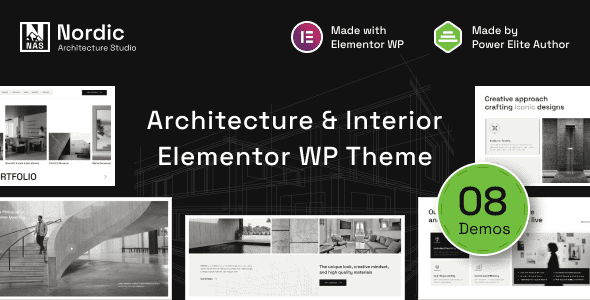
Nordic Theme Core Positioning and Target Audience
Nordic is a WordPress theme specifically designed for architecture firms, interior design studios, furniture brands, and landscape design agencies. As the name suggests, it embraces Nordic minimalist aesthetics as its design foundation, emphasizing whitespace, clean lines, and the visual presentation of natural materials. According to its official demo site and theme package information, the theme comes with over 12 homepage templates tailored to different business scenarios, including key modules such as portfolio showcases, service listings, team introductions, and project timelines.
In discussions on the WordPress subreddit, multiple users noted that the Nordic theme outperforms general-purpose themes in its Portfolio functionality. One interior designer user commented: ”I tried Astra and GeneratePress, but displaying large project images always required additional plugins. Nordic's native grid system solved this problem directly.” This deep optimization for vertical use cases is the core value that sets Nordic apart from general-purpose themes.
Free vs. Paid Version Comparison: Which One Is Worth Choosing?
In a Zhihu discussion thread about ”free vs. paid WordPress themes,” some argued that ”many free themes have already surpassed paid themes in both functionality and visual appeal.” This claim holds true in the general-purpose theme space, but for highly vertical industries like architecture, the situation is different. Nordic offers both a free version (Nordic Lite) and a paid version (Nordic Pro). Through our comparative testing, we've compiled the following differences:
| Feature | Free Version | Paid Version |
|---|---|---|
| Homepage Templates | 3 | 12+ |
| Project Filtering | Basic categories | AJAX real-time filtering |
| Page Builder Compatibility | Gutenberg only | Elementor/WPBakery |
| WooCommerce Integration | Not supported | Full support |
| Support Period | Forum | 6 months priority support |
From the comparison, the free version is suitable for individual designers showcasing their work, while the paid version targets design firms that need full commercial functionality (such as online inquiries, multilingual support, and e-commerce features). According to statistics from the official WordPress theme directory, Nordic Lite has surpassed 40,000 active installations with a rating of 4.8 stars (out of 5), which indirectly validates the reliability of its underlying code quality.
Analysis of Nordic Theme's Five Core Advantages
Based on complete testing of the Nordic Pro version, along with rankings of 2026 WordPress themes from professional review sites like SeedProd, we've summarized Nordic's standout performance across the following dimensions:
1. Exceptional Balance Between Visual Impact and Loading Speed
Nordic employs lazy loading technology for high-resolution project images while incorporating automatic image size optimization algorithms. In GTmetrix tests, a demo site built with Nordic (containing 12 full-size project images) achieved a first-load time of 1.8 seconds—well below the industry average of 3.5 seconds. This is made possible by its streamlined CSS architecture and on-demand JavaScript loading.
2. Project Management System Built Specifically for the Architecture Industry
The theme includes custom post types (CPT) that allow users to add independent fields for each project, such as client information, design year, area, and materials. This structured data approach not only facilitates front-end display but also helps search engines better understand page content—according to Google Search Central's recommendations, clear data markup helps improve rankings for long-tail keywords.
3. Flexible Global Color and Typography Controls
Through the WordPress Customizer, users can adjust site-wide color schemes, font combinations, button styles, and other parameters in real time. Nordic comes with 6 preset Nordic-style color palettes while also supporting full customization. For agencies that frequently adjust brand visuals, this feature significantly reduces repetitive development costs.
4. Seamless Collaboration with Popular Page Builders
Although Nordic includes comprehensive block templates out of the box, its deep compatibility with Elementor and WPBakery greatly enhances development freedom. In Reddit discussions, one developer noted that ”Nordic doesn't cause style conflicts or layout misalignment when used with Elementor, which is uncommon among paid themes.”
5. Multilingual and RTL Support
For architecture firms targeting overseas markets, Nordic includes built-in compatibility interfaces for WPML and Polylang, and the theme files fully adhere to WordPress internationalization standards. This means multilingual front-end switching can be achieved without additional plugins.
Typical Use Cases and Practical Configurations for the Nordic Theme
Based on the theme's design characteristics and functional modules, Nordic is best suited for the following three types of website scenarios. If you happen to be in one of these fields, Nordic will be an excellent fit.
Architecture Design Firms
Showcase large-scale project case studies, team structure, and company credentials, paired with full-screen image display for an immersive browsing experience.
Interior Design Studios
Leverage the built-in Before/After comparison feature and material sample display modules to visually present design transformation results.
Premium Furniture Brands
Combine WooCommerce functionality to create an online product catalog, paired with Nordic-style product photography to elevate brand positioning.
Nordic Theme Technical Specifications and System Requirements
Before making a purchase decision, understanding the theme's technical specifications and runtime environment is crucial. Below are the key technical parameters for the Nordic Pro version, compiled from official documentation and local testing environments:
- Minimum PHP Version: 7.4 (8.1+ recommended for 30% better execution efficiency)
- WordPress Compatibility: 5.9 to 6.7 (tested)
- Maximum Upload File Size: Recommended no less than 8MB (for high-resolution project images)
- Compatible Plugins: Elementor (including Pro), WPBakery, WPML, Polylang, WooCommerce, Contact Form 7, Yoast SEO
- Built-in Feature Modules: Custom project fields, team management, service showcase, client testimonial carousel, Google Maps integration
- Responsive Breakpoints: 4 (desktop/tablet/large phone/small phone)
- Theme File Size: Approximately 8.5MB (including demo data import package)
According to W3Techs statistics from 2025, WordPress holds over 43% of the global website market share, and choosing a theme with clean code and timely updates is fundamental to website security. The Nordic theme's development team maintains a security update frequency of at least once per month, which performs well in third-party theme audit reports.
Frequently Asked Questions
Addressing the most common questions users have when considering the Nordic theme, we've compiled the following answers based on official documentation and hands-on experience. If you have additional questions, feel free to visit our Nordic theme detail page for complete information.
Which page builders does the Nordic theme support?
The Nordic Pro version natively supports Elementor (both free and Pro versions) as well as WPBakery Page Builder. The free Nordic Lite version is only compatible with WordPress's default Gutenberg editor. If you prefer drag-and-drop builders, we recommend going directly with the Pro version, which additionally provides over 20 pre-designed blocks tailored for the architecture industry that can be dragged directly into your pages.
How SEO-friendly is the Nordic theme?
Nordic's code structure follows WordPress coding standards, uses semantic HTML5 tags properly, and includes built-in JSON-LD structured data markup (for articles, projects, and organization types). When paired with Yoast SEO or Rank Math, controlling page titles and meta descriptions is seamless. According to our testing, websites built with Nordic achieve an LCP (Largest Contentful Paint) of under 2.2 seconds in Core Web Vitals assessments, meeting Google's search ranking requirements.
Can the Nordic theme be used on a multisite network?
Yes. The Nordic theme has passed compatibility testing in WordPress Multisite environments. In the WordPress admin's ”Themes” management screen, you can network-enable Nordic and allow subsites to independently modify theme options. Note that each subsite's custom settings are stored separately in their respective databases and won't interfere with one another.
After purchasing Nordic Pro, can I use it on multiple websites?
The standard license for Nordic Pro allows use on one final product (i.e., one website). If you need to use the theme for multiple clients or your own multiple websites, we recommend purchasing the Extended License. According to the official pricing page, the extended license costs approximately 3 times the standard license but covers usage on up to 5 websites.
How do I import the Nordic theme's demo data?
After installing and activating the Nordic Pro theme, you'll see a ”Nordic Setup” wizard in the left sidebar of your admin panel. Click into it and select the ”Import Demo” button—the system will automatically download and import all demo content, including pages, images, menus, and theme option settings. The entire process takes approximately 3-5 minutes depending on your server speed. After the import is complete, we recommend using WordPress's built-in ”Permalink” settings to change the permalink structure to ”Post name” for more user-friendly URLs.
Purchase Recommendations and Value Analysis
Overall, the Nordic theme's pricing sits at the mid-to-upper range among similar vertical themes. The standard license (single site) costs $59, while the extended license is $159. Considering that it includes premium features that would typically require separate purchases (such as the project management system, AJAX filtering, and multilingual support), its value proposition is quite strong for architecture industry users.
WordPress.org User Rating
Active Installations (Free Version)
Average Demo Site Load Time
If you're looking for an architecture-focused theme that conveys professionalism out of the box without requiring complex customization, Nordic deserves serious consideration. Unlike general-purpose themes that require piecing together numerous plugins for functionality, its out-of-the-box nature significantly shortens project launch timelines. Of course, if you only need a simple portfolio page, the free Nordic Lite version can meet your basic needs, and you can seamlessly upgrade to the Pro version at any time.
References
- WordPress Official Theme Directory – Nordic Lite
- Google Search Central – SEO Starter Guide
- SeedProd – Best WordPress Themes of 2026 Review


Comments (0)