
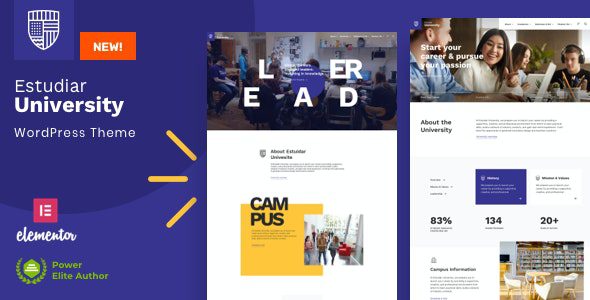
Estudiar WordPress Theme: The Ultimate Solution for College and University Websites
Estudiar WordPress Theme is a professional-grade Elementor theme designed specifically for colleges, universities, and educational institutions. With its clean, modern visual style and user-friendly experience, it has become an ideal choice for building websites in the education industry. Whether you need to build a school official website, a college showcase platform, or a university admissions page, Estudiar provides complete functional support.
The theme includes a set of fully customizable page templates and practical elements, carefully tailored to the exact needs of the education industry. Its design and development cover all the features and functionality you might need. From course showcases to faculty introductions, from campus news to online enrollment, Estudiar handles it all with ease.
If you are looking for more high-quality WordPress resources, you can visit BobHello Resource Site for more theme and plugin recommendations.
Core Features and Highlights of the Estudiar Theme
Estudiar is built on the Elementor page builder, which means you can quickly build a professional education website through drag-and-drop without writing any code. The theme comes with a rich set of page templates, including commonly used pages such as homepage, about us, course list, course details, faculty team, news blog, and contact information.
Why Choose the Estudiar WordPress Theme
Websites for educational institutions need to balance information display and user experience. Estudiar fully takes this into account in its design, providing a clear navigation structure, responsive layout, and fast loading speed. The theme is compatible with mainstream browsers and devices, ensuring visitors get a consistent browsing experience on mobile phones, tablets, and computers.
Additionally, Estudiar is compatible with WooCommerce. If you need to sell courses or educational products online, you can easily integrate e-commerce functionality. The theme also supports multilingual configuration, making it suitable for international educational institutions.
Installation and Usage Guide for the Estudiar Theme
Installing the Estudiar theme is very simple. Upload the theme zip file in the WordPress admin under Appearance - Themes, activate it, and follow the prompts to install the recommended plugins. The theme provides detailed documentation to help you quickly complete the initial setup. You can freely adjust page layouts, color schemes, and font styles through the Elementor editor to create a unique website that matches your school's brand image.
Official link: Estudiar Official Page
Frequently Asked Questions
How do I install the Estudiar theme?
In the WordPress admin, go to Appearance - Themes - Add New Theme, upload the Estudiar theme zip file, and activate it. After activation, follow the prompts to install the required plugins, then import the demo content to quickly set up the website framework. For detailed steps, please refer to the official documentation.
What use cases is the Estudiar theme suitable for?
Estudiar is designed specifically for colleges, universities, training institutions, and educational organizations. It is suitable for building school official websites, course showcase platforms, admissions pages, education blogs, and more. If you are running a non-educational website, you may need to consider a theme with a different focus.
Is the Estudiar theme compatible with the latest version of WordPress?
The Estudiar theme is continuously updated to be compatible with the latest versions of WordPress and the Elementor page builder. It is recommended to confirm whether the theme version matches your current WordPress version before use. For specific compatibility information, please refer to the official documentation.
How often is the Estudiar theme updated?
The theme developer releases updates regularly to fix known issues and add new features. You can check for available updates in the WordPress admin or follow the official page for the latest version information. For specific update logs, please refer to the official documentation.


Comments (0)