
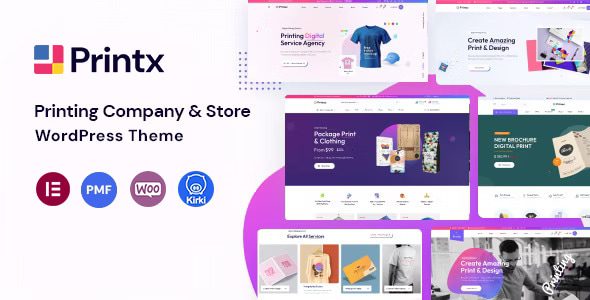
PrintX WordPress theme is a professional-grade theme built specifically for printing services, print shops, and related businesses. Whether you run a physical print store or provide online printing services, PrintX helps you quickly build a trustworthy brand image with a clean, modern design language, thereby attracting more potential customers. This article provides a comprehensive analysis of the PrintX WordPress theme, covering its features, use cases, and frequently asked questions.
Overview of PrintX Theme Core Features
The PrintX theme fully takes into account the actual needs of printing industry websites in its functional design. The following are its main feature modules:
Elementor Drag-and-Drop Page Builder
The theme deeply integrates the Elementor page builder, supporting visual drag-and-drop editing on both the frontend and backend. Even without any programming background, you can quickly build pages such as the homepage, service pages, and quote pages through an intuitive interface, greatly shortening the website development cycle. To learn more WordPress website building tips, you can visit Bobo Hello Resource Station for more practical tutorials.
Bootstrap 5.x Framework Support
Built on the Bootstrap 5.x framework, the PrintX theme inherently possesses responsive layout capabilities, delivering a consistent browsing experience across mobile phones, tablets, and desktop devices. For printing businesses that need to showcase product catalogs and print samples, mobile adaptation is particularly important.
Contact Form 7 Compatibility
The theme is fully compatible with the Contact Form 7 plugin, allowing you to quickly create inquiry forms, contact forms, and feedback forms. After customers submit their requests, you can manage them centrally in the backend, improving communication efficiency.
Child Theme Support
The PrintX theme supports the child theme mechanism, allowing developers to make personalized customizations without modifying the parent theme files. This means your custom modifications won't be lost when the theme is updated, making website maintenance safer and more worry-free.
Detailed Documentation and Video Guides
The theme comes with comprehensive documentation and video tutorials covering installation, configuration, customization, and every other step, so even users new to WordPress can get started quickly.
Touch-Friendly Design
The PrintX theme is optimized for touch devices, ensuring smooth and natural browsing and interaction on mobile phones. For more official information about the PrintX theme, please refer to the official page.
PrintX Theme Use Cases
The PrintX WordPress theme is particularly suitable for the following types of businesses:
- Physical print stores: showcase printing equipment, service items, and contact information.
- Online printing service platforms: provide online quotes, file uploads, and order tracking features.
- Printing-related enterprises: such as packaging design companies, advertising production companies, etc.
- Digital quick print shops: display sample prints of business cards, flyers, brochures, etc.
With its clean and unique design style, PrintX helps you stand out in the highly competitive printing market and leave a professional and reliable impression on customers.
Why Choose the PrintX Chinese Version Theme
For Chinese users, using the PrintX Chinese version theme eliminates the troubles caused by language barriers. The theme interface and documentation have all been localized, making installation and configuration more intuitive. At the same time, the PrintX theme follows WordPress development standards at the code level, is compatible with mainstream plugins, and is SEO-friendly, helping websites achieve better ranking performance in search engines.
In addition, the theme's lightweight design ensures page loading speed, which has a positive impact on improving user experience and conversion rates. If you are looking for a WordPress theme for the printing industry that balances aesthetics and practicality, PrintX is worth considering.
Frequently Asked Questions
How do I install the PrintX theme?
In the WordPress backend, go to "Appearance" > "Themes" > "Add New Theme," upload the theme zip file, and activate it. For specific steps, please refer to the official documentation.
What use cases is the PrintX theme suitable for?
It is suitable for printing services, print shops, digital quick printing, packaging design, and other printing-related business websites.
Which plugins is the PrintX theme compatible with?
The theme is compatible with mainstream plugins such as Elementor and Contact Form 7, and also supports child theme extensions. For compatibility with other plugins, please refer to the official documentation.
How often is the PrintX theme updated?
The update frequency depends on the developer. It is recommended to follow official channels for the latest version information. For details, please refer to the official documentation.


Comments (0)