
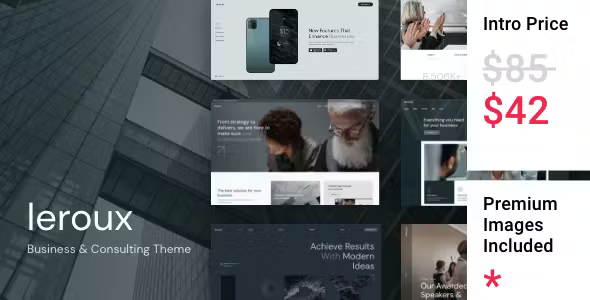
Complete Introduction to the Leroux Business Consulting WordPress Theme
Leroux is a WordPress theme designed specifically for building official websites for consulting firms, management consultants, and partnership practices. By default, it organizes content according to a four-tier structure of "service lines—cases—consultants—insights." The homepage abandons the common carousel and instead displays services grouped by industry in a flat layout. This Leroux WordPress theme does not rely on WooCommerce and is ready to use after installation; page templates support switching to Elementor editing. For specific details, please refer to the documentation included in the theme package and the official demo.
Homepage Section Design of the Leroux Theme
From top to bottom, the homepage consists of the brand slogan, a three-column service line section, a client industry bar, two featured case blocks, a consultant avatar wall, and an insights list. The three-column service line section uses equal-width distribution, so even if one column has less content, it will not collapse; the industry bar is a horizontal text strip, and entries automatically wrap when there are more than five. Each block is controlled by calls in the page template. If you want to remove a block, simply delete the corresponding code in the template without modifying the stylesheet.
Detailed Page Structure of the Leroux Theme
- Service page: Includes four sections: service description, delivery cycle, applicable clients, and pricing range. Pricing is entered as text and is not connected to a price table.
- Case page: Divided into three sections: background, approach, and results. The results section can include a set of metric numbers.
- Consultant page: Displays resume, areas of expertise, and representative projects. Avatars are uniformly cropped to portrait orientation.
- Insights list: Archived by two dimensions: industry and topic. PDF download files can be attached.
- Contact page: A form plus office address and map. The form does not use a multi-step process.
Key Configuration Points for Consultant and Case Fields
Consultant page fields are divided into two groups: public name, position, expertise, and years of practice; and internal team affiliation, industries served, and languages available. The latter is not displayed on the front end, but when the case page automatically selects consultants by industry, it reads this information, so it must be filled in completely for accurate matching. The results section of the case page has three metric slots, each consisting of "value + unit + description." Values must be entered manually, and metrics should specify the statistical scope and data collection period.
Best Practices for Categories and Archives
Insight articles are assigned two categories: industry and topic. The former is used to populate the homepage industry bar, and the latter is used for related reading recommendations on article pages. It is recommended to use only first-level categories for both. The author archive page inherits the consultant page layout, and the author bio and consultant resume use the same set of fields. Write once and use in both places, avoiding creating two pages for the same person.
Editing Methods and Custom Settings
Regular pages are written using the block editor. Service lines and cases use the theme's built-in templates, and fields are filled in the custom panel below the page. To modify colors, change the three color palettes in the theme settings; this will also affect button and link hover states. To change commercial fonts, use the upload method rather than directly replacing font files, otherwise the theme will revert to default fonts after an update.
Scope of Application and Usage Recommendations
This Leroux WordPress theme is suitable for consulting teams of around ten to several dozen people: clear service lines, three to five cases available, and five or more consultants, so the homepage can stand on its own. If there are only one or two consultants and services have not yet been divided into lines, the three-column service section will look empty, and it is better to start with a single page. Companies that purely sell software or courses are also not suited to this layout, as its focus is on people and projects, and product lists have no place on the homepage.
When writing resumes and case results on the official website, the numbers must withstand scrutiny—do not count prospective clients as signed clients; if a case needs to name the client, obtain consent first, otherwise rephrase it as industry plus scale. For more similar layouts, you can refer to the collection of corporate website theme resources.
Frequently Asked Questions
How do I install the Leroux theme?
In the WordPress admin, go to "Appearance - Themes - Add New Theme," upload the theme zip package, and activate it. For specific steps, please refer to the documentation included in the theme package.
What types of businesses is the Leroux theme suitable for?
It is suitable for teams centered on people and projects, such as consulting firms, management consultants, and partnership practices. It works best when service lines are clear and cases are sufficient.
Is the Leroux theme compatible with Elementor?
Page templates can be switched to Elementor editing. For specific compatibility, please refer to the official documentation and demo.
How often is the Leroux theme updated?
For theme update frequency, please refer to the official release records. It is recommended to check regularly to obtain the latest features and security fixes.


Comments (0)