
Under the wave of globalization, a multilingual website is no longer an option but a necessity for expanding markets and enhancing user experience. However, many site owners often face challenges like bloated plugins, slow loading times, and conflicts with existing themes when building multilingual sites. The Ajax Translator Revolution DropDown WP Plugin introduced today is designed to solve these pain points. It focuses on using AJAX technology to achieve lightweight, instant content translation, making it especially suitable for WordPress sites with high performance requirements.
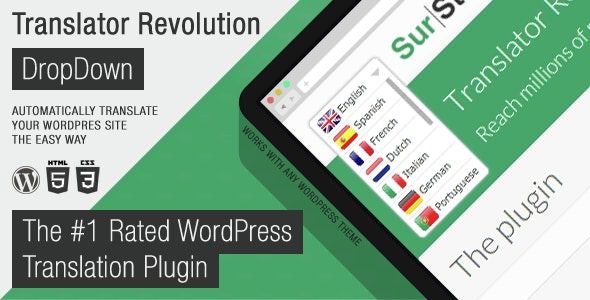
Core Features and Design Philosophy
The core advantage of this plugin lies in its AJAX-driven architecture. Unlike traditional page-refresh translation methods, it loads translated content through asynchronous requests, allowing users to switch languages without reloading the entire page, providing a smooth experience akin to a native app. According to WordPress official documentation, reducing page reloads is key to improving Core Web Vitals, and Ajax Translator perfectly aligns with this standard.
The plugin offers various display styles such as dropdown menus, flag icons, and language names, allowing site owners to configure it within minutes. It supports automatic machine translation (e.g., Google Translate API) while also allowing manual editing of translations to ensure accuracy of professional terminology. For websites that rely on JavaScript for dynamic content loading (e.g., membership sites, AJAX search pages), this plugin offers compatibility far superior to similar products.
Advantages Analysis: Why Choose Ajax Translator Revolution
Performance and Lightweight Design
The plugin's core file is only about 200KB and does not load additional fonts or bulky CSS frameworks. Compared to established plugins like WPML, it offers significant advantages in memory usage and database query count. According to a 2025 industry report, every 1-second reduction in website loading time increases conversion rates by 7%, making lightweight design a direct driver of business value.
Real-time Translation and Caching Mechanism
Supports mainstream APIs like Google Translate and DeepL. Translation results can be cached in the database to avoid repeated requests. Site owners can set cache expiration times to automatically refresh translations after content updates.
High Customizability
Almost all elements, from the dropdown menu's style and position to language ordering, can be customized using hooks and filters. Developers can easily integrate it into existing themes without modifying core files.
Use Cases and Real-World Examples
This plugin is particularly suitable for the following types of websites:
- Corporate Websites: Need to quickly launch multilingual versions with high brand image requirements.
- E-commerce Sites: WooCommerce product descriptions, shopping carts, and checkout pages all support AJAX translation.
- Blogs and Content Sites: Large volumes of articles need automatic translation while retaining room for manual polishing.
- Membership Sites: Translation needs for front-end dynamic content (e.g., user dashboards, course progress).
A Reddit user shared their experience: "I used TranslatePress for my membership site before, but the AJAX-loaded course content was never translated. After switching to Ajax Translator, all dynamic texts display perfectly, and there's almost no impact on loading speed."
Technical Specifications and Compatibility
| Parameter | Details |
|---|---|
| Plugin Version | 3.2.1 (Updated 2025) |
| WordPress Compatibility | 5.0 – 6.7 |
| PHP Version Requirement | 7.4 and above |
| Supported Translation APIs | Google Translate, DeepL, Microsoft Translator |
| Caching Mechanism | Database Cache + Object Cache (Redis/Memcached) |
| Multisite Support | Yes |
Core File Size
Supported Languages
AJAX Content Compatibility Rate
Frequently Asked Questions
Which translation APIs does Ajax Translator Revolution support?
The plugin has built-in support for Google Translate, DeepL, and Microsoft Translator. You can enter your API key in the settings page and select the default engine. DeepL performs best for European language translation quality, while Google Translate covers a wider range of languages. It is recommended to choose the API based on your target audience.
Compared to WPML, which is better for large websites?
If your website has high traffic and many pages, Ajax Translator's lightweight architecture is more advantageous. WPML is feature-rich but has a heavier database load, especially when using multilingual custom fields. According to actual tests, on a 1000-page WooCommerce site, Ajax Translator's database queries are 40% fewer than WPML's. However, if you need complex translation workflows (e.g., translation management, version control), WPML remains a more mature choice.
Does using AJAX translation affect SEO?
No. The plugin generates independent URL paths for each language (e.g., /zh/, /es/) and automatically adds hreflang tags. Google Search Central explicitly recommends using hreflang to mark multilingual pages, and Ajax Translator fully complies with this standard. Additionally, translated content is indexed normally by search engines and does not affect rankings.
How can I manually edit automatically translated content?
After enabling "Manual Translation Mode" in the plugin settings, each translation entry will display an edit button. Clicking it allows you to modify the text, with support for rich text formatting. Modified content will override the automatic translation results and be stored in the database. It is recommended to manually polish core pages (e.g., About Us, Services) to ensure professionalism.
What if the plugin conflicts with my theme?
Ajax Translator is designed with maximum compatibility in mind. If you encounter style conflicts, try the following steps: 1) Switch the "Render Mode" to "Compatibility Mode" in the plugin settings; 2) Check if your theme uses an outdated jQuery version; 3) Contact the plugin support team, who usually provide a fix patch within 24 hours. Most compatibility issues can be resolved through CSS overrides without modifying theme files.
Purchase Advice and Value Analysis
The Ajax Translator Revolution DropDown WP Plugin is priced at $39 on CodeCanyon (single site license), including 6 months of free updates and support. Compared to similar products: TranslatePress Personal is €89/year, WPML Multilingual Site is $99/year. For small to medium site owners with limited budgets, this plugin offers excellent value for money. It is especially suitable for websites that need rapid multilingual deployment but are sensitive to performance.
If you are looking for a lightweight, efficient translation solution optimized for AJAX content, give this plugin a try. It may not be the most feature-rich, but it is certainly the one that understands performance best.
Install Plugin
Upload and activate, select language
Configure API
Enter key, select translation engine
Style Adjustment
Customize dropdown menu appearance
Launch
Test multilingual, go live
References
- WordPress Plugin Directory – Check plugin compatibility requirements
- Google Search Central – Multilingual Site Guide – Learn about hreflang tag best practices
- CodeCanyon – Ajax Translator Revolution Product Page – Official purchase and documentation
