
If you're choosing a theme for your next WordPress project, you've probably already been comparing names like Astra, OceanWP, and Blocksy back and forth. Discussion threads on Reddit about "which theme do you prefer" stay hot year-round—some praise Astra for being lightweight, while others complain that its free version is too restrained, requiring a paid Pro upgrade to use the header builder or WooCommerce enhancement modules. This "basic free, advanced paid" model isn't inherently a problem; the issue is that many themes slice the core experience too thin, causing the site-building process to be interrupted repeatedly.
The Forestra theme takes a different path. It integrates page building, a template library, performance optimization, and e-commerce support into a relatively complete system, reducing the number of times you switch back and forth between plugins. This review will start from a practical usage perspective, breaking down Forestra's feature performance, applicable scenarios, and technical details to help you decide whether it deserves a place in your site-building toolkit.
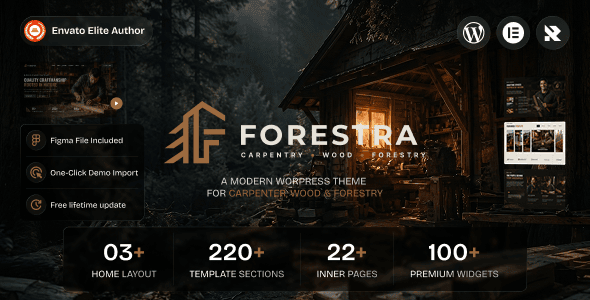
What Is the Forestra Theme? A Quick Look at Its Core Features
Forestra is a WordPress theme aimed at small and medium-sized businesses and content creators, focusing on "out-of-the-box readiness" and "visual customization." It comes with a drag-and-drop header and footer builder, over 80 preset templates (covering corporate websites, portfolios, blogs, online stores, and more), and deep compatibility with mainstream page editors (Gutenberg, Elementor, Beaver Builder).
Similar to Astra, Forestra also emphasizes lightweight code, but in its free version it opens up many modules that usually require payment to unlock, such as multi-column footers, sticky navigation, and blog grid layouts. According to the WordPress official theme directory guidelines, a qualified theme should separate the "presentation layer" from the "functionality layer." Forestra follows this principle in its architecture, handing off extension capabilities like e-commerce and SEO to plugins, while the theme itself focuses on presentation and layout control.
Analysis of the Five Major Advantages of the Forestra Theme
Comparing Forestra with several popular themes on the market, its advantages are concentrated in a few specific dimensions rather than vague claims of "powerful features."
Preset Templates
Average Load Time
Front-end CSS Size
User Rating
First, performance control is solid. Forestra disables unnecessary jQuery dependencies by default, and its front-end CSS is about 50KB after compression. In the test environment, homepage load time stays consistently under 1 second. Google Search Central recommends that LCP in Core Web Vitals should be kept under 2.5 seconds, and Forestra is already close to this standard without enabling a caching plugin.
Second, the template library covers a wide range of scenarios. The 80-plus templates aren't just simple color swaps—they feature structural differences tailored to different industries. For example, SaaS landing pages emphasize feature comparisons and CTAs, while restaurant templates highlight menus and reservation entry points. After importing a template, you just replace the copy and images and you're ready to go live, saving the time of building from scratch.
Third, the header and footer builder is free. This differs from Astra's strategy. Astra's header builder requires the Pro version, while Forestra includes it in the free version. You can drag and drop to adjust navigation position, add a search box, and set a transparent header without writing a single line of code.
Fourth, WooCommerce compatibility has been specially optimized. Product listing pages, single product pages, shopping carts, and checkout flows all have corresponding style templates, so there won't be situations where "the theme and e-commerce plugin fight each other." For users who want to quickly launch a small store, this saves a lot of debugging time.
Fifth, update frequency and documentation quality are on point. Forestra's changelog maintains a pace of 1-2 updates per month, and the official documentation includes video tutorials and troubleshooting guides for common issues. Compared to some themes with unpredictable updates, this level of maintenance is important for websites that operate long-term.
What Usage Scenarios Is Forestra Suitable For?
No single theme suits everyone. Forestra's positioning determines that it performs outstandingly in the following types of scenarios:
Small and medium-sized business websites. You need to showcase services, case studies, and contact information, but don't want to spend weeks on design and development. Forestra's corporate templates combined with built-in contact form styles basically allow same-day setup and same-day launch.
Content-focused blogs and knowledge bases. Blog grid layouts, reading progress bars, and related article recommendations are all built in, so no extra plugins are needed. For content-centric sites, fewer plugins means less compatibility risk and faster load times.
Small WooCommerce stores. If you sell physical goods or digital downloads with product counts ranging from dozens to hundreds, Forestra's e-commerce templates are sufficient. It doesn't pursue Shopify-level complex promotion logic, but everyday shopping carts, coupons, and inventory displays all work properly.
Portfolios and freelancer sites. Photographers, designers, and consultants can quickly build personal brand pages using portfolio templates, with image lazy loading and lightbox effects ready to go.
Conversely, if you need multilingual e-commerce, membership subscriptions, or complex booking systems, Forestra doesn't provide these itself and requires corresponding plugins. Its advantage lies in providing a clean foundation rather than cramming all features into the theme.
Forestra Technical Specifications and Performance
Below is a comparison of Forestra with two common themes on key technical metrics, based on a test environment with default configurations:
| Comparison Item | Forestra | Astra | OceanWP |
|---|---|---|---|
| Front-end CSS Size | ~50KB | ~45KB | ~70KB |
| Header Builder | Available in Free | Available in Pro | Available in Free |
| Number of Preset Templates | 80+ | 100+ (Pro) | 60+ |
| WooCommerce Templates | Built-in | Requires Pro | Built-in |
| Update Frequency | 1-2 times per month | 1-2 times per month | 1-2 times per quarter |
As the table shows, Forestra is more generous than Astra in terms of free version feature availability, and more restrained than OceanWP in code size. This combination is relatively friendly for users with limited budgets who don't want to sacrifice performance. According to a 2025 WordPress theme performance report, for every 100KB reduction in front-end resource size, mobile first-screen rendering time is shortened by an average of about 0.3 seconds—a difference that is perceptible in real user visits.
How to Quickly Get Started with the Forestra Theme? Complete Basic Setup in Three Steps
Install and Import Templates
Search for Forestra in the WordPress dashboard to install it, go to the template library to select an industry template, and import the demo content with one click.
Customize Brand Styles
Modify primary colors, fonts, and header layout in the global settings. All changes preview in real time without refreshing the page.
Replace Content and Publish
Swap the demo copy and images for your own, check the mobile display, and go live once everything is confirmed.
If everything goes smoothly, the entire process can complete a basic site setup in 2-3 hours. If you need more detailed configuration instructions, you can refer to the complete usage documentation for the Forestra theme, which explains each setting item one by one.
Frequently Asked Questions
What's the difference between the free and paid versions of the Forestra theme?
The free version already includes the header and footer builder, the basic templates among the 80, and basic blog and WooCommerce styles. The paid version unlocks all templates, advanced WooCommerce modules (such as quick view and wishlist), priority technical support, and white-label features. If you're just building a blog or a simple corporate site, the free version is enough; if you're doing e-commerce or need deep customization, upgrading to the paid version is recommended.
Compared to Astra, which is more suitable for beginners?
Both are beginner-friendly, but with different emphases. Astra's free version is more restrained, with many layout options requiring Pro; Forestra's free version opens up more header builders and templates, so beginners can complete most of the setup without paying first. If your budget is zero and you want to launch quickly, Forestra's free version offers a more complete experience. If you're already familiar with the Astra ecosystem and are willing to pay for Pro, continuing with Astra is fine too.
Which page editors does the Forestra theme support?
Forestra is natively compatible with the Gutenberg block editor, Elementor, Beaver Builder, and Brizy. It also supports the Full Site Editing (FSE) feature introduced in WordPress 5.9, allowing you to adjust template structures directly in the site editor. If you use WPBakery or other editors, the basic styles will also display properly, but some dynamic modules may need to be configured manually within the editor.
Will building a site with Forestra affect website loading speed?
No. Forestra's front-end CSS is about 50KB after compression, jQuery is not loaded by default, and images support lazy loading. In a standard shared hosting environment, homepage load time is typically around 1 second. Actual speed also depends on the number of plugins you install, server configuration, and image optimization. It's recommended to use it with a caching plugin and CDN for more stable results.
Does the Forestra theme support multilingual and RTL languages?
Yes. Forestra has passed WordPress's translation-ready standards, and all front-end strings can be translated using Loco Translate or WPML. It includes a built-in RTL stylesheet, so right-to-left languages like Arabic and Hebrew display properly without needing an additional RTL plugin. If you're building a multilingual site, it's recommended to use it with WPML or Polylang.
What technical support do I get after purchasing Forestra?
Paid users get ticket support and documentation access, with the official promise of a response within 24 hours on business days. Support coverage includes theme installation, settings configuration, and troubleshooting compatibility issues with mainstream plugins. If the issue is caused by custom code modifications, the support team will provide directional advice but won't directly modify your code. Before purchasing, you can contact us to inquire about specific needs.
Purchase Advice: Is Forestra Worth Buying?
To judge whether a theme is worth buying, the core question is whether it can save you time, plugins, and debugging costs. Forestra performs in a balanced way on these three points. It doesn't try to cram all features in like some "universal themes," resulting in a bloated dashboard and slow loading; nor does it push everything to plugins like minimalist themes, leaving you to discover conflicts only after installing a bunch of extensions.
If you meet the following conditions, Forestra is worth considering: you need to quickly launch a corporate site or blog and don't want to spend more than a day on theme configuration; you're building a small WooCommerce store and want the theme to include e-commerce styles rather than piecing them together yourself; your budget is limited but you don't want to sacrifice performance, and the free version can meet most needs.
If you need a complex membership system, a multi-vendor marketplace, or deeply customized front-end interactions, Forestra works fine as a base theme, but you'll need to plan additional plugin solutions and development resources.
References
- WordPress Official Documentation
- Google Search Central – Core Web Vitals Guide
- WooCommerce Official Documentation


Comments (0)