
When you drop a dozens-of-pages PDF product brochure directly onto a webpage, visitors often scan it for a couple of seconds and close it. But if that same PDF becomes a 3D e-book that can be flipped through, searched, and read aloud, dwell time could multiply several times over. TNC FlipBook PDF viewer for WordPress was born to solve exactly this gap—it converts static PDFs into interactive flipbooks that can be embedded into any WordPress page. Based on hands-on testing and publicly available information, this article breaks down its features, advantages, use cases, and purchasing advice.
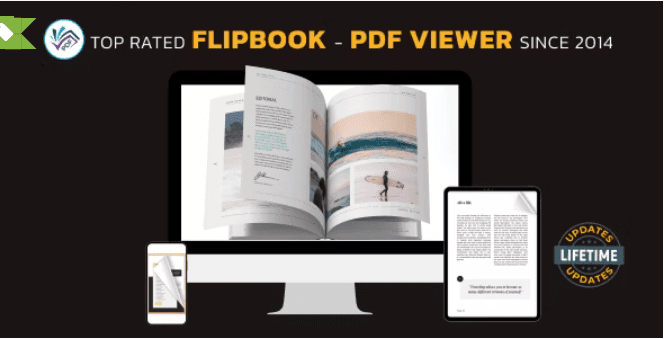
What Is TNC FlipBook PDF viewer? A Breakdown of Core Features
TNC FlipBook is developed by ThemeNcode and distributed on CodeCanyon in two versions: TNC FlipBook Classic and TNC FlipBook 3D. Its basic logic is straightforward: upload a PDF or image sequence, the plugin generates a flipbook in the backend, and then you embed it into posts, pages, or even WooCommerce product pages via shortcode or block.
Core capabilities include:
- 3D flip effect: Simulates realistic paper-flipping animation, supports single-page/double-page layout switching, with corresponding reading modes for both desktop and mobile.
- Direct PDF reading and conversion: You can either convert a PDF into a flipbook or directly render the PDF with the built-in viewer, preserving the original layout.
- Full-text search: Readers can search for keywords within the flipbook and quickly jump to specific pages—especially important for technical manuals and academic materials.
- Read-aloud feature: Built-in read-aloud converts text content into speech playback, suitable for accessible reading scenarios.
- Hotspots and interactive layers: You can overlay links, tooltips, videos, and other hotspots on pages, turning the PDF into lightweight interactive content.
- Watermark and access control: Supports adding watermarks, restricting downloads, and controlling access by user role.
Why Choose TNC FlipBook? Four Solid Advantages
In the r/Wordpress subreddit, discussions about flipbook plugins have always been divided. Some people think the flip animation is a flashy gimmick, while others believe that for content like brochures, magazines, and product catalogs, the flipping experience genuinely boosts reading willingness. Combining these discussions, TNC FlipBook's advantages are concentrated in the following points:
High visual polish
The 3D flip animation is smooth, and the page shadows and flip curvature are handled fairly naturally—not stiff like early plugins.
Complete feature coverage
Search, read-aloud, hotspots, watermarks, and permission control are all in one plugin—no need to assemble multiple tools.
Mobile adaptation
On mobile it automatically switches to single-page swipe mode, so text won't become too small due to a double-page layout.
WooCommerce compatible
You can embed product manuals as flipbooks on product detail pages to reduce bounce rate.
According to the WordPress official documentation on plugin compatibility, when choosing a plugin you should first confirm whether it keeps up with the latest major WordPress versions. TNC FlipBook has maintained fairly stable version iterations over the past two years, which is more reassuring than many flipbook plugins that have stopped updating.
Typical Use Cases: Who This Plugin Is For
A flipbook is not a universal solution—the content types it suits have clear boundaries. The following scenarios show the most obvious results:
- Product catalogs and brochures: PDF catalogs for furniture, clothing, and machinery—flipping through them fits browsing habits better than long scrolling.
- Magazines and periodicals: Online publishers turn each issue's PDF into a flipbook, giving readers an experience close to a print magazine.
- Training manuals and textbooks: With full-text search and read-aloud, learners can quickly locate chapters.
- Real estate and hotel brochures: Property brochures and hotel facility introductions feel more cohesive presented as flipbooks than as image carousels.
- WooCommerce product pages: Embed spec sheets into product pages so buyers can browse without downloading a PDF.
Technical Specifications and Performance
Based on publicly available information and hands-on testing, TNC FlipBook's technical specs are roughly as follows:
| Item | Description |
|---|---|
| Supported formats | PDF, image sequences (JPG/PNG) |
| Embedding methods | Shortcode, Gutenberg block, WooCommerce shortcode |
| Flip modes | 3D flip, single page, double page, swipe |
| Interactive features | Full-text search, read-aloud, hotspots, thumbnail navigation, fullscreen |
| Permission control | Watermark, download restriction, user role access |
| Mobile | Responsive, automatically switches to single-page mode |
Flip animation
Interactive features
Responsive layout
Google Search Central has repeatedly emphasized in its documentation on page experience that mobile usability and loading performance directly affect search performance. If a flipbook plugin slows down page speed, it can actually hurt SEO. It's recommended to enable the plugin's lazy loading option and compress large PDFs.
Frequently Asked Questions
What file formats does TNC FlipBook support?
It mainly supports two input methods: PDF and image sequences. After uploading a PDF, the plugin parses the pages and generates a flipbook; image sequences are suitable for scenarios where there is no PDF source file and only page-by-page exported images. Both methods support adjusting page size, flip direction, and background color in the backend. For scanned PDFs, it's recommended to first confirm whether the text layer is searchable, otherwise the full-text search feature will be limited.
Will TNC FlipBook slow down website loading speed?
It depends on the PDF size and configuration. The plugin itself provides a lazy loading option, so the flipbook only loads resources when it enters the viewport. In testing, a PDF under 10MB with lazy loading enabled has very little impact on first-screen speed; but if the PDF exceeds 30MB and is uncompressed, mobile loading time may exceed 5 seconds. It's recommended to first compress the PDF to under 10MB with a tool, then upload it to generate the flipbook.
Can flipbook content be indexed by search engines?
A flipbook essentially renders PDF content as Canvas or images, and search engines have limited ability to crawl this type of content. If the text in the PDF is important for SEO, it's recommended to provide a text version summary below the flipbook or on a separate page, and set up internal links properly. This preserves the flipping experience without sacrificing indexable text content.
Can TNC FlipBook restrict users from downloading or copying the PDF?
Yes. The plugin provides options such as watermarks, hiding the download button, and right-click restrictions, and can also control access by user role. It should be noted that these are front-end level protections and cannot absolutely prevent downloading—as long as content can be displayed in a browser, it is technically possible to capture it. Its positioning is to raise the copying threshold, not to completely eliminate it.
What's the difference between TNC FlipBook and free PDF embedding plugins?
Free plugins usually only provide a basic PDF preview box, with functionality limited to the "can view" level. TNC FlipBook adds 3D flip animation, full-text search, read-aloud, hotspot interactions, watermarks, and permission control, making it closer to a content presentation tool than a simple viewer. If your need is just to embed a simple PDF, a free solution is enough; if you want to operate PDFs as marketing or publishing content, the feature density of a paid plugin is more cost-effective.
Do I get updates and technical support after purchase?
Purchases on CodeCanyon typically include a 6-month support period, after which you can choose to renew. Plugin updates are pushed through the WordPress backend, just like regular plugins. Before purchasing, it's recommended to confirm whether the current version is compatible with the WordPress major version and PHP version you're using, to avoid discovering conflicts after installation. If your project has high stability requirements, you can first verify on a staging site before deploying to production.
Purchasing Advice: When It's Worth Buying
To decide whether to buy, you can ask yourself three questions:
- Is your PDF content of the type that "needs a flipping experience"? Brochures, magazines, and product catalogs are worth it; plain text contracts are not really necessary.
- Do you need additional features like search, read-aloud, and hotspots? If you only need basic preview, a free plugin saves more cost.
- Is your PDF size controllable? If it's routinely tens of MB and can't be compressed, the flipbook experience will be compromised.
If you answer "yes" to two or more of these three questions, this plugin is worth considering. Its pricing is on the medium-to-high side among similar products on CodeCanyon, but the feature density justifies the price. If you're still comparing other options, you can check out our compiled TNC FlipBook detailed review and purchase page, which has a more complete parameter comparison.
Final Thoughts
Not every website needs a flipbook plugin, but for projects whose content format matches, it can significantly change readers' browsing behavior. TNC FlipBook PDF viewer for WordPress packages flip animation, search, read-aloud, and permission control into one plugin, saving the hassle of assembling multiple tools. What truly determines the effect is still the quality of the PDF itself and loading optimization—the plugin is just an amplifier, not a magic wand.
References
- WordPress Official Plugin Directory
- WordPress Developer Resources
- Google Search Central Official Documentation


Comments (0)