
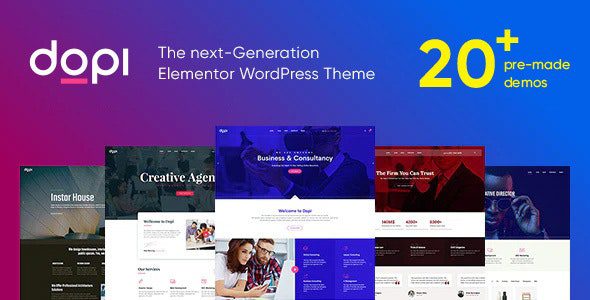
Dopi Theme In-Depth Review: The Ultimate Elementor Multipurpose WordPress Solution for Corporate Websites
Dopi is a multipurpose WordPress theme built on the Elementor page builder, designed for creating modern official portals for businesses, tech companies, and multinational corporations. It is compatible with WordPress 5.8+ and PHP 7.4~8.2. With its minimalist business aesthetic, lightweight code architecture, and rich industry demo templates, it helps website teams deliver world-class corporate sites within hours.
Core Positioning and Use Cases of the Dopi Theme
The Dopi theme is designed for scenarios such as rapidly building global multilingual portals, SaaS product landing pages, architecture firm galleries, or professional web development agencies delivering corporate websites at scale. Its core value lies in combining the typographic aesthetics of top international tech giants with a high-performance engineering architecture, enabling non-technical users to complete professional-grade page designs through visual drag-and-drop.
Who Should Use the Dopi Theme
- Foreign trade and manufacturing enterprises: need multilingual, high-conversion official showcase portals.
- Tech and SaaS companies: need clear product feature matrices and solution showcases.
- Web development service providers: need a reusable, efficient delivery framework to shorten project cycles.
- Creative and consulting agencies: need minimalist whitespace and strong visual impact for brand pages.
Core Features of the Dopi Theme
1. Comprehensive Multi-Page and Business Component Workbench
The theme includes complete page templates for corporate homepages, about us, core technology, product matrices, flagship case studies, and global contact. It supports a visual header and footer builder, allowing you to create multi-style navigation menus and sticky effects without writing code. It also provides dynamic time filter controls and a website operations dashboard for monitoring page resource size and rendering time.
2. Enterprise-Grade Business Visual Typography and Micro-Animation Library
Dopi offers two visual preset skins: deep business dark and high-tech pure white, with carefully crafted typographic hierarchy. Components feature smooth parallax floating micro-animations on scroll, and three-dimensional image-text cards present a steady depth-of-field effect, ideal for shaping the brand quality of multinational tech enterprises.
3. Full-Device Responsiveness and Mobile Touch Optimization
Whether on a 4K desktop, tablet, or portrait phone screen, pages adapt automatically and avoid horizontal overflow. The mobile experience is tuned for one-handed interaction, with large action buttons and collapsible menus so business leaders can smoothly review proposals or submit forms during their commute.
4. Lightweight Execution and Core Web Vitals Optimization
The theme is built on a lightweight native PHP rendering engine and CSS3-driven styling, with a streamlined DOM tree and core styles injected on demand. It does not load heavy external libraries on the main thread, so it does not negatively impact core metrics such as Largest Contentful Paint (LCP). Combined with caching and resource optimization plugins, it further ensures fast loading of pages with large images.
Why Technical Teams Choose the Dopi Theme
In front-end engineering validation, multi-device rendering testing, or internal product sandbox setup for multinational enterprise digital projects, technical teams often search for Dopi theme downloads to conduct development feasibility exercises. Under the GPL license, developers can dive into the underlying PHP template controller code and freely customize component styles and multilingual translation. Before going live, it is recommended to import the official demo data in a test environment, replace copy and images, and test the full flow of gesture-based collapsible menus on mobile. Combined with page asset optimization tools such as the Perfmatters plugin to streamline CSS/JS, you can ensure that pages containing massive images open in milliseconds. For more WordPress site-building resources and optimization tips, refer to BoboHello Resource Site.
Comparison of Standard Configuration vs. Advanced Operations
| Corporate Website Engineering Dimension | Traditional Generic Code with Outdated Single Template | Dopi Modern Professional All-in-One System |
|---|---|---|
| Site-Building Efficiency and Delivery | Building from scratch takes weeks, with extremely high rework costs | One-click import of dozens of mature, premium industry demos; complete the entire site in half a day |
| Enterprise-Grade Visual Refinement | Stiff, monotonous typography lacking international tech-brand feel | Minimalist whitespace with dual dark/light modes, benchmarked against top-tier international tech publications |
| Performance and Responsiveness | Bloated code, poor mobile adaptation | Lightweight rendering engine, fully device-adaptive, zero drag on Core Web Vitals |
Frequently Asked Questions
How do I install the Dopi theme?
In the WordPress admin, go to "Appearance - Themes - Add New Theme," upload the theme zip file and activate it, then follow the prompts to install the Elementor plugin and official demo data. For detailed steps, please refer to the official documentation.
What use cases is the Dopi theme suitable for?
It is suitable for corporate websites, tech company portals, SaaS product landing pages, architecture firm galleries, and web development service providers delivering projects at scale.
How is the compatibility of the Dopi theme?
It is compatible with WordPress 5.8+ and PHP 7.4~8.2, and depends on the Elementor page builder. It is recommended to use the latest versions of WordPress and Elementor for the best experience.
Does the Dopi theme provide updates?
For theme update frequency and specific policies, please refer to the official documentation or purchase channel information. When using the GPL version, it is recommended to follow community update news.


Comments (0)