
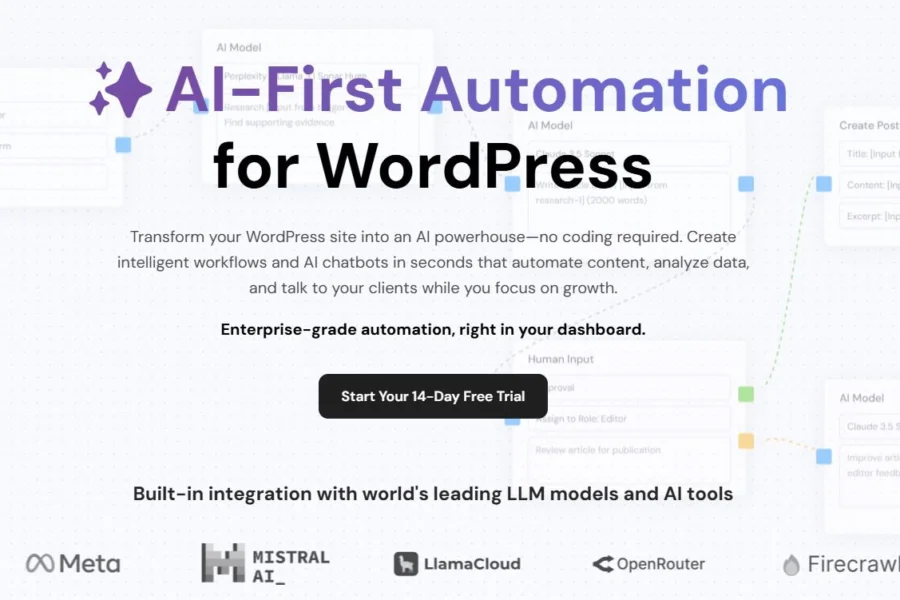
AI Workflow Automation Pro is a powerful WordPress no-code AI automation workflow plugin that enables you to easily build intelligent AI processes using a visual drag-and-drop editor. Automate SEO content creation, deliver personalized customer service, and generate leads—all within your WordPress dashboard. This plugin replaces Zapier and multiple AI writing/customer service tools, making it an essential tool for blogs, independent websites, WooCommerce stores, corporate sites, and SaaS platforms.
AI Workflow Automation Pro Core Features Explained
Visual Drag-and-Drop Workflow Editor (No Code)
Build processes by connecting nodes, with support for real-time preview, workflow annotations, and group management. The dynamic variable tag system [[data_source.field]] can read data from forms, posts, orders, and AI outputs across nodes. It also provides workflow queues, execution logs, and step-by-step debugging, allowing you to test an entire workflow with one click.
Full Range of AI Model Integration
Supports 300+ large models. Enter your own API keys to control traffic costs:
- OpenAI (GPT-4o, o1/o3, GPT-3.5)
- Anthropic Claude, Google Gemini, Mistral, Llama, Perplexity
- Image Generation: Fal.ai (text-to-image, product images, cover images, Pro exclusive)
Switch between multiple models with one click via OpenRouter aggregation. Built-in AI-specific nodes: content generation, SEO optimization, summary rewriting, multilingual translation, sentiment analysis, comment emotion recognition, information extraction, and Research deep-dive node (online industry data collection).
Extensive Trigger Conditions (Workflow Triggers)
Automatically start AI processes from any website event:
- WordPress Native: Publish posts/pages, comment submissions, user registrations, order creation/payment/refunds
- Form Triggers: WP Forms, Gravity Forms, ACF form submissions
- External Triggers: Webhooks, scheduled cron jobs, manual one-click start, sub-workflow linking
- Chat Triggers: AI customer service dialogue keyword-triggered processes
Pro Exclusive Advanced Feature Nodes
- Human Review Node: Pause the workflow midway for backend staff approval before continuing (content publishing, customer ticket review)
- Conditional Branch Logic: Multi-branch decision-making (order amount, comment sentiment, user membership level routing)
- Custom Database Tables: Automatically create data tables to store form, customer, and AI-generated data, creating a simple in-site CRM
- Web Scraper Node: Compliantly scrape industry news, competitor articles, and trending materials
- Multimedia generation, batch loop processing, and delay wait nodes
Deep Third-Party Service Integration (Pro Only)
- Office: Google Sheets, Google Drive—automatically write form data/AI articles
- E-commerce: Full WooCommerce order, product, and membership data interoperability
- Forms: Full support for Gravity Forms/WP Forms advanced fields
- Output Channels: Auto-send emails, Webhook push, shortcode dynamic content display, save to database
Built-in AI Smart Customer Service Chatbot (Chatbot Pro Feature)
Customize pop-up customer service, embed in-page chat components, and generate shortcodes for placement anywhere. Chat Actions dialogue linking: user questions automatically trigger corresponding automation processes (e.g., customer asks about refunds → auto-create after-sales ticket; check inventory → AI retrieves product data to reply). Quick reply buttons, dialogue log recording, knowledge base mounting, and multi-model switching for conversational AI.
Pre-built Industry Template Library (Updated Weekly)
15+ ready-to-use automation templates, no need to build from scratch:
- Blog: AI research → generate SEO article → auto-publish → email notification to site owner
- E-commerce: New order → AI generate after-sales thank-you note → sync to Google Sheets
- Customer Service: Form message → AI sentiment analysis → negative reviews auto-create tickets
- Leads: Visitor fills form → AI generate personalized plan → push sales WeChat notification
- Content Repurposing: Article generates social media copy (LinkedIn/Facebook/Twitter)
AI Workflow Automation Pro Main Use Cases
- Content Site Automation: Schedule scraping of industry trends → AI research and expansion → auto-generate SEO articles with H1/H2 → schedule publishing + sync to social media
- WooCommerce E-commerce Automation: Auto-generate AI product recommendation scripts on order placement, negative reviews auto-trigger customer service tickets, batch AI rewrite product descriptions
- Form Lead Intelligent Processing: Customer submits inquiry form → AI extracts needs + sentiment scoring → qualified leads push to CRM/WeCom
- 24/7 AI Self-Service Customer Support: Visitors inquire about orders, logistics, after-sales—bot auto-retrieves website data to respond, complex issues routed for human review
- Internal Business Processes: Resume AI parsing and storage, customer feedback auto-classification and archiving, weekly report AI auto-summarization and generation
Learn more about WordPress automation tools, visit bobohello.com for additional resources.
Frequently Asked Questions
How to install the AI Workflow Automation Pro plugin?
After downloading the plugin ZIP file, go to "Plugins" -> "Add New" -> "Upload Plugin" in the WordPress admin panel, select the ZIP file, and activate it. For detailed steps, please refer to the official documentation.
What use cases does AI Workflow Automation Pro support?
This plugin is suitable for various scenarios including content automation, e-commerce automation, form lead processing, AI customer service, and internal business process automation, specifically covering blog post generation, WooCommerce order processing, customer service, and more.
How compatible is AI Workflow Automation Pro?
The plugin is compatible with major WordPress themes and popular plugins such as WooCommerce, Gravity Forms, WP Forms, ACF, and supports multiple AI model APIs. It is recommended to verify compatibility in a test environment.
How often is AI Workflow Automation Pro updated?
The developer regularly releases updates to fix bugs, add new features, and improve performance. For detailed changelogs, please refer to the official release page.


Comments (0)