
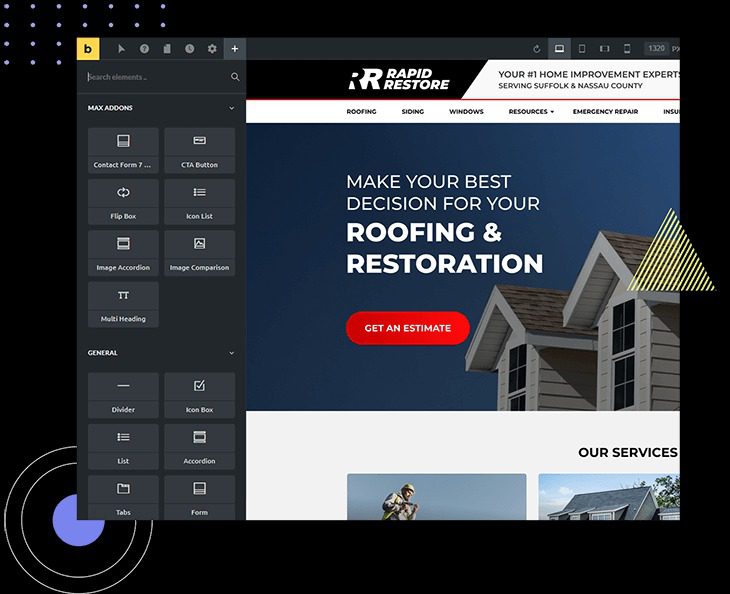
Max Addons Pro for Bricks Builder v1.18.0 is a premium extension plugin designed specifically for the Bricks Builder page builder, significantly enhancing your website building efficiency. By integrating multiple unique elements and features, it helps you quickly create professional-grade pages while maintaining lightweight and fast loading. This article will detail the features, installation methods, and common issues of the Max Addons Pro for Bricks Builder plugin, helping you easily build your dream website.
Core Features of Max Addons Pro for Bricks Builder Plugin
Max Addons Pro for Bricks Builder offers a rich set of extension elements, including advanced layouts, dynamic content modules, custom forms, and more, allowing you to achieve complex designs without writing code. Its core advantages include:
- Multi-Element Integration: Includes over 50 professional elements covering all aspects of page building.
- Lightweight and Fast: Optimized code for quick loading without affecting website performance.
- Professional Support: Provides a detailed knowledge base and a friendly technical support team.
How to Install Max Addons Pro for Bricks Builder Plugin
Installing the Max Addons Pro for Bricks Builder plugin is very simple. First, ensure your WordPress site has the Bricks Builder theme installed and activated. Then, use the plugin upload feature in the WordPress backend to upload the plugin zip file and activate it. After activation, you will find new element options in the Bricks Builder editor. For specific steps, please refer to the official documentation or the FAQ section of this article.
Compatibility and Updates
Max Addons Pro for Bricks Builder is fully compatible with the latest version of the Bricks Builder theme and is regularly updated to adapt to new versions. It is recommended to keep the plugin updated for the best experience and security. For more information, visit the official page.
Tips for Using Max Addons Pro for Bricks Builder
To maximize the use of Max Addons Pro for Bricks Builder, it is recommended to start with basic elements such as advanced headings, buttons, and icons. As you become more proficient, you can explore dynamic content and conditional display features to personalize your pages. Additionally, combining it with related Bricks extension tutorials can help you master advanced usage more quickly.
Frequently Asked Questions
Does Max Addons Pro for Bricks Builder require the Bricks theme?
Yes, Max Addons Pro is an extension plugin for Bricks Builder and requires the Bricks theme to be installed and activated for proper use.
How do I update the Max Addons Pro plugin?
The update method is the same as for regular WordPress plugins. You can check for updates on the plugin page in the backend or manually download the latest version and upload it to overwrite. For specific update frequency, please refer to the official release notes.
Which page builders does Max Addons Pro support?
Max Addons Pro is specifically designed for Bricks Builder and does not support other page builders.
Does the plugin include a Chinese interface?
Max Addons Pro provides an English interface by default, but you can achieve localization by installing a Chinese language pack. For details, please refer to the official documentation.


Comments (0)