
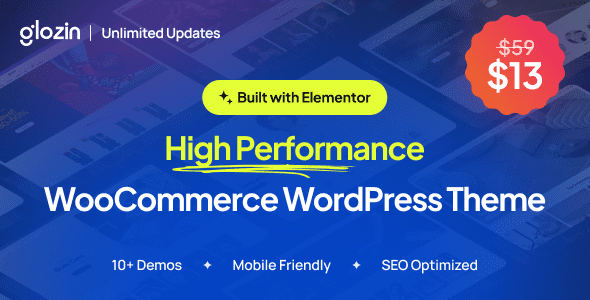
Glozin is a WooCommerce-compatible WordPress theme designed to support modern e-commerce experiences across various industries. From fashion and beauty to furniture, lifestyle, and single-product stores, the Glozin WordPress theme offers a mobile-first layout, Elementor support, rich product features, and conversion-focused tools to help you build a scalable, customer-centric online store without any coding knowledge.
Official link: Glozin Theme Official Page
Core Features of the Glozin WordPress Theme
The Glozin theme is specifically designed for e-commerce, featuring multiple pre-built store templates covering categories like fashion, electronics, and home goods. It deeply integrates with WooCommerce, supporting features such as quick product preview, asynchronous cart updates, and AJAX search to significantly boost conversion rates. The theme uses a responsive design, ensuring perfect display on mobile, tablet, and desktop devices.
Elementor Page Builder Support
With the Elementor drag-and-drop builder, you can easily customize page layouts without writing code. Glozin provides a rich set of Elementor widgets, such as product carousels, category grids, and promotional banners, allowing you to quickly build a professional store.
Mobile-First and Performance Optimization
The theme follows a mobile-first principle, with optimized loading speeds supporting performance techniques like Lazy Load and CSS compression. It integrates Google Fonts and icon fonts to ensure visual appeal and fast loading.
Why Choose the Glozin WordPress Theme?
Compared to other themes, Glozin offers more e-commerce-specific customization options: unlimited colors, multiple header and footer layouts, one-click demo data import, multilingual support (WPML compatible), and comprehensive SEO markup. You can also get more usage tips from related resource sites.
Installation and Usage
Installing the Glozin theme is very simple: upload the theme file in the WordPress backend and activate it, then import the demo content. The theme comes with detailed documentation and video tutorials, making it easy for beginners to get started quickly.
Frequently Asked Questions
How to install the Glozin theme?
In the WordPress backend > Appearance > Themes, upload and activate the Glozin theme, then install recommended plugins (such as Elementor, WooCommerce), and finally import the demo data.
Which browsers are compatible with the Glozin theme?
The theme is compatible with all modern browsers, including Chrome, Firefox, Safari, Edge, and others.
Is there a Chinese version of the Glozin theme?
Yes, this resource provides an official Chinese version, with language files included, so the interface will display in Chinese after installation.
How often is the Glozin theme updated?
The developer regularly updates the theme to fix bugs and add new features. Please refer to the official changelog for details.
Which plugins does the Glozin theme support?
It mainly supports popular plugins like WooCommerce, Elementor, WPML, Yoast SEO, and others.


Comments (0)