
Woostify Pro: A Lightweight Theme Plugin for WooCommerce Stores
The Woostify Pro plugin is a lightweight theme extension designed specifically for WooCommerce, aimed at delivering optimal performance and blazing-fast loading speeds to effectively boost store conversion rates. This article provides a detailed introduction to Woostify Pro Addon v1.9.4 and its companion theme version 2.3.2, covering key features, installation methods, and common questions to help you quickly build a high-performance online store.
Woostify's core advantage lies in its ultra-lightweight design. It has been comprehensively optimized so that even without installing any additional performance plugins, your website can maintain minimal file sizes and the fastest loading speeds. This is crucial for enhancing user experience and search engine rankings.
Core Features of the Woostify Pro Plugin
Lightweight Architecture for Extreme Performance
The Woostify theme and Woostify Pro plugin employ a minimalist code structure, without relying on Bootstrap or other large CSS frameworks. All scripts are written in native JavaScript, eliminating the need to load the full jQuery library, which significantly reduces HTTP requests and shortens page load times. According to tests, even without any optimization, Woostify maintains industry-leading page sizes, delivering lightning-fast speed for your website.
SEO-Friendly, Boosting Rankings
Woostify uses an SEO-compliant code structure, with clean and optimized source code that makes it easier for search engines to crawl and index. Through built-in SEO optimization features, your website can more easily achieve high rankings in search results and attract more potential customers. With Woostify, you can obtain solid foundational optimization without needing to install complex SEO plugins.
Deep WooCommerce Integration with Stable Compatibility
The Woostify theme is fully integrated with WooCommerce, eliminating conflicts between the theme and plugins even when WooCommerce is frequently updated. The theme adheres to WordPress coding standards and supports PHP 7.4, ensuring compatibility with future versions of WordPress and WooCommerce, keeping your store running in a stable and reliable environment.
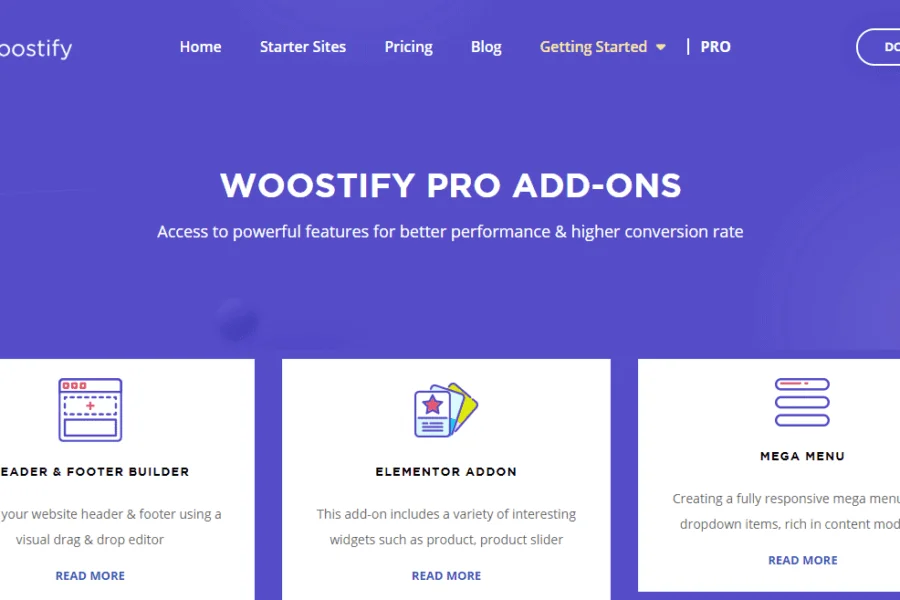
The Woostify Pro plugin further enhances the theme's functionality, providing additional extension modules such as product layouts and cart optimization, allowing you to flexibly customize your store's appearance and features. Related resource recommendation: More WordPress theme recommendations.
Installation and Usage Guide for the Woostify Pro Plugin
Installing the Woostify Pro plugin is very simple. First, you need to install and activate the Woostify theme, then upload the Woostify Pro plugin zip package via the "Plugins" section in the WordPress admin panel and enable it. Once activated, the plugin is automatically enabled without any additional steps. Some extended features may require installing corresponding auxiliary plugins to activate, but the core features are ready to use immediately.
According to official testing, Woostify Pro v1.7.2 and v1.8.4 versions have been verified as functional, and the v1.9.4 version covered in this article brings performance optimizations and bug fixes. It is recommended that you always keep the theme and plugin updated to the latest versions for the best experience and security.
For official demos and more information, please visit the Woostify official website.
Frequently Asked Questions
How do I install the Woostify Pro plugin?
Installation steps: First, install and activate the Woostify theme. Then, in the WordPress admin panel, navigate to "Plugins" and click "Add New," select "Upload Plugin," upload the Woostify Pro plugin zip file, click "Install Now," and after installation completes, click "Activate." Once activated, the plugin is enabled without any additional steps.
What scenarios is the Woostify Pro plugin suitable for?
The Woostify Pro plugin is suitable for all online stores built with WooCommerce, whether small independent sites or large e-commerce platforms. Its lightweight nature is especially ideal for stores with high demands on loading speed, significantly improving user experience and conversion rates.
Which WordPress versions are compatible with the Woostify Pro plugin?
The Woostify theme adheres to WordPress coding standards and supports PHP 7.4, ensuring compatibility with future versions of WordPress and WooCommerce. For specific version requirements, please refer to the official documentation. It is recommended to use the latest versions of WordPress and WooCommerce for optimal performance.
How often is the Woostify Pro plugin updated?
The Woostify team regularly releases updates, including new features, performance optimizations, and security fixes. It is recommended that you periodically check for updates and keep the plugin at the latest version to ensure your website's stability and security. Please follow official announcements for specific update frequencies.

