
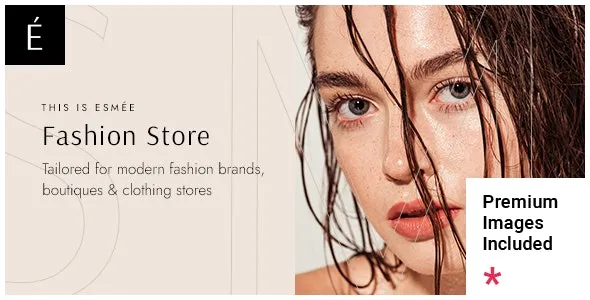
Esmée is a WordPress theme designed specifically for modern fashion stores and clothing shops, helping you easily create a professional and visually appealing e-commerce website. Whether you run a women's clothing, jewelry, watch, footwear, or eyewear store, Esmée offers beautifully crafted preset templates to make your brand stand out. This article provides a comprehensive overview of Esmée's core features, installation and usage guide, and frequently asked questions to help you get started quickly.
Core Features of the Esmée Fashion E-commerce WordPress Theme
Esmée is not only stylish in appearance but also integrates rich e-commerce functionalities, including perfect compatibility with YITH Wishlist, Quick View, and Color and Label plugins. This allows your customers to easily save favorite items, quickly preview product details, and use color and label filters to find target products efficiently. Additionally, the theme supports responsive design, ensuring an excellent shopping experience on mobile devices.
Esmée Theme Templates and Layout Options
Esmée offers multiple homepage templates tailored to different categories, such as women's clothing stores, jewelry stores, watch stores, footwear stores, sunglasses stores, and eyewear stores. Each template is meticulously designed to highlight product displays while maintaining page loading speed. You can also easily adjust colors, fonts, and layouts through the theme customizer, achieving personalized design without writing any code.
How to Install and Use the Esmée Theme
Installing the Esmée theme is very straightforward. First, upload and activate the theme in the WordPress backend, then follow the prompts to install required plugins (such as WooCommerce, YITH plugins, etc.). Next, import the demo content you like to quickly build a website similar to the demo site. The entire process does not require an activation key and operates smoothly. If you need more detailed steps, you can refer to the official documentation or the subsequent sections of this tutorial.
During the setup process, you may need some additional resources to optimize your website. For example, here are some practical WordPress tutorials that can help you better manage your site.
Esmée Theme Performance and Compatibility
The Esmée theme is optimized to ensure compatibility with major browsers and the latest version of WordPress. It supports all core features of WooCommerce and works seamlessly with a variety of popular plugins. Additionally, the theme code follows WordPress standards, making it easy to extend and customize. Regular updates ensure security and new features, so it is recommended to keep an eye on official release information.
Frequently Asked Questions
How to install the Esmée theme?
In the WordPress backend, go to "Appearance" > "Themes," click "Add New Theme," upload the Esmée zip file, and activate it. Then install and activate the required plugins, and finally import the demo data.
What types of stores is the Esmée theme suitable for?
Esmée is specifically designed for fashion e-commerce, particularly suitable for women's clothing, jewelry, watches, footwear, sunglasses, and eyewear stores. Its flexible layout also works for other vertical categories.
Which plugins is the Esmée theme compatible with?
Esmée is perfectly compatible with YITH Wishlist, YITH Quick View, YITH Color and Label Variations plugins, as well as WooCommerce and its extensions.
How often is the Esmée theme updated?
The update frequency depends on the developer's release schedule, typically with new versions released every few months to fix bugs and add features. Please refer to the official changelog for specifics.


Comments (0)