
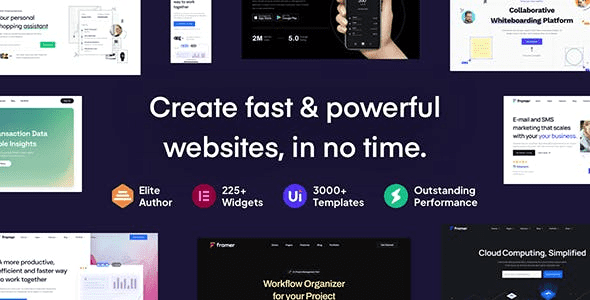
Introduction to Framey Startup and SaaS WordPress Theme
Framey Startup and SaaS WordPress Theme is a modern theme designed specifically for SaaS, software, and applications, offering a rich collection of landing page layouts and Elementor page builder support. Whether it's a mobile app, landing page, or IT solution, Framey helps you quickly build professional and visually appealing websites. The theme features exquisite hand-crafted design, one-click demo or template installation, and the ability to mix and match various elements to instantly elevate your website's quality. Framey Startup and SaaS WordPress Theme is one of the most highly regarded WordPress themes on the market today, suitable for startups and tech companies of all sizes.
If you're looking for a WordPress theme that is both beautiful and powerful to showcase your products or services, Framey is your ideal choice. It not only supports Elementor but also provides highly customizable headers, footers, and page builders, allowing you to create unique website layouts without writing a single line of code. Whether it's SaaS products, mobile apps, or IT solutions, Framey delivers perfect visual presentation and user experience.
Core Features of Framey Startup and SaaS WordPress Theme
Framey Startup and SaaS WordPress Theme comes with a variety of practical features designed to help you launch your website quickly and attract potential customers. Here are some key highlights:
- Elementor Page Builder: Supports drag-and-drop editing to easily create custom page layouts.
- Rich Demo Templates: Multiple pre-designed templates with one-click import to save development time.
- Responsive Design: Perfectly adapts to all devices, ensuring an excellent mobile experience.
- SEO Optimized: Clean code structure that facilitates search engine indexing.
- Multilingual Support: Compatible with major multilingual plugins to meet international needs.
These features make Framey suitable not only for SaaS and tech websites but also for corporate sites, portfolio showcases, and many other scenarios. With Framey, you can quickly build a professional and brand-driven website to enhance your market competitiveness.
Installation and Usage of Framey Startup and SaaS WordPress Theme
Installing the Framey theme is very simple. You can upload the theme zip file through "Appearance" -> "Themes" -> "Add New" in the WordPress admin panel, or upload it directly via FTP to the themes directory, then activate it from the admin panel. Once activated, you can import demo data to quickly set up your website or start customizing from scratch. Framey v4.4.1 has been tested and verified to work, and can be used immediately after installation and activation without additional configuration. For more detailed tutorials, you can refer to related resources.
During usage, we recommend taking full advantage of Elementor's flexibility combined with the modules provided by Framey to create pages that match your brand identity. Additionally, regularly update the theme and plugins to ensure website security and stability. If you encounter any issues, you can consult the official documentation or contact technical support.
Use Cases for Framey Startup and SaaS WordPress Theme
Framey Startup and SaaS WordPress Theme is particularly suitable for the following scenarios: SaaS product websites, software download sites, mobile app showcase pages, IT solution providers, tech blogs, startup company websites, and more. Its clean and elegant design style effectively highlights product strengths and boosts user conversion rates. If you're running a website in any of these categories, Framey is definitely a choice worth considering.
Frequently Asked Questions
How do I install the Framey theme?
There are two ways to install the Framey theme: First, upload the theme zip file through "Appearance" -> "Themes" -> "Add New" in the WordPress admin panel and activate it; Second, upload the theme folder to the /wp-content/themes/ directory via FTP, then activate it from the admin panel. For detailed steps, please refer to the theme documentation.
What types of websites is the Framey theme suitable for?
The Framey theme is specifically designed for SaaS, software, mobile apps, and IT solutions, making it ideal for startups, tech companies, and product showcase websites. It also supports other types of websites such as corporate sites and personal blogs.
Which plugins are compatible with the Framey theme?
The Framey theme is compatible with major plugins including Elementor, WooCommerce, and WPML. It also supports most common WordPress plugins such as Yoast SEO and Contact Form 7.
How often is the Framey theme updated?
The update frequency of the Framey theme depends on the developer's release cycle, typically with a major update every quarter or half year. We recommend regularly checking for theme updates to obtain new features and security fixes. For specific update information, please refer to the official documentation.

