
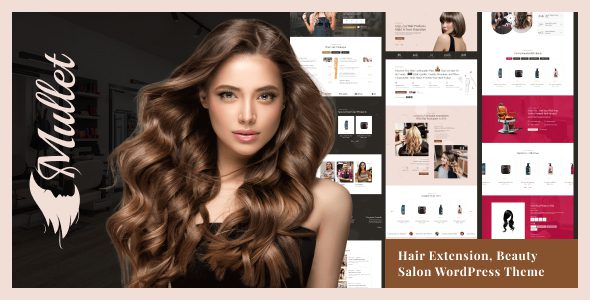
Mullet WordPress Theme: A Complete Website Solution Built for Hair Extensions and Beauty Salons
Mullet is a WordPress theme for the hair and beauty industry developed by BuddhaThemes. It is designed for hair extension studios, hair salons, barbershops, scalp care centers, and beauty salons, and can also be used for makeup and skin care websites. The theme builds pages with the Elementor page builder, and its store functionality is powered by WooCommerce. The installation package includes the theme files, demo data, and documentation, making it suitable for users who want to quickly launch a professional beauty service website.
Mullet's Page Structure and Layout Design
Mullet offers multiple homepage templates: one with a large hero image filling the first screen plus a booking button, one that arranges sections by service type, and another that leans toward product display. Inner pages cover service lists and individual service details, stylist profiles, store pages, price lists, portfolio galleries, customer review pages, a blog, and FAQs. Service pages can carry duration and price information, and extension categories can also include care cycles and maintenance instructions. All demo content supports one-click import, with menus and galleries imported along with it.
Service Page and Booking Entry Design
Each service page has a booking entry at the end, and the first screen also includes a booking button, avoiding repeated stacking of buttons in the middle of the page that could cause visual clutter. Price lists support tiered display by duration and stylist, making it easy for clients to match to specific staff members. The source of extension materials and care cycle recommendations should be written directly into the service page to reduce repeated explanations after clients arrive at the store.
Mullet's Store and Product Display Features
The store section is compatible with WooCommerce versions 5 through 9. Product lists offer both grid and list layouts, with load more and infinite scroll options. Product pages support sticky add-to-cart, gallery popups with magnifier, custom tabs, and countdown timers. Recently viewed products can be displayed in a separate row via shortcode. Products can carry variant attributes such as color and length, with swatches generated automatically based on attributes. For stores selling extension materials or hair products, these features can significantly improve the shopping experience.
Mullet's Build Approach and Style Customization
Pages are built by drag and drop with Elementor, and headers and footers each have unlimited templates that can be freely built in the builder. The theme provides more than 35 shortcodes, covering service cards, price lists, team, reviews, and image-text blocks. Color schemes and layouts are unrestricted, and fonts connect to Google Fonts with a preview feature. The blog offers three layouts: list, grid, and masonry, and individual posts can be configured with various meta information. If you need more WordPress theme resources, you can check the relevant category.
Mullet's Compatibility and Technical Details
The theme declares compatibility with several WordPress branches from 6.0 to 6.8, integrates with WPML for multilingual support, uses Contact Form 7 for forms, and includes translation files in the package. Pages are responsive, the mobile menu collapses into a drawer style, and images load at different sizes based on breakpoints. The block editor has not been specifically adapted. Files include PHP, CSS, and JS, columns support four or more, and high-definition assets are marked as supported. Demo images have copyright restrictions, so it is recommended to replace them with your own photography for a live site.
Mullet Specifications at a Glance
| Item | Description |
|---|---|
| Resource Type | WordPress theme (for hair and beauty salons) |
| File Contents | Theme package, demo data, shortcode components, documentation |
| Dependencies | WordPress, Elementor, WooCommerce, CF7 |
| Use Cases | Hair extension studios, hair salons, barbershops, scalp care and beauty salons |
Mullet Usage Tips
- Service prices are tiered by duration and stylist, and the price list should map to specific staff members.
- Write the source of extension materials and care cycle into the service page to reduce repeated explanations at the store.
- Place booking entries on the first screen and at the end of each service page; there is no need to repeat buttons in the middle.
- Categorize portfolio galleries by hairstyle so clients can pick styles faster.
Frequently Asked Questions
How do I install the Mullet theme?
In the WordPress admin, go to Appearance - Themes - Add New Theme and upload the theme package ZIP file to install. After installation, you need to install and activate the Elementor and WooCommerce plugins, then import the demo data. Please refer to the official documentation for specific steps.
What types of websites is the Mullet theme suitable for?
The theme is primarily designed for hair extension studios, hair salons, barbershops, scalp care and beauty salons, and can also be used for makeup and skin care websites. The store functionality is suitable for selling hair products and extension materials.
Is the Mullet theme compatible with the latest version of WordPress?
The theme declares compatibility with WordPress branches from 6.0 to 6.8. It is recommended to use a version within this range for the best compatibility. Please refer to the official documentation for specific compatibility information.
How often is the Mullet theme updated?
The theme is maintained by BuddhaThemes, and the update frequency depends on the developer's release schedule. It is recommended to follow official channels for the latest version information; please refer to the official documentation for details.

