
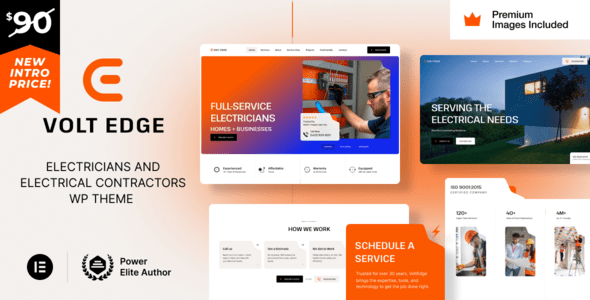
VoltEdge WordPress Theme: A Professional Website Solution for Electricians and Electrical Contractors
VoltEdge is a WordPress theme built specifically for electricians, electrical contractors, and power solution providers. Whether your business focuses on residential wiring, commercial installation, equipment repair, or energy-saving upgrades, VoltEdge presents your technical expertise clearly through a clean, professional interface design, helping you quickly win customer trust. As a mature commercial theme, VoltEdge performs well in layout flexibility, functional modules, and visual presentation, making it a great fit for electrical industry professionals who need to quickly build a professional website.
If you're looking for more high-quality WordPress resources, visit BoboHello Resource Site to access more themes and plugins.
Core Features and Design Highlights of the VoltEdge Theme
VoltEdge uses a modern responsive design, ensuring the website displays smoothly on mobile phones, tablets, and desktops. The theme includes multiple preset page templates covering common needs such as service showcases, project portfolios, team introductions, and contact forms. You can quickly adjust content through a visual editor without writing any code. For electrical contractors, clear service categorization and project showcases are especially important, and VoltEdge provides dedicated layouts to highlight this information.
Use Cases for the VoltEdge WordPress Theme
This theme is suitable for various electrical-related businesses, including residential electrician services, commercial electrical installation, industrial power maintenance, and solar and energy-saving solution providers. Through custom colors, fonts, and module combinations, you can create a unique website image that matches your brand identity. The theme is also compatible with mainstream page builders, making it easy to extend additional functionality.
How to Install and Configure the VoltEdge Theme
Installing the VoltEdge theme is similar to other WordPress themes: upload the theme zip file in the admin under "Appearance" -> "Themes" and activate it, then install the recommended plugins as prompted. The theme options panel offers a wealth of settings. You can import demo content to quickly build a basic framework, then gradually replace it with your own images and text. It's recommended to test the display on different devices before going live, and make sure the contact form and navigation menu work properly.
For more tips on installing and optimizing WordPress themes, refer to BoboHello's tutorial resources.
Frequently Asked Questions
Which WordPress versions does the VoltEdge theme support?
The VoltEdge theme is generally compatible with newer WordPress versions. For specific compatible versions, please refer to the official documentation or the theme description page.
Does the VoltEdge theme provide a Chinese language pack?
The theme offers localization support. You can load the Chinese language file in the theme settings, or use a translation plugin to localize it into Chinese. For details, please refer to the official documentation.
How often is the VoltEdge theme updated?
The theme developer releases updates regularly to fix issues and add new features. For update frequency, please follow the official release channels. It's recommended to back up your website data before updating.
Is the VoltEdge theme compatible with page builders?
The VoltEdge theme is designed to be compatible with mainstream page builders such as Elementor. For specific compatibility details, please refer to the official documentation.

