
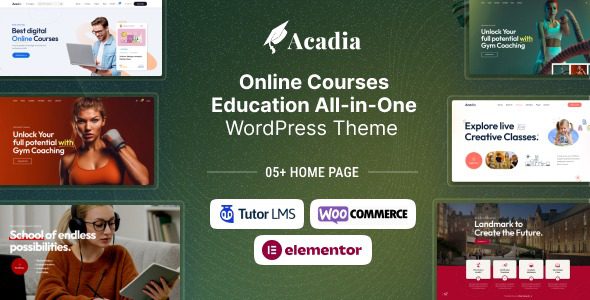
Acadia WordPress Theme: A Complete Solution for Building a Professional Online Education Platform
Acadia WordPress Theme is an online course solution designed specifically for the education industry, suitable for educators, course creators, and training institutions. It not only helps you quickly build an online learning platform but also provides a full workflow of tools from course creation to sales management. Whether you want to sell paid courses or offer free educational content, Acadia can meet your needs.
Overview of Acadia Theme Core Features
Acadia offers a rich set of front-end features that make course creation intuitive and efficient:
- Front-end drag-and-drop course builder, build course structures without coding
- Lessons, quizzes, and assignments modules, supporting a complete teaching workflow
- Content drip feature, release course content on a schedule
- Course bundle sales, increase average order value
- Advanced quiz creator with automatic result grading
- Unlimited instructor accounts, supporting multi-teacher collaboration
- Separate dashboards for students and instructors
- Elementor page builder compatibility, flexible design
- Course reviews and rating system
- Content security and time expiration control
- Zoom integration, supporting live teaching
- Certificate templates, automatically issued upon course completion
- Powerful reporting features, track learning progress
- Course prerequisite settings
- Multimedia attachment support
- Email notification system
- Assignment submission and grading system
- Paid and free course modes
- Revenue and commission distribution
- Multiple withdrawal options
- Purchase history records
- Style options and filtering by category
- Course widgets and instructor registration forms
- Student and teacher Q&A interaction
- Video trailer support
- Course progress tracking
- Course difficulty level and duration definition
- Course marketplace functionality
- Quiz timer
- Bank transfer payment
- Course wishlist
- Active login session management
- Two-factor authentication
Why Choose the Acadia WordPress Theme?
Acadia is not just a theme, but a complete online education ecosystem. It has built-in course marketplace functionality, allowing multiple instructors to join and sell courses, from which you can take a commission. For those who want to build a platform similar to Udemy or Coursera, Acadia provides all the necessary foundations. In addition, BoboHello Resource Site offers a wealth of WordPress themes and plugin resources that can help you further extend your website's functionality.
The theme also focuses on security, providing two-factor authentication and login session management to protect user account security. At the same time, the content drip feature and course prerequisites ensure a reasonable learning path.
Applicable Scenarios for the Acadia Theme
Acadia is ideal for the following scenarios:
- Online course platforms, selling paid courses
- Online education websites for universities or training institutions
- Knowledge monetization platforms for independent instructors
- Corporate internal training systems
- Multi-instructor marketplace platforms
If you are looking for a fully featured and easily extensible education WordPress theme, Acadia is a choice worth considering. For more detailed information, please refer to the official page.
Frequently Asked Questions
How do I install the Acadia theme?
Installing the Acadia theme is similar to installing other WordPress themes: in the WordPress admin, go to "Appearance" > "Themes" > "Add New", upload the theme zip package, and activate it. Then follow the prompts to install the recommended plugins. For specific steps, please refer to the official documentation.
Which page builders does Acadia support?
Acadia is deeply integrated with the Elementor page builder, and you can freely design page layouts using Elementor. It is also compatible with other mainstream builders, but Elementor is officially recommended.
Does Acadia support multiple languages?
The Acadia theme supports multiple languages and is compatible with translation plugins such as WPML and Polylang, allowing you to easily create a multilingual online education platform.
How often is the Acadia theme updated?
The Acadia theme is regularly updated by the official team to remain compatible with the latest versions of WordPress and plugins, and to fix known issues. For specific update logs, please refer to the official documentation.
Does Acadia support live teaching?
Yes, Acadia integrates with Zoom, allowing you to create live courses and meetings. You need to configure the Zoom API key in the theme settings.

