
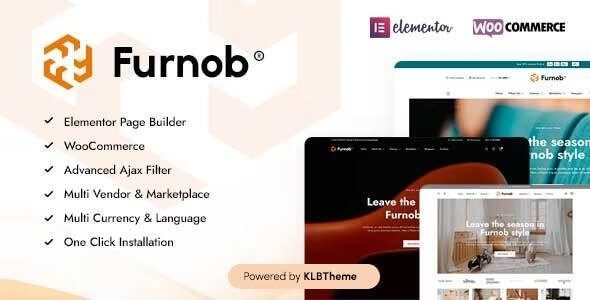
Furnob WordPress Theme: The Ultimate Solution for Furniture E-commerce Website Building
If you are looking for a WordPress theme that can quickly build a furniture store, home decor store, or online furniture mall, the Furnob WordPress theme is worth close attention. Furnob is an Elementor WooCommerce theme specifically designed for furniture stores and home decor e-commerce. It integrates a drag-and-drop page builder with powerful store functionality, enabling users without any programming background to launch a professional furniture e-commerce website within hours. Whether it's a single-store operation, a multi-vendor marketplace, or niche categories such as furniture accessories, home appliances, and TV stores, Furnob provides complete page templates and functional module support.
Core Features and Use Cases of the Furnob Theme
Furnob is built around the WooCommerce ecosystem, natively compatible with the Elementor page builder, and offers a large number of preset furniture industry page templates, including homepage, product listing, product details, shopping cart, checkout page, and multi-vendor store pages. It is suitable for various e-commerce formats such as furniture stores, home decor stores, accessory stores, decorative item stores, furniture multi-vendor platforms, furniture WooCommerce malls, marketplace-type websites, home appliance stores, TV stores, phone case stores, and more. The theme includes built-in Dokan multi-vendor compatibility support, making it easy for operators to build a multi-merchant platform similar to a furniture marketplace.
Key Points for Installing and Configuring the Furnob WordPress Theme
Installing the Furnob theme typically requires first deploying a WordPress environment, then uploading the theme package and activating it. It is recommended to also install the Elementor and WooCommerce plugins, and import demo content according to the theme documentation to quickly obtain a page structure consistent with the official demo. During configuration, pay attention to basic settings such as PHP version, memory limits, and WooCommerce page binding. If you need more references for using WordPress themes and plugins, you can visit WordPress Resources and Tutorial Site for related guidance.
Why Furnob Is Suitable for Furniture E-commerce and Multi-Vendor Platforms
Furniture e-commerce has high requirements for page visual presentation. Furnob provides flexible layout control capabilities through Elementor, allowing free adjustment of product display grids, banner areas, and promotional modules. At the same time, the theme's deep integration with WooCommerce means that features such as product variations, inventory management, coupons, and payment gateways can all be used directly. For multi-vendor scenarios, Furnob's compatibility with Dokan allows different sellers to have independent store pages, while the platform operator can uniformly manage orders and commissions. These features make Furnob one of the options that balances aesthetics and functionality in furniture e-commerce projects.
If you want to further understand the theme's official feature descriptions and update records, you can check the Furnob official page. This page provides a detailed feature list, demo addresses, and version update logs for the theme, making it easy to evaluate whether it meets project requirements before deployment.
Furnob Theme Versions and Update Maintenance
The Furnob theme undergoes continuous version iterations, and version v1.5.8 has optimized compatibility and functional details. After purchasing a genuine license, you can typically receive official update support, including compatibility fixes with new versions of WordPress, WooCommerce, and Elementor. For users using the Chinese version or localized versions, it is recommended to pay attention to theme language pack updates to ensure complete display in both the backend and frontend. Regularly updating themes and plugins is an important part of ensuring the security and stable operation of an e-commerce website.
Frequently Asked Questions
How do I install the Furnob theme?
In the WordPress backend, go to "Appearance - Themes - Add New Theme," upload the Furnob theme zip package, and activate it. After activation, it is recommended to install and activate the Elementor and WooCommerce plugins, then import demo content according to the theme documentation. For specific steps, please refer to the official documentation.
What use cases does the Furnob theme support?
Furnob is suitable for e-commerce scenarios such as furniture stores, home decor stores, accessory stores, furniture multi-vendor platforms, home appliance stores, TV stores, and phone case stores. It is especially suitable for online furniture product sales based on WooCommerce.
Is the Furnob theme compatible with the Dokan multi-vendor plugin?
According to the theme's official description, Furnob is compatible with the Dokan multi-vendor solution and can be used to build a multi-merchant furniture marketplace. For specific compatible versions and configuration methods, please refer to the official documentation.
How frequent are Furnob theme updates?
The Furnob theme is maintained in line with updates to WordPress, WooCommerce, and Elementor, and v1.5.8 is one of the current versions. For update frequency and specific logs, please refer to the official page releases.


Comments (0)