
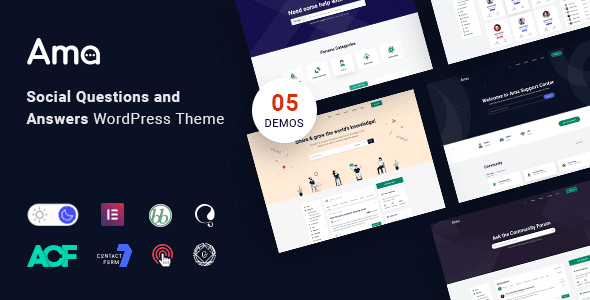
AMA WordPress Theme: The Ultimate Solution for Building Professional Q&A Communities and bbPress Forums
AMA (Ask Me Anything) is a WordPress theme designed specifically for Q&A communities, deeply integrated with the bbPress forum plugin and supporting a complete interaction mechanism including questions, answers, voting, bounties, and expert verification. Whether you want to build a technical Q&A site, an industry consultation platform, or a social topic discussion board, the AMA WordPress theme provides a highly credible community foundation to help you capture long-tail search traffic and boost user engagement.
Core Application Scenarios of the AMA WordPress Theme
- Vertical Industry Expert Q&A Communities: Build verified Q&A portals for professionals such as doctors, lawyers, and programmers to answer user inquiries online.
- Enterprise Official Technical Support Hall: Users submit technical questions, engineers reply online and mark the best solutions, forming a knowledge base.
- Social Hot Topic Discussions and Brainstorming: Post by topic tags, with answers intelligently sorted by upvotes to spark community vitality.
Key Features and Interaction Mechanisms Explained
- Best Answer Adoption Mechanism: Questioners can select the most satisfactory answer, mark it as the "Best Answer," and pin it with highlighting, enhancing the answerer's sense of achievement.
- Upvote and Downvote: High-quality answers automatically rise through reader voting while low-quality content sinks, achieving self-purification of community content.
- Points Bounty and Expert Badges: Questioners can offer point bounties to attract experts to answer, and answerers can unlock verified expert badges by accumulating answers.
- Fully Responsive Design for All Devices: Deeply optimized for desktop large screens and mobile devices, with smooth browsing and answering on phones.
Why Choose the AMA WordPress Theme?
The AMA WordPress theme transforms traditional forums into vibrant, modern Q&A halls with a clean and easy-to-use interface that requires zero learning curve. For community operators, it not only boosts user participation but also generates continuous organic search traffic through high-quality Q&A content. If you need more community resources, you can visit the WordPress Membership and Community Resource Recommendations column for related plugins and themes. Additionally, the official AMA theme page provides detailed feature demos and documentation; we recommend checking the ThemeForest product page for the latest version information.
Usage Tips and Notes
In the early stage of community launch, it is recommended that administrators proactively publish a batch of high-quality Q&A content to activate the discussion atmosphere. Meanwhile, regularly update the theme and bbPress plugin to ensure compatibility and security. The AMA WordPress theme is suitable for long-term Q&A community operations and, combined with SEO optimization strategies, can effectively improve your site's performance in search engines.
Frequently Asked Questions
How do I install the AMA WordPress theme?
In the WordPress admin, go to "Appearance" -> "Themes" -> "Add New Theme," upload the theme zip package, and activate it. For detailed steps, please refer to the official documentation.
Is the AMA theme compatible with the latest version of WordPress?
The AMA theme is continuously updated to be compatible with the latest WordPress versions. It is recommended to check the official compatibility notes before use.
Is the bbPress plugin required?
Yes, the AMA theme is deeply integrated with bbPress to enable forum functionality, so installing and activating the bbPress plugin is necessary.
How often is the theme updated?
The development team regularly releases updates, including feature improvements and security patches. For specific changelogs, please refer to the official page.


Comments (0)