
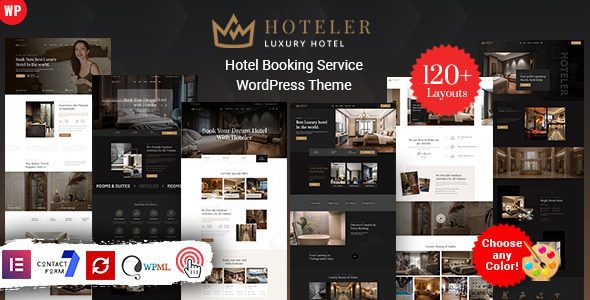
Hoteler v7.0: A Comprehensive Analysis of the Professional Hotel Booking WordPress Theme
Hoteler is a WordPress theme specifically built for hotel booking businesses. With its powerful features and flexible customizability, it has become a popular choice for building websites in the accommodation industry. The Hoteler theme comes with a variety of preset web elements, allowing you to quickly build a professional-grade hotel booking website even without any programming knowledge. The theme is equipped with an intuitive admin panel that makes website configuration simple and efficient, while also offering rich design options to help you present a visual style that matches your brand identity.
Core Features and Advantages of the Hoteler Theme
The Hoteler theme uses a fully responsive layout that perfectly adapts to various screen sizes and resolutions, whether on desktop monitors, tablets, iPads, iPhones, or small mobile devices, delivering optimal visual results. This means your customers will enjoy a smooth booking experience regardless of the device they use to access your site.
The theme is highly customizable, feature-rich, and equipped with a powerful admin panel, enabling any user to create an outstanding website. The theme also includes numerous features to help you present a professional-grade website appearance through beautiful design. For accommodation businesses looking to launch quickly and operate efficiently, Hoteler provides a complete solution.
Business Types Suitable for the Hoteler Theme
Hoteler is suitable for all types of accommodation businesses, including apartments, B&Bs, hostels, hotels, luxury hotels, motels, resorts, room rentals, tourism services, and vacation rental companies. Whether you run a small B&B or a large resort, Hoteler can provide matching website features and design styles.
If you are looking for more high-quality WordPress resources, you can visit bobohello.com for a wealth of theme and plugin recommendations.
Installation and Usage Tips for the Hoteler Theme
Installing the Hoteler theme is very simple. You can upload the theme file directly through the WordPress dashboard and activate it. After activation, it is recommended to import the official demo content to quickly understand the theme's layout structure and feature settings. Then, you can customize colors, fonts, page layouts, and other elements using the admin panel based on your own business needs.
To ensure optimal website performance, it is recommended to pair it with high-quality caching plugins and image optimization tools. The Hoteler theme is compatible with mainstream page builders, and you can use tools like Elementor and WPBakery to further extend your page designs. For more detailed usage instructions, please refer to the Hoteler official page.
Frequently Asked Questions
How do I install the Hoteler theme?
You can upload the theme zip file in the WordPress dashboard under "Appearance" -> "Themes" -> "Add New Theme," then click activate. After installation is complete, it is recommended to import the demo content to quickly configure your website.
What types of accommodation businesses is the Hoteler theme suitable for?
Hoteler is suitable for a wide range of accommodation business types, including apartments, B&Bs, hostels, hotels, luxury hotels, motels, resorts, room rentals, tourism services, and vacation rental companies.
Is the Hoteler theme responsive?
Yes, the Hoteler theme uses a fully responsive design that perfectly adapts to various screen sizes, including desktop computers, tablets, iPads, iPhones, and small mobile devices.
Is the Hoteler theme updated regularly?
The Hoteler theme is continuously maintained by the official team. For update frequency and specific update details, please refer to the official documentation or theme page description.
Does the Hoteler theme support page builders?
The Hoteler theme is compatible with mainstream page builders such as Elementor and WPBakery. For specific compatibility details, please refer to the official documentation.

