
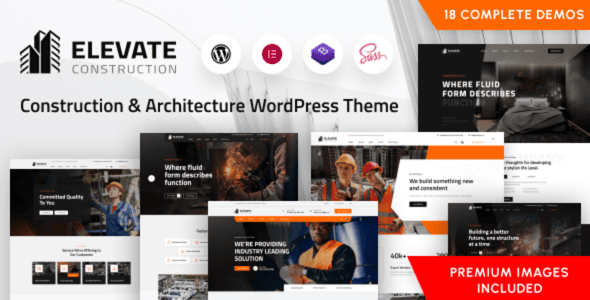
Elevate WordPress Theme: Professional Website Solutions for the Architecture and Engineering Industry
Elevate is a WordPress theme tailored for industries such as construction, renovation, factories, engineering, repair services, contracting, architectural design, interior design, and real estate development. The current version v2.3.2 continues a clean and professional visual design language that is both attractive and easy to navigate, helping engineering firms quickly establish a trustworthy online presence. Its layout is fully responsive, ensuring the website displays excellently across desktops, laptops, tablets, and smartphones.
As a highly customizable construction industry WordPress theme, Elevate allows you to easily adjust layouts, color schemes, and fonts to match your brand identity and style. Whether you are a small-to-medium construction team or a large architectural design firm, you can quickly build an official website that fits the industry tone with this theme. If you need more similar resources, you can visit WordPress Theme Resource Site for more options.
Core Features and Design Highlights of the Elevate Theme
The Elevate theme is designed around the practical needs of the architecture and engineering industry, with key highlights including:
Responsive Layout and Visual Presentation
The theme uses a fully responsive design that automatically adapts to different screen sizes, giving visitors a smooth browsing experience on any device. The clean and professional visual style is suitable for showcasing engineering project cases, construction processes, and service introductions.
Highly Customizable Brand Adaptation
Through the theme options panel, you can freely adjust layout structure, color schemes, and font styles to customize your brand visuals without writing any code. This feature makes Elevate one of the more flexible choices among construction industry WordPress themes.
Designed for Multi-Industry Scenarios
In addition to construction and contracting, Elevate is equally suitable for niche fields such as renovation, factories, engineering, repair services, interior design, and real estate development—one theme covers multiple business scenarios.
To view the official demo and detailed feature descriptions, please visit the Elevate official page.
How to Install and Configure the Elevate WordPress Theme
The installation process for the Elevate theme is the same as for regular WordPress themes: in the admin dashboard, go to "Appearance" > "Themes," click "Add New Theme," and upload the theme zip file. After activation, follow the guidance to import demo content or manually configure pages. The theme supports the WordPress Customizer, allowing you to preview layout and color adjustments in real time. It is recommended to complete plugin compatibility checks and page setup in a testing environment before going live to ensure stable website operation.
Frequently Asked Questions
Which WordPress versions does the Elevate theme support?
The Elevate theme maintains compatibility with major WordPress version updates. For the specific supported version range, please refer to the official documentation or the theme changelog.
Is the Elevate theme compatible with mainstream page builders?
The theme follows standard WordPress development practices and is generally compatible with mainstream page builders, but for specific compatibility, please refer to the official documentation.
How often is the Elevate theme updated?
The update frequency depends on the development team's release schedule. It is recommended to follow the official page for the latest version and changelog information.
Which industry websites is the Elevate theme suitable for?
Elevate is specifically designed for industries such as construction, renovation, factories, engineering, repair services, contracting, architectural design, interior design, and real estate development, and is also suitable for official websites of related service-oriented businesses.


Comments (0)