
WooCommerce Product Options: A Professional Solution for WooCommerce Product Options Customization
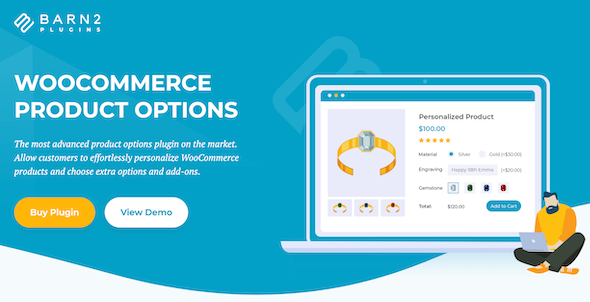
WooCommerce Product Options is a professional WordPress plugin developed by Barn2 Media, designed specifically for merchants who need to add custom options to WooCommerce products. It allows customers to easily customize products and select extra options and add-ons, thereby enhancing the shopping experience and increasing average order value. Whether adding checkboxes, radio buttons, text boxes, or file uploads, this plugin can be implemented quickly through a user-friendly interface without writing code.
Core Features: Flexible Product Add-ons and Real-Time Pricing
WooCommerce Product Options provides the most advanced product options functionality on the market. You can add multiple types of custom fields to any WooCommerce product and preview the finished result in real time. The plugin supports dynamically adjusting prices based on selected options, including fixed fees, percentage changes, pricing by character or file upload, and even advanced custom pricing formulas. In addition, conditional logic functionality allows you to conditionally show or hide product add-ons based on other customer selections, enabling a highly personalized shopping process.
Using Product Add-ons for Upselling
By adding upsell options to the product page, you can effectively increase average order value. The plugin allows you to display related products or upgrade services above the "Add to Cart" button, such as custom installation, free gifts, and accessories. This strategy not only increases sales but also improves customer satisfaction. If you need more WooCommerce resources, you can visit our WordPress resource site to get related tools and tutorials.
Installation and Usage Guide
The installation process of WooCommerce Product Options is very simple. You only need to upload the plugin file and activate it to start using it. According to the official documentation, this plugin is compatible with the latest WordPress and WooCommerce versions and is regularly updated to ensure security and complete functionality. For Chinese users, the plugin supports localized versions, making it easy for you to get started quickly. For more detailed information, please refer to the official page.
Frequently Asked Questions
How do I install the WooCommerce Product Options plugin?
You can upload the plugin ZIP file through the "Plugins" -> "Add New" page in the WordPress dashboard, and then activate it. For specific steps, please refer to the official documentation.
What types of custom options does this plugin support?
It supports multiple types such as checkboxes, radio buttons, text boxes, and file uploads, and you can also use existing attributes or variations.
Can prices be dynamically adjusted based on options?
Yes, the plugin supports fixed fees, percentage changes, pricing by character or file upload, and advanced custom pricing formulas.
Is the plugin compatible with the latest version of WooCommerce?
Barn2 Media regularly updates the plugin to ensure compatibility. For specific compatible versions, please refer to the official documentation.
How do I implement conditional logic to display options?
In the plugin settings, you can configure product add-ons to be conditionally shown or hidden based on other customer selections.

