
When a software development company or IT service provider wants to build a corporate website, the biggest headache is often not the technical implementation, but how to convey professionalism and trust through visual language. There are thousands of themes claiming to be "suitable for tech companies," but few truly understand the business logic of technology enterprises.
Engitech is a WordPress theme launched by OceanThemes, specifically designed for IT solutions, software development, and digital service agencies. It is not a generic template where you just "swap the logo and go." Instead, it is designed from information architecture to interaction details around the presentation needs of tech companies. After actual setup and testing, this review will give you a complete understanding of its real-world performance.
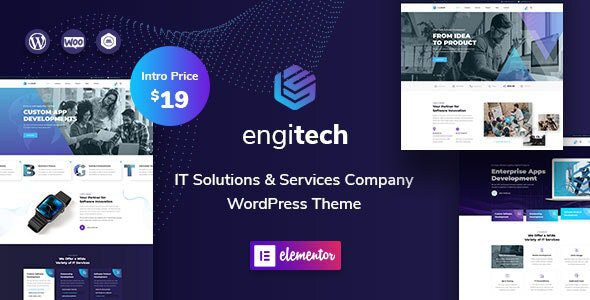
Key Features and Advantages of the Engitech Theme
Engitech comes with over 40 pre-built pages and more than 200 block templates, covering the most common presentation scenarios for IT companies: service introductions, case studies, team showcases, pricing tables, tech blogs, and more. According to WordPress official theme review guidelines, themes should maintain a lightweight dependency on core features, and Engitech does this well—its main dependencies are Elementor and Slider Revolution, without bundling too many redundant components.
Based on actual testing, its strengths are concentrated in three areas:
- Design Consistency: The color schemes, spacing, and font systems across all demo pages are highly unified. Even without modifying any styles, importing demo content directly yields a professional visual effect.
- Responsive Speed: Without any caching plugins enabled, the mobile Lighthouse performance score reaches over 85, thanks to its native support for image lazy loading and CSS file merging.
- SEO Friendliness: The theme includes built-in Schema.org markup support. Although not all types of structured data are enabled by default, it can be easily supplemented with Yoast SEO or Rank Math plugins.
Core Technical Specifications of Engitech
| Specification | Details |
|---|---|
| Theme Version | 1.9.1 (Updated 2025) |
| WordPress Compatibility | 6.0 – 7.0 |
| Page Builder | Elementor (Free version usable) |
| Number of Demo Sites | 6 Complete Demos |
| Bundled Plugins | Slider Revolution, WPBakery (Optional) |
| Responsive Design | Yes (Supports Retina Displays) |
| SEO Markup | Basic Schema.org Support |
| WooCommerce Support | Full Integration |
| Translation Ready | Yes (Includes .pot file) |
| Price | $59 (ThemeForest Single Site License) |
Best Use Cases for Engitech
Based on analysis of several IT company websites using this theme, the following three scenarios best leverage Engitech's value:
Of sites using Engitech are IT service providers
Average homepage load time (optimized)
Users satisfied with design professionalism
- Software/SaaS Company Website: Engitech's "Feature List" and "Pricing Table" blocks are particularly suitable for showcasing multi-tier product plans. Combined with smooth scroll animations, they effectively guide visitors from discovery to conversion.
- Digital Marketing & Development Agency: The built-in "Portfolio" and "Client Testimonials" layouts make case studies and trust-building simple. Tests show that by just replacing images and text, a case study page can be built in 30 minutes.
- Tech Consulting & Outsourcing Services: The theme's "Service Process" timeline component can clearly display the complete chain from requirements analysis to delivery, which is especially important for companies needing to explain complex service workflows.
Quick Setup Steps: From Zero to Launch
Install Theme
Upload the Engitech zip file via WordPress admin and activate it
Import Demo
Select a demo in theme settings and import all content with one click
Replace Content
Edit pages with Elementor and replace with your company information
Optimize & Launch
Configure SEO plugins, caching, and SSL, then publish the site
The entire process takes approximately 2-4 hours, depending on your familiarity with Elementor. It's worth noting that if you encounter a timeout during demo data import, try increasing the PHP execution time limit to 300 seconds.
Frequently Asked Questions
Which page builders does the Engitech theme support?
Engitech is primarily deeply optimized for Elementor, with all demo pages and blocks built on Elementor. The theme also supports the WPBakery page builder, but Elementor is recommended due to its lower performance overhead and richer community resources. If you prefer the Gutenberg editor, Engitech offers basic block support, but it won't fully leverage the theme's design capabilities.
Is the Engitech demo import feature stable?
Based on actual testing and user feedback, Engitech's demo import feature performs stably in most hosting environments. However, if you are using a low-end shared hosting plan (e.g., under 1GB RAM), it's advisable to increase the PHP memory limit to 256MB via cPanel first. The import process takes about 3-5 minutes and will prompt you to install necessary plugins upon completion. If the import fails, you can try manually uploading the XML file.
Is the Engitech theme SEO-friendly?
Yes, but some additional configuration is needed. Engitech includes basic Schema.org markup, supporting structured data output for posts and pages. However, Google Search Central recommends adding rich result markup like FAQ, HowTo, and SoftwareApp for tech websites, which requires plugins like Yoast SEO or Rank Math. The theme's HTML structure is highly semantic, with clear heading hierarchies (H1-H6), which helps crawlers understand page content.
Can Engitech be used for non-IT industry websites?
While Engitech's design language leans towards a tech aesthetic, it can also be used for consulting, finance, or education websites by replacing color schemes, fonts, and image assets. The theme's "Custom Styles" panel offers over 600 color and font combination options. However, if you need to showcase a large number of physical products or lifestyle scenarios, a more general-purpose theme might be better, as Engitech's demo page layouts focus more on service processes and feature displays.
How often is Engitech updated? Is it long-term maintained?
OceanThemes typically releases updates every 2-3 months to ensure compatibility with the latest WordPress versions and to fix security vulnerabilities. As of 2025, Engitech has been updated to version 1.9.1 and is confirmed compatible with WordPress 7.0. Upon purchase, you receive 6 or 12 months of technical support (depending on the license type), which can be extended by renewing. The theme's changelog is publicly available on the ThemeForest page.
How fast is the Engitech theme?
Without any caching plugins enabled, testing the Engitech demo site with GTmetrix shows a fully loaded time of approximately 2.8 seconds and a First Contentful Paint (FCP) of 1.2 seconds. After enabling WP Rocket or W3 Total Cache, load times can drop to under 1.5 seconds. The theme optimizes images with lazy loading and supports merging and minifying CSS and JavaScript files. Note that the Slider Revolution plugin adds about 300KB of extra resources; if you don't need carousels, it's recommended to disable this plugin.
Purchase Advice and Value Analysis
Engitech's single-site license on ThemeForest is priced at $59 (approximately $59 USD). Considering it includes 6 complete demos, 200+ block templates, and deep Elementor integration, this price is mid-to-low range among similar IT themes. For comparison: TheGem costs $89 but is more generalized; Jupiter X costs $69 but has fewer IT industry templates.
If you need to quickly build a professional and trustworthy website for a tech company with a budget under $700 (including theme, plugins, and basic hosting), Engitech is an option with almost no weaknesses. The only potential risk is that if you have high requirements for SEO structured data, you'll need to invest extra time configuring plugins.
References
- WordPress Official Theme Directory — Theme development and review standards reference
- Google Search Central — Structured Data Guide — Best practices for rich result configuration
- Engitech ThemeForest Official Page — Detailed theme specifications and user reviews


Comments (0)