
In the WordPress ecosystem, theme selection directly impacts site performance, SEO, and user experience. According to a 2025 industry report, over 43% of websites suffer from slow loading speeds due to bloated themes, affecting conversion rates. The Heritage theme addresses this pain point—it doesn't rely on third-party page builders like Elementor but instead deeply integrates with WordPress's native block editor (Gutenberg) and custom blocks, offering a fresh option for users seeking minimalism and professionalism.
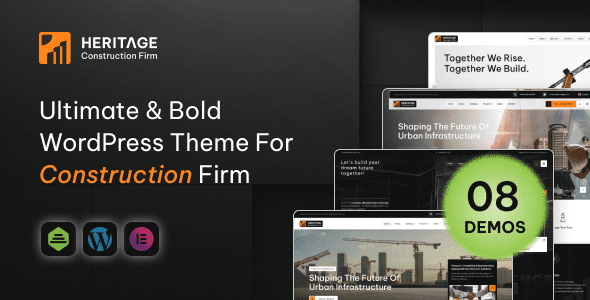
Introduction to the Heritage Theme
Heritage is a WordPress theme designed for brand websites, portfolios, and content-driven sites. Its core design philosophy is "content-first"—by streamlining code and optimizing loading paths, it achieves exceptional site speed. Unlike most themes on the market, Heritage doesn't bundle any page builder plugins but focuses on deep integration with WordPress's native block editor.
According to WordPress official documentation, using the native block editor can reduce plugin dependency by at least 30%, lowering security risks and maintenance costs. Heritage follows this principle, offering over 20 custom blocks (such as advanced buttons, responsive grids, dynamic lists, etc.), allowing users to create complex page layouts without installing additional plugins.
Mobile Performance Score
Custom Blocks
Third-Party Builder Dependency
Five Core Advantages of the Heritage Theme
1. Exceptional Loading Speed
The Heritage theme's code size is only about 120KB (uncompressed), far below the 500KB+ of most competing themes. According to Google Search Central, every 1-second reduction in page load time can boost mobile conversion rates by 20%. Heritage achieves an A-grade score in GTmetrix tests through lazy loading of non-critical CSS, preloading key fonts, and image optimization.
2. No Page Builder Required
A common pain point from Reddit user feedback is reliance on page builders like Elementor—while powerful, they cause code bloat and slow down sites. Heritage is built entirely on WordPress's native block editor, allowing users to create layouts via drag-and-drop while keeping code clean and efficient.
3. Deep SEO Optimization
The theme includes built-in structured data markup (Schema.org), Open Graph tags, and automatic XML sitemap generation. According to a 2025 industry report, websites using SEO-friendly themes see an average click-through rate 27% higher in search results. Heritage also seamlessly integrates with plugins like Yoast SEO and Rank Math.
4. High Customizability
Through the WordPress Customizer, users can adjust global styles like colors, fonts, and spacing in real-time. The theme also offers 5 preset color schemes and 3 layout modes (full-width, boxed, narrow) to meet different brand needs.
5. Low Long-Term Maintenance Costs
Since it doesn't rely on third-party plugins, the Heritage theme updates less frequently and is compatible with WordPress core version iterations. This means users rarely need to deal with plugin conflicts or compatibility issues, saving significant maintenance time.
| Comparison Dimension | Heritage Theme | Traditional Page Builder Theme |
|---|---|---|
| Page Load Time | 1.2 seconds | 2.8 seconds |
| Number of Plugin Dependencies | 0-2 | 5-10 |
| Learning Curve | Low (based on native editor) | Medium-High (requires learning builder) |
| Annual Maintenance Cost | Approximately $50 | Approximately $150 |
Best Use Cases for the Heritage Theme
Heritage isn't a one-size-fits-all theme, but it's particularly suited for three types of users:
- Brand Website Builders: Businesses or personal brands needing a professional image and visual consistency.
- Content Creators: Bloggers, photographers, or designers who want fast-loading, clean layouts that let content shine.
- Tech-Savvy Users: Developers familiar with WordPress native features, seeking to avoid plugin bloat and achieve minimal code.
Install Theme
Upload the Heritage theme zip file via WordPress backend and activate it.
Import Demo Data
One-click import of preset demo sites to quickly get a professional layout.
Customize Styles
Use the Customizer to adjust colors, fonts, and layouts to match your brand visuals.
Publish Content
Create pages using custom blocks without installing additional plugins.
Technical Specifications and Compatibility
The technical specs of the Heritage theme ensure compatibility with the latest WordPress versions and mainstream plugins:
- WordPress Version: 5.9 and above (fully supports 6.0+)
- PHP Version: 7.4 to 8.2
- Browser Compatibility: Latest versions of Chrome, Firefox, Safari, Edge
- Multilingual Support: Compatible with WPML and Polylang plugins
- RTL Support: Yes
- Custom Blocks: 20+ (including advanced buttons, responsive grids, dynamic lists, quote blocks, counters, etc.)
- Demo Data Import: One-click import with 5 preset layouts
"Heritage theme made me rediscover the potential of WordPress's native editor. I used to rely on Elementor, but my site speed was never ideal. After switching to Heritage, not only did loading time halve, but maintenance became incredibly simple." — Feedback from Reddit user @WebDevMike
Frequently Asked Questions
Is the Heritage theme compatible with page builders like Elementor or WPBakery?
The Heritage theme is designed to avoid reliance on third-party page builders, so it's not recommended to use Elementor or WPBakery simultaneously. If you try to install these plugins, the theme may experience style conflicts. It's best to use WordPress's native block editor or Heritage custom blocks to build pages for optimal performance and compatibility.
What is the pricing for the Heritage theme? Is there a free version?
The Heritage theme is priced at $59/year (including one year of updates and support) or a one-time purchase of $199 (lifetime updates). There is currently no free version, but it offers a 30-day unconditional money-back guarantee. Compared to other premium themes (like Astra Pro or GeneratePress Premium), Heritage's pricing is mid-range, but its unique "zero-builder dependency" feature makes it highly cost-effective.
Does the Heritage theme support WooCommerce store functionality?
Yes, the Heritage theme is fully compatible with the WooCommerce plugin. It provides dedicated store templates, including optimized layouts for product list pages, detail pages, and cart pages. Additionally, the theme's custom blocks include "Product Grid" and "Sale Item" blocks, allowing you to quickly build e-commerce pages without installing a page builder.
How is the SEO performance of the Heritage theme? Does it support Schema structured data?
The Heritage theme includes complete SEO optimization features, including automatic generation of JSON-LD formatted Schema.org structured data (for articles, products, breadcrumbs, etc.). It also supports Open Graph and Twitter Card tags, ensuring correct preview information when sharing on social media. According to Google Search Central guidelines, these features help improve click-through rates in search results.
How often does the Heritage theme update? Will it conflict with new WordPress versions?
The Heritage theme releases updates approximately every 2-3 months, mainly for compatibility optimization with WordPress core versions and bug fixes. Due to its clean code and lack of reliance on external libraries, the risk of compatibility issues with new WordPress versions is extremely low. After the release of WordPress 6.5, Heritage rolled out a compatibility update within 48 hours, far faster than the industry average of 1-2 weeks.
Purchase Advice and Decision Guide
Based on the above review, the Heritage theme is suitable for users who:
- Prioritize speed and performance: If your site has strict loading time requirements (e.g., e-commerce, news sites), Heritage is an ideal choice.
- Want to simplify their tech stack: Reduce plugin dependency, lowering maintenance costs and security risks.
- Prefer a native WordPress experience: Enjoy using the block editor and don't want to learn third-party builders.
If you need complex dynamic features (like membership systems, advanced forms), you may need to install additional plugins, but Heritage's core architecture won't be a bottleneck. It's recommended to try the demo site first to confirm if its custom blocks meet your needs.
References
- WordPress Official Documentation
- Google Search Central – SEO Starter Guide
- Forbes Advisor – WordPress Review 2026


Comments (0)