
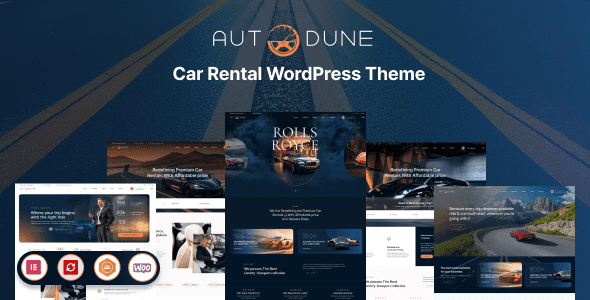
Autodune is a professional and flexible car rental WordPress theme, designed specifically for car rental companies, limousine services, car dealerships, and any automotive-related business. It is fully responsive, retina-ready, and easy to customize, helping you build a high-end website quickly.
Core Features of the Autodune Car Rental WordPress Theme
Autodune boasts a stunning visual style and a rich set of functional elements, allowing you to create a professional website without any coding knowledge. Its drag-and-drop page builder, booking system integration, and multilingual support make it an ideal choice for the car rental industry.
Responsive Design and Retina Screen Compatibility
Whether users are on mobile, tablet, or desktop, Autodune displays perfectly. Retina screen compatibility ensures crisp and sharp visuals on high-resolution devices, enhancing the user experience.
Powerful Booking and Rental Features
Autodune comes with a built-in booking system that supports vehicle selection, date filtering, and online payments, streamlining the customer booking process. Additionally, it is compatible with popular plugins such as WooCommerce and WPML for easy expansion.
Easy Customization and Versatility
The theme panel offers a wide range of color, font, and layout options, allowing you to quickly adjust according to your brand needs. Whether it is a single-site or multilingual website, Autodune handles it with ease.
What Business Scenarios Is the Autodune Theme Suitable For?
Autodune is not only suitable for car rental but also for limousine services, airport transfers, tour charters, and car dealerships. Its flexible layout and features allow you to showcase your fleet, pricing, and promotional offers to attract more customers. For related resources, you can refer to WordPress Theme Resources.
How to Quickly Install and Launch the Autodune Theme?
Installing Autodune is very simple: In the WordPress admin panel, go to "Appearance" > "Themes" > "Add New Theme," upload the theme zip file, and activate it. Then import the demo data to quickly complete your website setup. For more details, please refer to the official page.
Frequently Asked Questions
How Do I Install the Autodune Theme?
In the WordPress admin panel, go to "Appearance" > "Themes" > "Add New Theme," click the "Upload Theme" button, select the Autodune zip file, and install it. After installation, activate the theme and start configuring.
Which Browsers and Devices Does Autodune Support?
Autodune is fully responsive and supports all modern browsers (Chrome, Firefox, Safari, Edge), and is compatible with mobile, tablet, and desktop devices.
Is Autodune Compatible with WooCommerce?
Yes, Autodune seamlessly integrates with WooCommerce, allowing you to sell car accessories, offer booking services, or manage online payments.
How Often Is the Autodune Theme Updated?
The update frequency depends on the developer, typically releasing updates monthly or quarterly. For specific changelogs and version information, please refer to the official page.


Comments (0)