
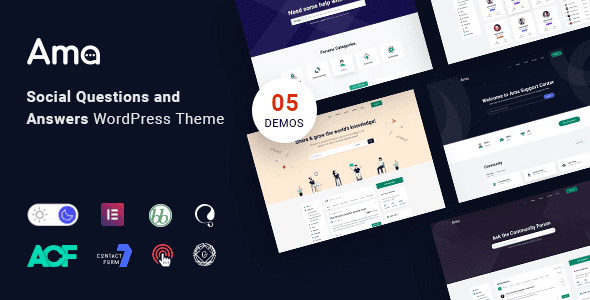
AMA v1.8.0 WordPress Theme: The Preferred Solution for Building Professional Social Q&A Communities
AMA v1.8.0 is a professional social Q&A WordPress theme designed specifically for online communities, niche Q&A websites, marketing sites, and developer websites. It deeply integrates bbPress forum functionality, allowing you to quickly build a fully-featured, smoothly interactive Q&A platform. Whether you want to create a knowledge-sharing community similar to Quora or add a user interaction module to your existing business, the AMA theme provides a flexible and powerful solution. The theme natively supports the Chinese version, adapting to localization needs without additional configuration.
AMA Theme Core Features and bbPress Forum Integration
The biggest highlight of AMA v1.8.0 is its seamless integration with the bbPress forum plugin. Through built-in Q&A logic, users can easily post questions, answer questions, vote, and accept the best answers. The theme offers rich front-end management options, including user profile pages, question categories, tag systems, and real-time notifications. Additionally, AMA is compatible with the Elementor page builder, allowing you to customize community page layouts and styles through drag-and-drop without writing code.
Social Q&A and Community Interaction Features
The theme includes built-in social features such as following, liking, bookmarking, and private messaging, which can effectively boost user engagement. You can also motivate users to contribute quality content through a points and badge system. For users looking to quickly build a paid knowledge or expert Q&A platform, AMA provides complete membership and permission management options. If you need more WordPress resources, you can visit bobohello.com for related tutorials and tools.
Design and Customization Options
AMA v1.8.0 offers multiple preset color schemes and layout templates, with support for dark mode switching. The theme options panel allows you to modify the logo, fonts, button styles, and footer information, with all changes previewable in real time. The responsive design ensures a consistent browsing experience across mobile phones, tablets, and desktop devices. Additionally, the theme follows SEO best practices with clean code structure, helping search engines index your content.
If you need to learn more technical details about the theme or get official support, you can visit the ThemeForest official page.
Frequently Asked Questions
How do I install the AMA v1.8.0 theme?
In the WordPress admin panel, go to "Appearance" -> "Themes" -> "Add New Theme," upload the theme zip file, and activate it. After activation, follow the prompts to install recommended plugins (such as bbPress) to complete the basic configuration. For detailed steps, please refer to the official documentation.
Is the AMA theme compatible with the latest version of WordPress?
AMA v1.8.0 has been tested and optimized for WordPress 6.x versions and is compatible with mainstream modern browsers. It is recommended to use PHP 7.4 or higher for optimal performance. For a detailed compatibility list, please refer to the official documentation.
Which page builders does the theme support?
The AMA theme natively supports Elementor and WPBakery Page Builder. You can also use the WordPress default block editor for content creation. For specific support details, please refer to the official documentation.
How do I update the AMA theme to a new version?
You can download the latest version through your ThemeForest account and then manually upload it to overwrite the old files, or use the Envato Market plugin for automatic updates. Please back up your website data before updating. For specific update methods, please refer to the official documentation.


Comments (0)