
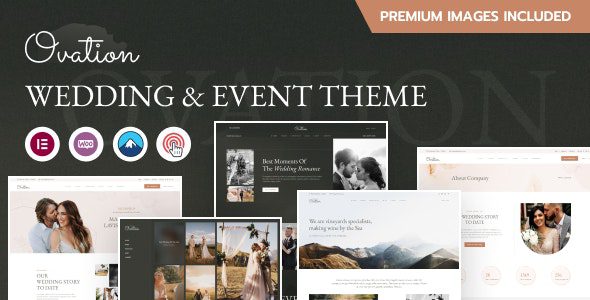
If you're looking for a WordPress theme that combines visual appeal with performance for a wedding photography studio or event planning company, the Ovation WordPress theme is worth serious consideration. It has been deeply optimized for wedding planners, wedding photographers, wedding events, family photographers, videographers, and all business scenarios related to wedding services. Pages load quickly, and the backend interface is friendly—even without any coding knowledge, you can quickly build a professional-grade website.
Core Highlights of the Ovation WordPress Theme
Ovation offers 5 complete homepage templates and more than 15 practical inner pages, covering common structures such as blog pages, service pages, About Us, and Contact Us. The theme is built on Bootstrap 5 and uses responsive CSS with a clean code framework, automatically adapting its display across desktops, laptops, iPads, iOS devices, and tablets. For photography sites that need to frequently update their portfolios, this responsive design can significantly reduce mobile bounce rates.
If you'd like to learn more about the WordPress website-building ecosystem, you can refer to the related tutorials and tool recommendations in the WordPress themes and plugins resource library.
An Analysis of Ovation's 15 Practical Features
Elementor Page Builder and Visual Editing
The theme includes the Elementor Page Builder, supporting drag-and-drop editing and real-time preview. You can freely adjust page sections, fonts, colors, and spacing without writing any code. For wedding photography sites, this means you can quickly build album showcase pages full of romantic atmosphere.
Header and Footer Builder and Mega Menu
Ovation provides a header and footer builder, supporting the creation of an unlimited number of header and footer combinations. The mega menu feature allows you to create multi-level menus and submenus as needed, making it suitable for wedding planning companies with many service items.
One-Click Demo Importer and Theme Options Panel
With the one-click demo importer, you can import demo content in a single click and quickly get a usable website framework. The powerful theme options panel lets you centrally modify global styles, layouts, and feature toggles, saving you the trouble of adjusting page by page.
WooCommerce Compatibility and Contact Form 7 Integration
Ovation integrates with the WooCommerce plugin, allowing you to create an online store to sell photography packages, wedding merchandise, or digital products. It also integrates Contact Form 7, making it easy to create contact forms and inquiry forms. Child theme support ensures that your custom modifications won't be lost when the main theme is updated.
Why Wedding Photography and Event Planning Websites Are Suited to Ovation
The core demands of wedding and event photography websites are visual impact, loading speed, and booking conversion. Ovation's high page speed optimization helps improve search engine rankings, while its professional, user-friendly interface lets visitors quickly find portfolios, service pricing, and contact information. The theme's dedicated customer support team can also provide help when issues arise. If you need to compare more similar themes, you can visit bobohello.com to access resources.
Frequently Asked Questions
How do I install the Ovation theme?
In the WordPress dashboard, go to "Appearance → Themes → Upload Theme," select the Ovation theme installation package, upload it, and activate it. After activation, it's recommended to install the recommended plugins (such as Elementor and Contact Form 7), then use the one-click demo importer to import the demo content. For details, please refer to the official documentation.
What use cases is Ovation suitable for?
Ovation is suitable for wedding planners, wedding photographers, wedding event companies, family photographers, videographers, and all businesses related to wedding services. It can also be used for personal photography portfolios or event planning websites.
Is Ovation compatible with WooCommerce?
Yes, Ovation integrates with the WooCommerce plugin, allowing you to create an online store to sell products. For specific compatible versions and configuration methods, please refer to the official documentation.
How often is the Ovation theme updated?
Ovation provides child theme support, making it easy to preserve custom modifications when the main theme is updated. The update frequency depends on the development team's release schedule. For details, please refer to the official documentation or the theme page description.
Does Ovation support Chinese display?
The Ovation theme supports the standard WordPress language pack mechanism, and Chinese display can be achieved by installing a Chinese language pack. The theme itself does not restrict language. For details, please refer to the official documentation.


Comments (0)