
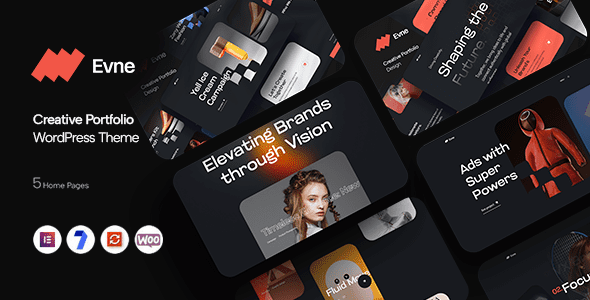
In-Depth Analysis of the Evne Creative Portfolio WordPress Theme
Evne is a creative portfolio WordPress theme focused on case study presentation. Unlike its series counterparts DaaS (dark and bold) and Dots (minimalist dot matrix), Evne takes the "case study" approach—each project unfolds in four sections: background, strategy, execution, and results, making the methodology itself your selling point. For teams that "sell methods" such as consulting and brand planning, the Evne creative portfolio WordPress theme perfectly showcases your professional approach.
Core Features of the Evne Theme
- Case Structure: A four-part layout of background, strategy, execution, and results that clearly presents the full picture of a project.
- Results Data: Built-in display slots for data such as conversion rates and traffic changes—let the numbers speak.
- Service Columns: Showcase your service lines and methodology to highlight your professionalism.
- Team Page: Member profile pages that build trust.
- Contact Form: Includes project type and budget fields to help screen prospective clients.
- Responsive Design: Optimized for long-form reading, equally comfortable on mobile.
Who Is the Evne Creative Portfolio WordPress Theme For?
For consulting firms, brand planning teams, independent consultants, and other businesses centered on "selling methods," what clients buy is your approach to solving problems. Evne's case study structure is perfectly suited to systematically present your methodology and elevate your professional image. If you need more portfolio theme references, check out the WordPress portfolio theme collection, where you'll find a roundup organized by style.
Unique Advantages of the Evne Creative Portfolio WordPress Theme
Unlike ordinary portfolio themes, Evne emphasizes "process" rather than just "results." Each case guides you to narrate the background, strategy, execution, and outcomes—a storytelling approach that makes it easier for potential clients to understand your value. At the same time, the theme's built-in data display slots visually present project results and strengthen persuasiveness.
How to Install and Use the Evne Theme
Installing the Evne theme is very simple: in the WordPress admin, go to "Appearance" -> "Themes" -> "Add New Theme," upload the theme zip package, and activate it. For details, please refer to the official documentation. After activation, you can create projects in the "Case Studies" custom post type and use the page templates provided by the theme to quickly build your portfolio website.
Frequently Asked Questions
What plugins does the Evne theme require?
The Evne theme recommends installing form plugins such as Contact Form 7 to enable contact form functionality; most other features are built into the theme. For details, please refer to the official documentation.
Is the Evne theme compatible with the latest version of WordPress?
Evne v1.0.0 has been adapted for WordPress 5.0 and above. It is recommended to use the latest version of WordPress for the best experience. For specific compatibility details, please refer to the official documentation.
How often is the Evne theme updated?
The Evne theme is regularly updated by the developer to fix bugs and add new features. It is recommended to follow the official channels for update notifications. For details, please refer to the official documentation.
Does the Evne theme support Chinese?
The Evne theme itself supports multiple languages and can be localized into Chinese via language packs. For details, please refer to the official documentation.


Comments (0)