
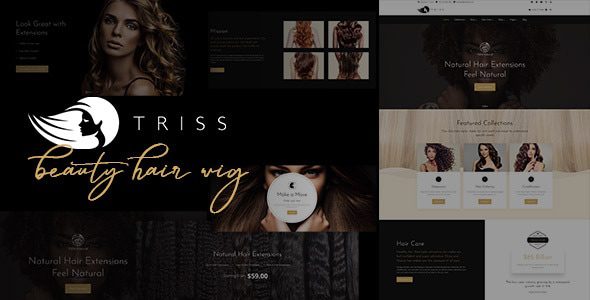
Triss Beauty & Cosmetics WordPress Theme: An All-in-One Solution for Beauty Business Stores
Triss Beauty & Cosmetics WordPress Theme is a WooCommerce theme built specifically for hair salons, beauty parlors, skincare brands, and cosmetics stores. It integrates service showcases and product sales into a single website architecture, allowing you to introduce store services, pricing, and team members while also selling hair care products, skincare items, beauty products, and related accessories through WooCommerce—helping beauty businesses quickly build a professional online store.
Theme Design and Core Features
- Industry Pages: Suitable for websites related to hairdressing, beauty, barbering, skincare, cosmetics, and health care.
- Pre-built Inner Pages: Offers service introductions, customer reviews, men's and women's service pricing, and multiple content layouts.
- Store Features: Manage the full workflow of products, shopping cart, checkout, and orders through WooCommerce.
- Navigation Menus: Supports Mega Menu and multiple page layouts to enhance the browsing experience.
- Demo Import: One-click import to establish the basic website structure, saving setup time.
- Multilingual: Compatible with WPML, suitable for businesses that need multilingual service pages.
The official page also lists companion or compatible components such as Contact Form 7, Mailchimp, Revolution Slider, Layer Slider, Yoast SEO, All in One SEO Pack, and Designthemes Core. Designthemes Core provides theme-related shortcodes and custom content types; without it, some page modules may not display properly, so be sure to enable it during installation.
Suitable Store Scenarios and Operational Tips
If you sell beauty products, you can focus the homepage on new arrivals, bestsellers, brand categories, and promotional campaigns. If you operate offline beauty or hairdressing services, you should place service items, pricing, store address, and booking entry points in more prominent positions. For stores that offer both services and product sales, it is recommended to design "Book a Service" and "Buy Products" as two clear entry points to avoid user confusion. For more WordPress e-commerce themes and plugins, refer to the curated collections on the WordPress resource site.
Installation and Store Configuration Steps
- Install the theme and necessary components such as Designthemes Core.
- Import the demo pages and replace store information, product images, and service pricing.
- Install and configure WooCommerce, setting currency, taxes, shipping, and payment methods.
- Create product categories, attributes, and variations, and check product image aspect ratios on mobile.
- Set up Contact Form 7, Mailchimp, and SEO plugins.
- Complete testing of checkout, payment, email notifications, and refunds before officially launching the store.
Version Verification and Licensing Notes
The main table lists v3.7, while the ThemeForest page already shows a subsequent v3.8 update record. When downloading, verify the actual package version and do not mistake older resources for the current latest version. When searching for the Triss Chinese version, WooCommerce beauty theme downloads, or GPL themes, check version compatibility of the theme, Designthemes Core, and bundled plugins at the same time. The theme's PHP code, demo images, fonts, and third-party assets may be subject to different licenses; you cannot judge the licensing of the entire package based on the word "GPL" alone. Official product page: Triss ThemeForest Page.
Frequently Asked Questions
Is the Triss theme only suitable for beauty salons?
No. It is also suitable for skincare products, cosmetics, hair care products, barber supplies, and beauty and health-related e-commerce websites, offering a relatively broad range of applications.
Does the theme include a booking system?
The official page highlights components such as WooCommerce and contact forms, and does not list a complete appointment scheduling system as a core feature. If you need to select service staff and booking time slots, you should integrate a separate booking plugin; please refer to the official documentation for details.
Which plugins is the Triss theme compatible with?
The officially listed compatible components include Contact Form 7, Mailchimp, Revolution Slider, Layer Slider, Yoast SEO, All in One SEO Pack, and Designthemes Core. It is recommended to verify version compatibility before installation.
How often is the theme updated?
The ThemeForest page shows subsequent version update records. For the specific update frequency and latest version number, please refer to the official documentation or the ThemeForest page.


Comments (0)