
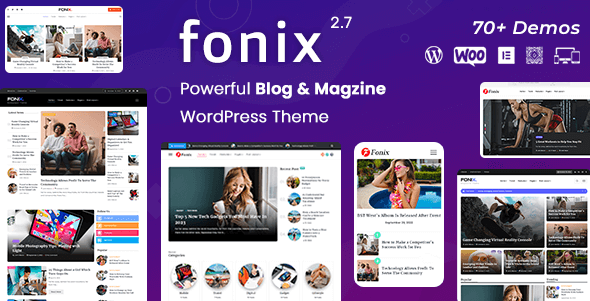
Fonix is a modern and flexible WordPress theme for newspapers and magazines, ideal for various blogs, newspapers, and magazine websites such as personal blogs, fashion, food, beauty, technology, gadgets, hardware, lifestyle, modern, health, travel, architecture, gaming, minimal, news, photography, and more. Whether you run a personal blog or a large news portal, Fonix offers a professional and visually appealing solution.
Fonix version 3.5 brings multiple improvements and new features, further enhancing user experience and website performance. This theme is designed for content-heavy websites, supporting various article layouts and custom widgets, allowing you to easily showcase the latest news. By integrating popular page builders, you can create unique page designs without coding.
Core Features of the Fonix Newspaper & Magazine WordPress Theme
The Fonix theme boasts a rich set of features aimed at helping you quickly build a fully functional news website. Here are some key features:
- Responsive Design: Perfectly adapts to all devices, ensuring readers get the best reading experience on phones, tablets, and desktops.
- Multiple Homepage Layouts: Offers various preset homepage templates, including classic newspaper style, modern magazine style, etc., which can be imported with one click.
- Advanced Typography Options: Supports custom fonts, font sizes, and colors to make your website stand out.
- Ad Management: Built-in ad slot management system for easy insertion of banner ads, native ads, etc., facilitating traffic monetization.
- SEO Optimization: Code follows best practices and supports major SEO plugins, helping your articles rank better in search engines.
- Multilingual Support: Compatible with WPML and Polylang plugins for easy creation of multilingual news websites.
How to Create a News Website with the Fonix Theme
After installing the Fonix theme, activate it via the WordPress admin panel under "Appearance" -> "Themes." Then, import demo data to quickly achieve the same layout as the demo site. Next, customize menus, widgets, and homepage modules as needed. For more knowledge about building a WordPress site, visit our resource site for additional tutorials.
Fonix Theme Performance and Compatibility
The Fonix theme is optimized for fast loading speeds and is compatible with major browsers and WordPress versions. It supports the WooCommerce plugin, allowing you to easily add online store functionality. Additionally, the theme integrates social sharing buttons and a comment system to enhance reader interaction. The official team provides regular updates and technical support to ensure the theme runs securely and stably.
Frequently Asked Questions
How to Install the Fonix Theme?
Installing the Fonix theme is the same as installing other WordPress themes: log in to the WordPress admin panel, go to "Appearance" -> "Themes," click "Add New," upload the theme's ZIP file, and activate it. For more detailed steps, please refer to the official documentation.
What Types of Websites is the Fonix Theme Suitable For?
The Fonix theme is particularly suitable for content-focused websites such as newspapers, magazines, news portals, personal blogs, tech blogs, fashion magazines, food blogs, and more. Its flexible layout and rich features can meet the needs of different industries.
Which Plugins is the Fonix Theme Compatible With?
The Fonix theme is compatible with major page builders (such as Elementor, WPBakery), SEO plugins (such as Yoast SEO, Rank Math), caching plugins (such as WP Rocket), multilingual plugins (such as WPML, Polylang), and WooCommerce. For specific compatibility, please refer to actual testing.
How Often is the Fonix Theme Updated?
The official team regularly releases theme updates based on WordPress version updates and user feedback, typically with major updates every few months, including security patches and feature improvements. It is recommended to keep the theme updated to the latest version for the best experience.


Comments (0)