
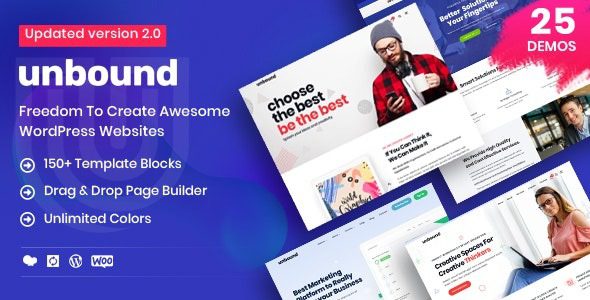
Unbound WordPress Theme: The Ultimate Multipurpose Website Solution for Businesses
Unbound WordPress Theme is a multipurpose theme built specifically for businesses and consulting agencies. It comes with over 25 carefully designed demo sites, allowing you to build a professional business website within an hour without writing any code. Whether you're a startup, law firm, or marketing agency, Unbound can meet your needs through its powerful modular system.
The theme is powered by over 100 draggable module blocks, letting you drag and drop any module to any position on the page to quickly adjust layouts. The latest v2.2.5 version further optimizes stability and compatibility, making it an ideal choice for business website development. If you need more WordPress resources, you can visit Premium WordPress Resource Site.
Unbound Theme Core Features and Highlights
Unbound Theme offers a rich feature set designed to simplify the website building process. Its core advantages include:
- 25+ Pre-built Demo Sites: Covering multiple industries such as business consulting, corporate agencies, and financial services, ready to use with one-click import.
- 100+ Module Blocks: Freely combine them via drag-and-drop page builders (such as Elementor) for unlimited layout possibilities.
- Responsive Design: Automatically adapts on all devices to ensure a great mobile user experience.
- High-Performance Optimization: Streamlined code and fast loading speeds that benefit SEO rankings.
- Compatible with Mainstream Plugins: Seamless integration with WooCommerce, Contact Form 7, and more.
The official page provides detailed theme demos and documentation. You can visit the Unbound Official Sales Page to learn more.
Unbound Theme Installation and Usage Tutorial
Installing Unbound Theme is very simple—just follow these steps:
Step 1: Upload and Activate the Theme
In the WordPress admin panel, go to "Appearance" -> "Themes" -> "Add New Theme," upload the Unbound theme ZIP package, install, and activate it. Note: v2.2.3 has been personally tested and works; it's recommended to use the latest v2.2.5 version for a better experience.
Step 2: Install Required Plugins
After activating the theme, the system will prompt you to install recommended plugins (such as Elementor, Unbound Core, etc.). Click to install and activate them online.
Step 3: Import Demo Templates
Go to "Unbound" -> "Demo Import," select your preferred demo site, and import it with one click. After the import is complete, the menu may need to be set manually: go to "Appearance" -> "Menus" and assign the menu to the "Main Menu" location.
If you encounter any issues during installation, you can refer to the theme documentation or seek technical support. For more WordPress tutorials and resources, feel free to visit bobohello.com.
Frequently Asked Questions
How do I install the Unbound theme?
In the WordPress admin panel under "Appearance" -> "Themes," upload the theme ZIP package, activate it, install the required plugins as prompted, and then import the demo templates. For detailed steps, refer to the official documentation.
Which page builders does the Unbound theme support?
Unbound Theme is primarily developed based on the Elementor page builder and is also compatible with other mainstream builders, but Elementor is recommended for the best results.
Is the Unbound theme compatible with the latest version of WordPress?
Yes, Unbound v2.2.5 has been tested and is compatible with WordPress 6.x versions. It's recommended to keep the theme and plugins updated to the latest versions to ensure security and full functionality.
How often is the Unbound theme updated?
The developer regularly releases updates to fix vulnerabilities and add new features. For detailed changelogs, please refer to the official documentation or the ThemeForest page.

