
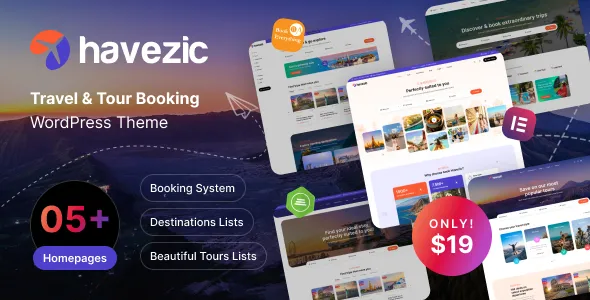
Havezic WordPress Theme: A Conversion Powerhouse Built for Travel Bookings
The Havezic WordPress theme is a professional theme focused on travel and tour booking scenarios, complementing the Tour Package theme in the same series. While Tour Package focuses on displaying itinerary products (tour dates, remaining spots, detail pages), Havezic places greater emphasis on the booking conversion flow (date selection, price calendar, one-click ordering). If you're building a travel website centered on instant booking, the Havezic WordPress theme is worth exploring in depth.
Core Feature Highlights of the Havezic Theme
The Havezic WordPress theme offers a range of feature modules tailored to the travel industry, helping websites improve user experience and conversion rates:
- Destination showcase: Large image galleries combined with destination introductions deliver strong visual impact, ideal for showcasing popular travel destinations.
- Itinerary listings: Supports multi-dimensional filtering by duration, price, theme, and more, making it easy for users to quickly find their ideal travel products.
- Price calendar: Displays prices by date, giving users an intuitive view of cost changes across different dates and improving booking decision efficiency.
- Booking form: Includes fields such as date, number of guests, and room type, simplifying the booking process and reducing user steps.
- Guide blog: Built-in destination content publishing functionality that serves as an SEO vehicle to attract organic traffic.
- Responsive design: Smooth mobile booking experience, adaptable to various screen sizes.
Use Cases and Selection Advice for the Havezic WordPress Theme
If you place more emphasis on product and content display, you can choose the Tour Package direction; if you place more emphasis on instant booking conversion, the Havezic WordPress theme is an ideal choice. For more options among travel themes, you can refer to the relevant category on the WordPress theme resource site, where you'll find industry-organized summary information.
How to Install and Configure the Havezic WordPress Theme
Installing the Havezic WordPress theme follows steps similar to other WordPress themes: upload the theme package under "Appearance" -> "Themes" in the admin panel and activate it, then install the recommended plugins as prompted (such as booking-related plugins), and finally import the demo content to quickly set up the website framework. For specific configuration options, please refer to the theme's official documentation.
Frequently Asked Questions
Is the Havezic theme compatible with the latest WordPress version?
The Havezic theme typically undergoes compatibility testing alongside WordPress version updates, and using the latest version is recommended for the best experience. For specific compatibility information, please refer to the official documentation.
What booking features does the Havezic theme support?
The Havezic theme includes basic booking features such as date selection, price calendar, and booking forms, and may also require related plugins to implement a complete booking flow. For a specific feature list, please refer to the official documentation.
How do I update the Havezic theme?
The theme update frequency depends on the developer's release cycle, and updates are typically published through official channels. It's recommended to check for updates regularly to get new features and security fixes. For specific update methods, please refer to the official documentation.
Does the Havezic theme support multiple languages?
The Havezic theme may support multilingual functionality, depending on the theme's internationalization readiness. You can use translation plugins to build a multilingual site. For details, please refer to the official documentation.


Comments (0)