
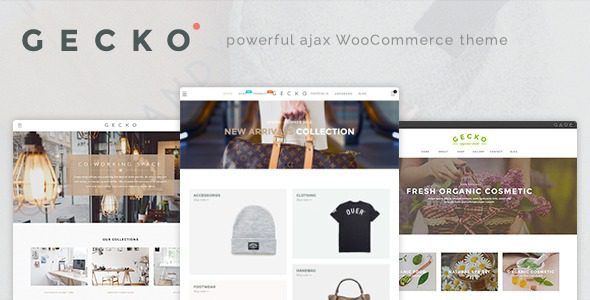
Gecko Theme In-Depth Review: Ajax-Driven WooCommerce Store Components
The Gecko WordPress theme is a store-focused theme launched by JanStudio, officially positioned as a "powerful Ajax WooCommerce theme" suitable for a variety of e-commerce scenarios such as online fashion stores, handmade shops, organic food stores, and furniture stores. It prioritizes the interactive experience: product browsing, filtering, and adding to cart all happen without page reloads, providing customers with a smooth shopping flow. Unlike store themes that only offer layout designs, Gecko's core advantage lies in its component density—color and image swatches, quick view, Ajax filtering, infinite scroll, currency switching, catalog mode, and more are all included, saving you the hassle of piecing together plugins.
Gecko Theme's Editor and Basic Settings
Page building uses the WPBakery page builder, which is officially listed as a bundled component; layout adjustments can be made by dragging sections and inline elements. Demo content supports one-click import, including products, categories, and page configurations, quickly restoring a complete store structure.
Theme options cover color schemes, typography fonts, header and footer layouts, and product card styles. The header and footer offer multiple layout options and support sticky positioning; the blog and portfolio modules have separate list styles. The official listing notes SEO and speed optimization, Retina high-definition screen support, and the Font Awesome icon library, with multilingual and RTL right-to-left layouts also handled. The file structure follows conventional theme organization; modifying styles is recommended via a child theme to ensure upgrade safety.
Gecko Theme's Product Display Components
The swatch system consists of three parts: color swatches, image swatches, and swatches with images. Swatches can be bound to a representative image, so when customers switch colors in the product list, the main image changes accordingly; swatches with images lay thumbnails directly on the swatches for more intuitive visual feedback. Product images support cloud zoom and flip thumbnail effects, enlarging details on mouse hover; the list can enable catalog mode, hiding the add-to-cart button for display only, suitable for wholesale or inquiry-based stores. Product badges can mark new, on-sale, and sold-out statuses.
It also includes currency switching, custom product tabs, Ajax search suggestions, and menu badges. Search suggestions instantly display product thumbnails and prices as you type, reducing a search redirect and improving conversion efficiency.
Gecko Theme's Filtering and Browsing Experience
Filtering is implemented via Ajax; after checking conditions, the product area refreshes in place without reloading the page. You can filter by color, attribute, and brand, and also use Isotope for dynamic sorting by category. The list supports masonry layout, paired with lazy loading or infinite scroll, so long product lists scroll without interruption. The quick view feature condenses product details into a popup layer, allowing customers to view large images, select options, and add to cart without leaving the page—especially critical for categories like apparel and furniture that require viewing details.
Gecko Theme's Bundled Plugins and Compatibility
The theme bundles several commonly used store plugins: wishlist, Ajax product filtering, custom product tabs, newsletter subscription popups, and form and carousel components. These plugins usually require separate license purchases, so bundled integration saves costs and compatibility debugging time. The newsletter popup can connect to Mailchimp, with customizable trigger conditions. It is also compatible with dropshipping tools like AliDropship, suitable for cross-border dropshipping stores. For more WordPress theme and plugin resources, refer to related sites.
Frequently Asked Questions
Does the Gecko theme require installing Elementor separately?
No. Page building is handled by the bundled WPBakery; enabling both editors simultaneously may cause layout conflicts, so it's recommended to use WPBakery exclusively.
How should the swatch feature be configured?
First create attributes for each product, then bind corresponding images by attribute value. Color names and hex values must be filled in clearly for the front end to display color blocks correctly. For specific operational details, please refer to the official documentation.
Does infinite scroll affect search engine indexing?
Pagination remains the site's standard structure; infinite scroll only changes the front-end loading method. If your site relies on pagination links being indexed, you can switch back to traditional pagination mode in the theme settings.
How often is the Gecko theme updated?
The theme update frequency depends on the official release schedule; please refer to the official documentation or changelog for details. It's recommended to regularly follow official channels for the latest version information.
Does the Gecko theme support multilingual and RTL layouts?
The official listing notes support for multilingual and RTL right-to-left layouts, suitable for e-commerce sites targeting different language markets.

